
 Need help?
Do you have a question about the Grason-Stadler gsi AUDIOSTAR PRO and is the answer not in the manual?
Essential safety precautions to prevent equipment damage and user/patient injury.
Guidelines for reliable operation, maintenance, and component integrity.
Steps for connecting transducers, PC, and power to the audiometer unit.
Identification and description of connectors on the rear panel.
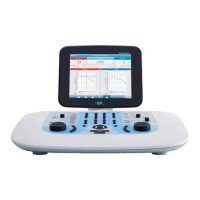
Overview of controls and display for operating the audiometer.
Essential checks before operating the device to ensure proper function.
Steps to ready the system and patient for testing procedures.
Instructions for correctly positioning earphones on the patient's ears.
Location and content of the title bar on the display.
How to use the on-board buttons and mouse for menu options.
Procedure for performing hearing tests at higher frequencies.
Using pre-recorded word lists for speech testing.
Process for updating instrument software and sound files.
Options for configuring graph orientation, printer protocol, date/time, etc.
Recommended procedures for daily or regular instrument upkeep.
Importance and procedure for annual instrument calibration.
Pinout and description for the power input connector.
Details on USB A and USB B connections for peripherals and data.
Information on emissions, immunity, and environmental guidance for EMC.
 General
| Type | Clinical Audiometer |
|---|---|
| Channels | 2 |
| Masking | Narrow Band, Speech, White Noise |
| Display | Color LCD |
| Power Supply | 100-240 V AC, 50/60 Hz |
| Frequency Range (Bone) | 250 Hz to 8 kHz |
| Intensity Range (Bone) | -10 dB to 70 dB HL |
| Attenuation Steps | 1 or 5 dB steps |
| Tests | Pure Tone, Speech, SISI, tone decay, ABLB, Stenger |
| Transducers | Insert earphones, Supra-aural Earphones, bone vibrator |
| Connectivity | USB, Ethernet |
| Dimensions | 12 cm |
| Maximum Output Level | 120 dB HL (air), 70 dB HL (bone) |

 To Next Page