EasyManua.ls Logo

Grason-Stadler GSI NOVUS - User Manual

Grason-Stadler GSI NOVUS
96 pages
Print Icon
To Next Page IconTo Next Page
Loading...
NEWBORN
AABR/OAE
SCREEN ER
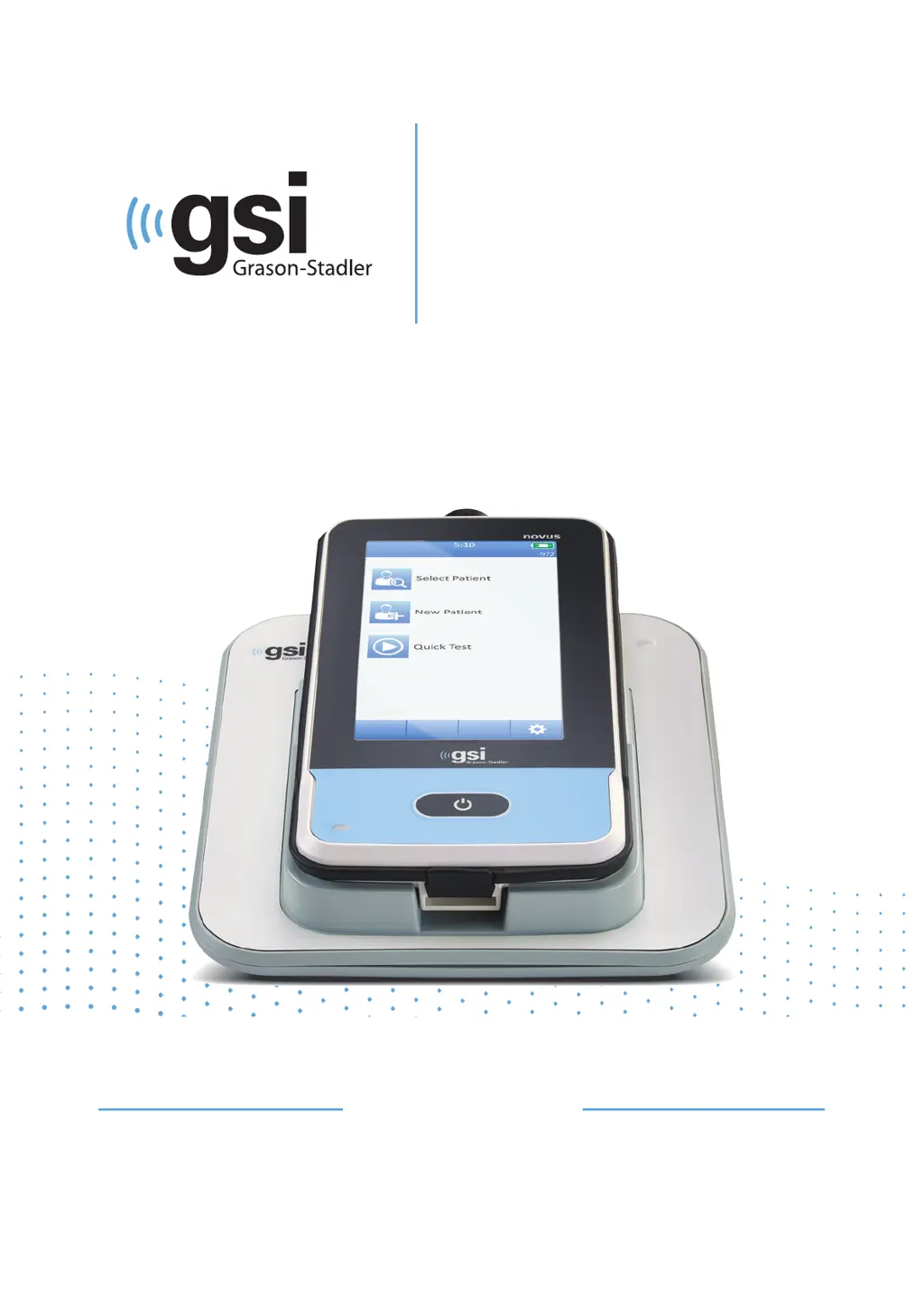
NOVUS
USER MANUAL

Table of Contents

Questions and Answers

Summary

Preface and Conventions

Manual Conventions

Explains the meaning of warnings, cautions, and notes used in the manual.

Regulatory Symbols

Details symbols indicating compliance with medical device directives and standards.

Device Symbols

Instruction Manual Symbol

Symbol indicating the need to refer to the instruction manual for operation.

Type BF Applied Part Symbol

Identifies parts in contact with the patient as Type BF applied parts.

DC Power and Class II Equipment Symbols

Symbols for DC output from adapter and Class II electrical safety.

Safety and Precautions

Important Safety Instructions

Essential safety measures to prevent equipment damage and user injury.

Safety Precautions

Guidelines for proper operation, maintenance, and use of accessories.

Environmental and EMC Considerations

Explosion Hazards and Environmental Factors

Information on explosion risks, operating temperature, and humidity limits.

Electromagnetic Compatibility (EMC)

Guidance on managing electromagnetic fields and interference.

Introduction and System Features

Indications and Contraindications for Use

Defines the intended use and conditions to avoid for the GSI Novus.

System Features Overview

Highlights the Novus's touchscreen, software, and testing capabilities.

Specific Test Modalities

DPOAE, TEOAE, Cradle, and Software

Details on DPOAE/TEOAE tests, cradle functions, and HearSIM software.

Printing Options

Methods for printing test results using the Novus system.

System Unpacking and Components

Unpacking and Standard Components

Instructions for unpacking and listing of standard system components.

ABR-Related Components and Transducers

Lists components specific to ABR testing and available transducers.

Accessories and Storage

Disposables, Optional Accessories, and Applied Parts

Lists disposable items, optional accessories, and applied parts for the system.

Storage Guidelines

Recommendations for storing the Novus device safely.

Novus Overview and Components

Novus Device Overview

Visual guide to the main components of the Novus device.

Device Components List

Detailed list and description of individual Novus device components.

Device Components Details

Display, Cables, and Probes

Description of the touchscreen display, various cables, and ear probes.

Carry Case and Label Printer

Information on the carry case and the optional label printer.

Cradle and System Assembly

Novus Cradle and Charging

Details on the Novus cradle and its power supply.

System Assembly Steps

Instructions for connecting the various system components.

Using the Label Printer

Printer Operation and Connection

Steps for powering, loading, and connecting the label printer.

Getting Started with Novus

Power On, Standby, and Power-Off

How to turn the Novus on, manage power-saving, and power off.

Home Button and Screen Navigation

Functionality of the Home button and navigating the device interface.

Home Screen Functions and User Login

Home Screen Layout and Battery Status

Overview of the Home screen interface and battery charge indicator.

User Login Process

Procedure for logging in if user login is enabled on the device.

Patient Management Options

New Patient and Select Patient Workflows

Steps for adding new patients and selecting existing ones.

Quick Test, Change User, and Setup

Descriptions of Quick Test, Change User, and Setup menu functions.

Entering and Selecting Patient Data

Adding New Patient Details

Guide to entering demographic information for a new patient.

Selecting and Reviewing Patients

How to find, select, and view patient information and test history.

Function Buttons and Test Preparation

Function Buttons Overview

Explanation of the various function buttons available on the device.

Preparing the Test Environment

Guidelines for creating an optimal environment for hearing screening.

Test Environment and Patient Preparation

Acoustical and Electrical Noise Control

Strategies to minimize acoustical and electrical noise during testing.

Patient Preparation and Electrode Placement

Steps for preparing the patient and placing electrodes for ABR tests.

ABR Fitting and Testing Procedures

Fitting Ear Couplers for ABR

Instructions for fitting EarCups and EarTips for ABR testing.

Initiating and Performing Screenings

General process for starting and conducting hearing screenings.

Screening Workflow and Results

Test Type Selection and Fields

Selecting test types and understanding additional test fields.

Result Symbols and Incomplete Tests

Interpreting screening result symbols and handling incomplete tests.

Printing Screening Results

Procedures for printing test results after screening.

ABR Test Workflow

ABR Prepare, Impedance, and Testing Screens

Screens involved in ABR preparation, impedance check, and testing.

ABR Test Done Screen

Display and options available upon completion of an ABR test.

OAE Test Workflow

OAE Prepare, Probe Check, and Testing Screens

Screens for OAE preparation, probe check, and the testing process.

OAE Test Done Screen

Display and options after completing an OAE test.

Quick Test Functionality

Quick Test Usage and Saving

How to perform a quick test and save it to the patient database.

Printing Test Results

Label Printer Operation and Format

Details on using the label printer and the format of printed reports.

Reviewing Patients and Tests

Patient List and Information

Selecting patients and viewing their details and test history.

Test List and Details

Viewing a list of performed tests and their detailed results.

System Setup and Configuration

Setup Menu, Language, and Device Settings

Accessing setup options for language, power, and display settings.

Device Configuration Options

Sound, Printer, and About Settings

Configuring sound feedback, pairing printers, and viewing device information.

Cleaning and Maintenance

Cleaning the Novus Device

Procedures for cleaning the touchscreen and external parts.

Probe Maintenance and Disinfection

Guidelines for cleaning and disinfecting the OAE probe.

Disinfection and Device Control

Cleaning and Disinfection Procedures

Detailed steps for cleaning and disinfecting non-disposable parts.

Disposables, Device Control, and Calibration

Proper use of disposables, instrument checks, and calibration requirements.

Troubleshooting Common Issues

ABR Impedance and Artifact Troubleshooting

Solutions for ABR impedance problems and excessive measurement artifacts.

High Refer Rates and Noise Issues

Troubleshooting tips for high refer rates and environmental noise.

Troubleshooting Specific Errors

Stimulus, Connection, and Error Messages

Resolving issues with stimulus delivery, connections, and error messages.

Touchscreen and Battery Troubleshooting

Addressing issues with touchscreen responsiveness and battery charging.

Quality Control and Accessories

Pass-Checker Quality Control

Using the Pass-Checker for quality assurance of the Novus system.

Accessories and Infant Ear Simulator

List of accessories and the use of the Infant Ear Simulator.

Novus PC Application - HearSIM

HearSIM Functions: Configuration and Data Transfer

Overview of HearSIM capabilities for device setup and data management.

Supplies and Technical Data

Supplies and Accessories List

A comprehensive list of recommended supplies and accessories.

Appendix A: Technical Data Overview

Summary of standards compliance and general environmental specifications.

Technical Specifications Details

Standards Compliance and General Specs

Details on compliance standards and environmental operating conditions.

Physical and Functional Specifications

Specifications for device weight, dimensions, display, and functionality.

Transducer, Printer, and Test Specs

Transducer, Printer, and ABR Specs

Specifications for transducers, printer, and ABR test parameters.

DPOAE and TEOAE Specs

Detailed test specifications for DPOAE and TEOAE modalities.

Appendix B: Pass;Refer Criteria

ABR, TEOAE, and DPOAE Criteria

Defines the criteria used for Pass/Refer results in ABR, TEOAE, and DPOAE tests.

Sensitivity and Specificity Testing

Testing Methodology and Results

Describes the methodology for sensitivity testing and summarizes results.

Appendix C: Stimulus Specifications

ABR Stimulus and Calibration Values

Details on ABR stimulus characteristics and calibration values.

Stimulus Waveform Details

TEOAE Stimulus and Comparison

Explanation of TEOAE stimulus and comparison with reference waveforms.

Appendix D: Connection Specifications

Connector Pinouts

Pin assignments for ABR/OAE, USB, and cradle connectors.

Appendix E: Available Protocols

ABR and DPOAE Protocols

Lists available ABR and DPOAE screening protocols and their parameters.

TEOAE and IEC Protocols

TEOAE Protocols

Lists available TEOAE screening protocols and their parameters.

IEC 60645-6 Protocols

Details on OAE protocols compliant with the IEC 60645-6 standard.

Appendix F: Warranty and Repair

Warranty Terms and Repair Guidelines

Information on product warranty, limitations, and repair procedures.

Appendix G: Recycling and Disposal

Recycling Procedures and Disposal Information

Guidelines for recycling and disposing of electrical equipment.

Appendix H: Electromagnetic Compatibility (EMC)

EMC Cautions and Emissions Declaration

Cautions regarding EMC and manufacturer's declaration on emissions.

EMC Separation Distances and Immunity

RF Equipment Separation Guidelines

Recommended distances between RF equipment and the Novus.

EMC Immunity Declaration

Manufacturer's declaration on electromagnetic immunity levels.

EMC Equipment Usage and Compliance

RF Communications Equipment Usage

Guidance on using RF communications equipment with the Novus.

Recommended Accessories for EMC

List of essential accessories for maintaining EMC compliance.

Grason-Stadler GSI NOVUS Specifications

General IconGeneral
Frequency Range125 Hz to 8000 Hz
DisplayColor LCD
TypeAudiometer
Intensity Range-10 dB HL to 120 dB HL
Channels2
Test TypesSpeech
MaskingNarrowband, Speech Noise
TransducersInsert Earphones, Bone Vibrator
ConnectivityUSB
Power SupplyRechargeable Battery

Related product manuals