EasyManua.ls Logo

Gravis GamePad - Page 7

Gravis GamePad
17 pages
Print Icon
To Next Page IconTo Next Page
To Previous Page IconTo Previous Page
Loading...
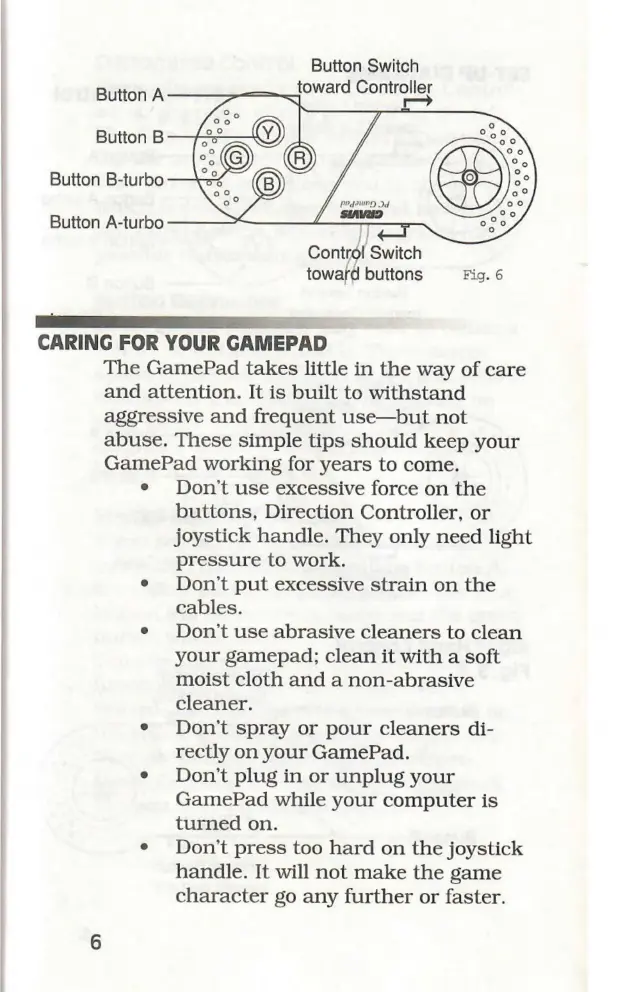
Button
Switch
toward
Controller
Button
A
ÉL
Button
B
Button
B-turbo
Button
A-turbo
Contról
Switch
toward
buttons
Fig.
6
lll,
eee
CARING
FOR
YOUR
GAMEPAD
The
GamePad
takes
little
in
the
way
of
care
and
attention.
It
is
built
to
withstand
aggressive
and
frequent
use—but
not
abuse.
These
simple
tips
should
keep
your
GamePad
working
for
years
to
come.
e
Don't
use
excessive
force
on
the
buttons,
Direction
Controller,
or
joystick
handle.
They
only
need
light
pressure
to
work.
e
Don't
put
excessive
strain
on
the
cables.
e
Don't
use
abrasive
cleaners
to
clean
your
gamepad;
clean
it
with
a
soft
moist
cloth
and
a
non-abrasive
cleaner.
e
Don't
spray
or
pour
cleaners
di-
rectly
on
your
GamePad.
e
Don't
plug
in
or
unplug
your
GamePad
while
your
computer
is
turned
on.
e
Don't
press
too
hard
on
the
joystick
handle.
It
will
not
make
the
game
character
go
any
further
or
faster.