EasyManua.ls Logo

Gravis GamePad - Technical Support; Troubleshooting Guide

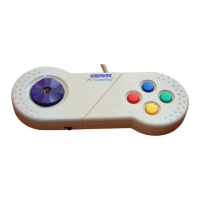
Gravis GamePad
17 pages
Print Icon
To Next Page IconTo Next Page
To Previous Page IconTo Previous Page
Loading...
.
TECHNICAL
SUPPORT
All
registered
owners
of
Advanced
Gravis
products
are
eligible
for
free
technical
support.
You
can
contact
the
Advanced
Gravis
Technical
Support
service
by
phone,
Fax,
Electronic
mail
or
a
regular
letter.
(Please
include
your
phone
number.)
There
is
no
charge
for
support,
but
long
distance
charges
for
fax
or
phone,
or
on-
line
charges
for
bulletin
board
services
are
not
included.
Before
calling,
check
the
Troubleshooting
guide
that
follows.
The
answers
to
common
questions
are
found
here.
TROUBLESHOOTING
GUIDE
Problem
Solution
When
I
try
to
play
with
my
eCheck
to
see
if
the
GamePad,
it
won't
control
Gamepad
is
securely
my
game.
connected
to
a
game
port
on
your
computer.
eSome
games
are
not
designed
to
work
with
a
joystick.
Check
your
game's
documentation
to
make
sure
your
game
supports
a
joystick.
eSome
games
require
you
to
select
which
type
of
control
you
need
to
use.
To
use
your
game
with
the
GamePad,
choose
joystick
control.