FINAL TEST
Pupuse:
To verify that
th6
three power supplies work
properly after cabinet assembly
Equipment:
VOM
or
DMM
1
l
2
.
3
.
4
.
5
*
6
.
-
7.
8
.
9
.
10.
11
.
12.
13.
14
.
15.
16
.
17.
18
.
19
.
20
*
50 Ohm 5 Watt Resistor
Connect one end of the
50
Ohm resistor to the
COM
terminal. Connect the other end to the
+
5
VDC terminal.
Adjust the meter to read
+5
VDC.
Connect the negative meter lead to the COM
terminal.
Connect the positive meter lead to the
+
5
VDC
terminal.
Connect the 808 power plug to an electrical
outlet and turn the power switch ON.
The voltmeter should read between 4.7 and 5.3
Volts. If the voltage is correct, proceed to the next
step. If it is not correct, STOP, turn power OFF
and remove the power plug from the
outlet.Then,
check the resistor and meter connections. If all
connections are correct, you may have pinched
or broken a wire during the cabinet assembly.
Turn the power switch OFF
Adjust the DC Voltmeter to read
+
15 VDC.
Disconnect the resistor lead and the positive
meter lead from the
+5
VDC terminal.
Reconnect both to the 0 to
+
15 VDC terminal.
Turn the power switch ON.
Monitor the voltage while turning the adjustment
potentiometer using a small screwdriver. You
should be able to adjust the supply between 0
and 15 Volts. If the voltage is correct, proceed to
the next step. If it is not correct, STOP, turn power
OFF and remove the power plug from the outlet.
Then check the resistor and meter connections.
If all connections are correct, you may have
pinched or broken a wire during the cabinet
assembly.
Turn the power switch OFF
Adjust the DC Voltmeter to read
-15
VDC.
Disconnect the resistor lead from the 0 to
+
15
VDC terminal. Reconnect it to the 0 to
-15
VDC
terminal.
Disconnect both meter leads.
Adjust the meter to read
+
15 VDC.
Connect the negative meter lead to the 0 to
-15
WC
terminal.
Connect the positive meter lead to the COM
terminal.
Turn the power switch ON.
Monitor the voltage while turning the adjustment
potentiometer. You should be able to adjust the
supply between 0 and 15 Volts. You should be
21
.
22
.
23
.
able to adjust the supply between 0 and 15 Volts.
If the voltage is correct, proceed to the next step.
if it is not correct, STOP, turn power OFF and
remove the power plug from the outlet. Then
check the resistor and meter wnnections. If all
wnnections are
wrrect,
you may have pinched
or broken a wire during the cabinet assembly.
Turn the power switch OFF
Disconnect the voltmeter and resistor from the
Model 808.
This completes the Final Test.
OPERATION
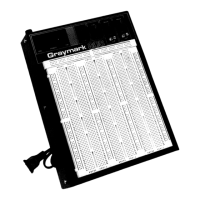
The Breadboard portion of your Model 808 is populated
with 2,420
holes.The
leads of
electronic
wmponents such
as integrated circuits, transistors, resistors and capacitors,
as well as wires, can be inserted into these holes By
inserting electronic components and wires into the
Breadboard, you can design and
wnstruct
experimental
(prototype) circuits. Before you can use the Breadboard,
however, you must understand how the 2,420 holes are
interwnnected.
The Breadboard is comprised of eight sections, five bus
strip sections and threecomponent sections, as shown in
Fig 99. The bus strips are used to distribute or “bus”
power and electronic signals to different areas of the
Breadboard. The component sections are where the
electronic components are mounted.
Various wire sizes can be accommodated by the
Breadboard, as well as the following component leads:
SIP and DIP Integrated Circuits
1/8
to
1/2
Watt Resistors
Most Capacitors
Most Small Transistors
Bus
Strips
Each of the five bus strips wntains four segments of 25
holes each. Each segment is identified by a blue or red
stripe printed next to the segment.The 25 holes which are
next to each stripe are connected together, so that a wire
or component lead inserted into any of the 25 holes will be
connected to any wire or wmponent which is inserted into
any of the remaining 24 holes in that segment.
Component Sections
Each of the three component sections contains 128
segments of five holes each.The segments are horizontal
rows, and each segment is identified by a number (1 to 64)
printed next to the segment.The five holes in the row next
to each number are wnnected together, so that a wire or
component lead inserted into any of the five holes will be
connected to any wire or wmponent which is inserted into
any of the remaining four holes in that segment.
In each wmponent section, for reference only, the columns
are identified by letters A, B, C, D
&
E, and
F
G, H,
I
&
J.
A portion of the Breadboard is shown in Fig. 104 to illustrate


 To Next Page
 Loading...