
 Need help?
Do you have a question about the GREAT PLANES RealFlight 7 and is the answer not in the manual?
Provides an overview of the simulator's capabilities and features.
Details the minimum and optimal PC specifications for running the simulator.
Step-by-step guide for installing the simulation software and hardware.
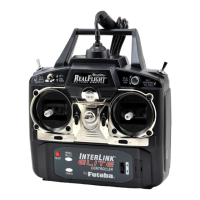
Describes the functionalities and benefits of the primary controller.
Allows users to choose pre-configured flight situations with specific aircraft and environments.
Enables users to choose from a wide variety of available aircraft models.
Allows users to choose their desired flying location from various 3D and PhotoField sites.
A challenge that tests aerobatic flying skills and gate navigation proficiency.
Displays essential flight data like airspeed, altitude, and heading on-screen.
Allows users to connect to and participate in online multiplayer sessions.
Enables users to begin recording their flight sessions for later playback.
Provides guided practice for mastering aircraft takeoffs under various conditions.
Allows adjustment of the camera perspective for active viewports.
Provides access to the simulator's manual for detailed information and assistance.
Explains the fundamental principles and controls for flying airplanes.
Describes the essential techniques for maintaining a stable helicopter hover.
The primary function to launch the simulation software.
Troubleshoots common freezing issues by updating drivers and software.
Describes the stick assignments for Mode 1 transmitter configuration.
 General
| Platform | PC |
|---|---|
| Version | 7 |
| Interface | USB |
| Multiplayer Support | Yes |
| Compatibility | Windows |
| Transmitter Mode | Mode 2 |
| Category | Simulator |
| Flight Fields | Over 40 |
| Physics Engine | Realistic |
| System Requirements | Windows XP, Windows Vista, Windows 7, Windows 8 |

 To Next Page