EasyManua.ls Logo

Gree GWH07AGB-K6DNA1B/I - User Manual

Gree GWH07AGB-K6DNA1B/I
30 pages
Print Icon
To Next Page IconTo Next Page
Loading...
CONTENTS
Safety precautions
......................................................................................
01
Change for life
Owner's Manual
Original Instructions
Split Air Conditioner
...............................................................................
10
.............................................................
11
.........................................................................................
05
Installation notice
Installation of indoor unit
Clean and maintenance
Checked items before maintenance
.......................................................................................
19
Test and operation
..............................................................................
07
..................................................................................................
12
Parts name
............................................
13
Operation and introduction of remote contr
oller
..................................................................
20
Configuration of connection pipe
Specialist’s Manual
.......................................................................................
22
NOTE:
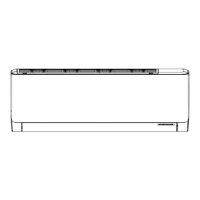
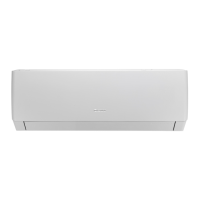
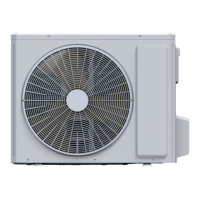
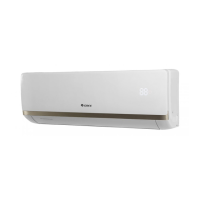
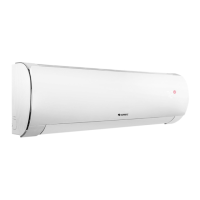
Actual product may be different from graphics,
please refer to actual products.
Thank you for choosing our product.
Please read this Owner’s Manual carefully before operation and
retain it for future reference.
If you have lost the Owner's Manual, please contact the local agent
or visit www.gree.com or send an email to global@cn.gree.com for
the electronic version.
Question and Answer IconNeed help?

Do you have a question about the Gree GWH07AGB-K6DNA1B/I and is the answer not in the manual?

Summary

Safety precautions

Installation notice

Selection of installation location

Guidance on choosing an appropriate location for the air conditioner unit for optimal performance and safety.

Installation of indoor unit

Detailed steps and considerations for mounting the indoor unit securely and correctly.

Clean and maintenance

Checked items before maintenance

A checklist of common issues and troubleshooting steps to perform before requesting professional maintenance.

Parts name

Operation and introduction of remote controller

Introduction for buttons on remote controller

Explanation of the functions and usage of various buttons on the air conditioner's remote control.

Function introduction for combination buttons

Details on how to use combined button functions like energy-saving and 8°C heating modes.

Child lock function

Instructions on how to activate and deactivate the child lock feature on the remote controller for safety.

Test and operation

Configuration of connection pipe

Specialists Manual

Overview

This document serves as the Owner's Manual for a GREE Split Air Conditioner, providing original instructions for its installation, operation, and maintenance. The air conditioner is designed to offer a comfortable indoor environment, with various models listed, indicating a range of capacities and configurations.

Function Description

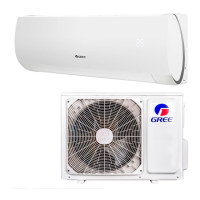
The GREE Split Air Conditioner is a system designed for residential or commercial use to regulate indoor temperature and humidity. It operates by circulating a special refrigerant, R32, which is a fluoride with good thermodynamic features, contributing to high energy efficiency. The system includes an indoor unit and an outdoor unit, connected by piping.

The core functions of the air conditioner include:

  • Cooling Mode: Reduces the indoor temperature to a desired level.
  • Heating Mode: (For heat pump units) Increases the indoor temperature.
  • Dry Mode: Dehumidifies the indoor air, reducing humidity.
  • Fan Mode: Circulates air without cooling or heating.
  • Auto Mode: Automatically selects the appropriate operating mode based on ex-factory settings.
  • Turbo Mode: Provides rapid cooling or heating by operating at super-high fan speed.
  • Sleep Mode: Adjusts temperature settings during sleep for enhanced comfort and energy saving. There are multiple sleep modes (Sleep 1, Sleep 2, Sleep 3-DIY) with different temperature curve adjustments.
  • X-FAN Function: Continues indoor fan operation for a few minutes after the unit is turned off in cool or dry mode to dry the indoor unit and prevent mold growth.
  • Energy-saving Function: Automatically adjusts the set temperature to achieve optimal energy-saving effects in cooling mode.
  • 8°C Heating Function: Maintains a heating status at 8°C, useful for preventing freezing in unoccupied spaces during winter.
  • I FEEL Function: Allows the remote controller to detect the ambient temperature and send it to the unit, which then adjusts the indoor temperature accordingly for personalized comfort.
  • Child Lock Function: Prevents unintended operation by locking the remote controller buttons.
  • Auto Clean Function: Cleans the evaporator by performing fast cooling or heating cycles, helping to remove dust and maintain efficiency.
  • Power Limiting Function: Allows the user to limit the maximum power consumption of the unit.
  • Swing Function: Controls the direction of airflow by adjusting the horizontal and vertical louvers, allowing for customized air distribution.

Usage Features

The air conditioner is operated primarily via a remote controller, which features various buttons and a display screen with icons to indicate different modes and settings.

  • Remote Controller: The remote controller is a general-use device compatible with multifunction air conditioners. It allows users to turn the unit on/off, select operating modes (Auto, Cool, Dry, Fan, Heat), adjust fan speed (Auto, Low, Medium, High), set temperature, and control airflow direction (left/right and up/down swing).
  • Temperature Adjustment: Users can increase or decrease the set temperature in 1°C (or °F) increments. Holding the button allows for rapid temperature changes. The temperature range is typically 16~30℃ (61-86°F).
  • Fan Speed Control: Multiple fan speeds are available, including Auto, which automatically selects the appropriate speed. In Dry mode, fan speed is fixed at low.
  • Timer Functions (T-ON/T-OFF): Allows users to set specific times for the unit to turn on or off automatically. The clock time needs to be adjusted first for these functions to work correctly.
  • Light Control: The display light on the indoor unit can be turned on or off via the remote controller.
  • Temperature Display Switchover: The temperature display on the remote controller can be switched between Celsius (°C) and Fahrenheit (°F).
  • Auxiliary Button: In case the remote controller is lost or damaged, an auxiliary button on the indoor unit allows for basic on/off operation, defaulting to auto mode when turned on.
  • Display Indicators: The indoor unit features a temperature indicator and a power indicator. The remote controller display shows various icons for selected modes, fan speed, swing, timer, and other functions.

Maintenance Features

Regular maintenance is crucial for the efficient and safe operation of the air conditioner. The manual outlines several checks and cleaning procedures.

  • Filter Cleaning: The air filter should be cleaned every three months, or more frequently in dusty environments. It can be washed with clear water or cleaned with a dust catcher. Warm water with neutral detergent is recommended for very dirty filters. After cleaning, the filter should be dried in a shady place before reinstallation.
  • Surface Cleaning: The surface of the indoor unit should be wiped with a soft dry cloth or a wet cloth. Volatile liquids, corrosive detergents, or water should not be used directly on the unit to prevent damage or electric shock.
  • Pre-season Checks: Before the start of a new season, users should check for blocked air inlets/outlets, the condition of the air switch, plug, and socket, filter cleanliness, and any damage or corrosion to the outdoor unit's mounting bracket.
  • Post-season Checks: After the season, users should disconnect the power supply, clean the filter and indoor unit panel, and check the outdoor unit's mounting bracket for damage.
  • Error Code Identification: The indoor unit's temperature indicator will blink to display error codes if an abnormal status occurs. The manual provides a list of common error codes and suggests troubleshooting steps, often recommending professional service.
  • Battery Replacement: Instructions are provided for replacing the batteries in the remote controller, emphasizing correct polarity and the use of new batteries of the same model.
  • Professional Service: For complex issues, malfunctions, or repairs, users are advised to contact a qualified professional or local dealer. Self-repair is discouraged due to potential electric shock, damage, or fire hazards.
  • Refrigerant Handling: The manual provides detailed safety precautions for handling R32 refrigerant during installation, relocation, or maintenance, emphasizing the need for certified professionals, proper ventilation, and specialized tools. It also outlines procedures for refrigerant recovery and filling.
  • Electrical Safety: Strict adherence to national wiring regulations and electrical safety standards is highlighted, including proper grounding, the use of qualified power supply circuits and circuit breakers, and ensuring secure electrical connections.
  • Disposal: Packing materials are recyclable, and the air conditioner itself should be disposed of through appropriate recycling units or by contacting the local dealer for correct disposal methods.

Gree GWH07AGB-K6DNA1B/I Specifications

General IconGeneral
Cooling Capacity7000 BTU/h
Energy Efficiency Ratio (EER)3.21
Seasonal Energy Efficiency Ratio (SEER)6.1
RefrigerantR32
Power Supply220-240V, 50Hz
Power Consumption (Cooling)650 W
TypeSplit

Related product manuals