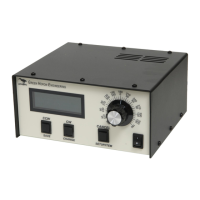
Features:
RT-21 SETUP UTILITY pc software supports all the RT-21 Az-El is supported in
version 2.1 that is available on the website at:
http://www.greenheronengineering.com/RT_Software.php
The following standard RT-21 features are not included in the RT-21 Az-El
Controller:
1. Master/Slave and Counter-rotation features.
2. Alternate Offset features
3. Internal AC motor capacitor that would be required for some AC motor
units, Green Heron will supply a suitable capacitor for externally mounting
at your rotator, or on the rear of the RT-21 Az-El.
The following are new or changed features with the RT-21 Az-El.
1. Additional separate Point & Shoot knob for Elevation Control.
2. The two individual main boards can each accept the same, or different
voltage tap from the main transformer.
3. New rear terminal PCB inside RT-21 Az-El uses plug-in sockets for the
protective Transorbs. This allows lightning protector replacement without
requiring any soldering.
4. Supports any elevation range up to 180 degrees. Soft Limits may be set
to limit to any range desired.
5. Default settings allow 90 degree elevation, and South Center azimuth.
6. Manual (front panel button) control is selectable from Az to El by pressing
the CANCEL button for ~ ½ second. Display showing “MAN” indicates
which is active. (Computer control and Point & Shoot control are always
active for both Az and El.)
7. Elevation control below the horizon for parking, or maintenance can be
supported in the controller.
8. Elevation Mode will not change with a System RESET. It is possible to
change Elevation Mode with SETUP Utility, but there should be no reason
to do this unless a CPU chip, or main PCB is being replaced. The correct
setting for Elevation Mode is made at the factory.
The following section includes connection and setup information for some of
the most common Az/El and Elevation only rotators that are supported. Use
the RT-21 manual for separate Az and El combinations that are not described
here.


 To Next Page
 Loading...