9
TROUBLESHOOTING
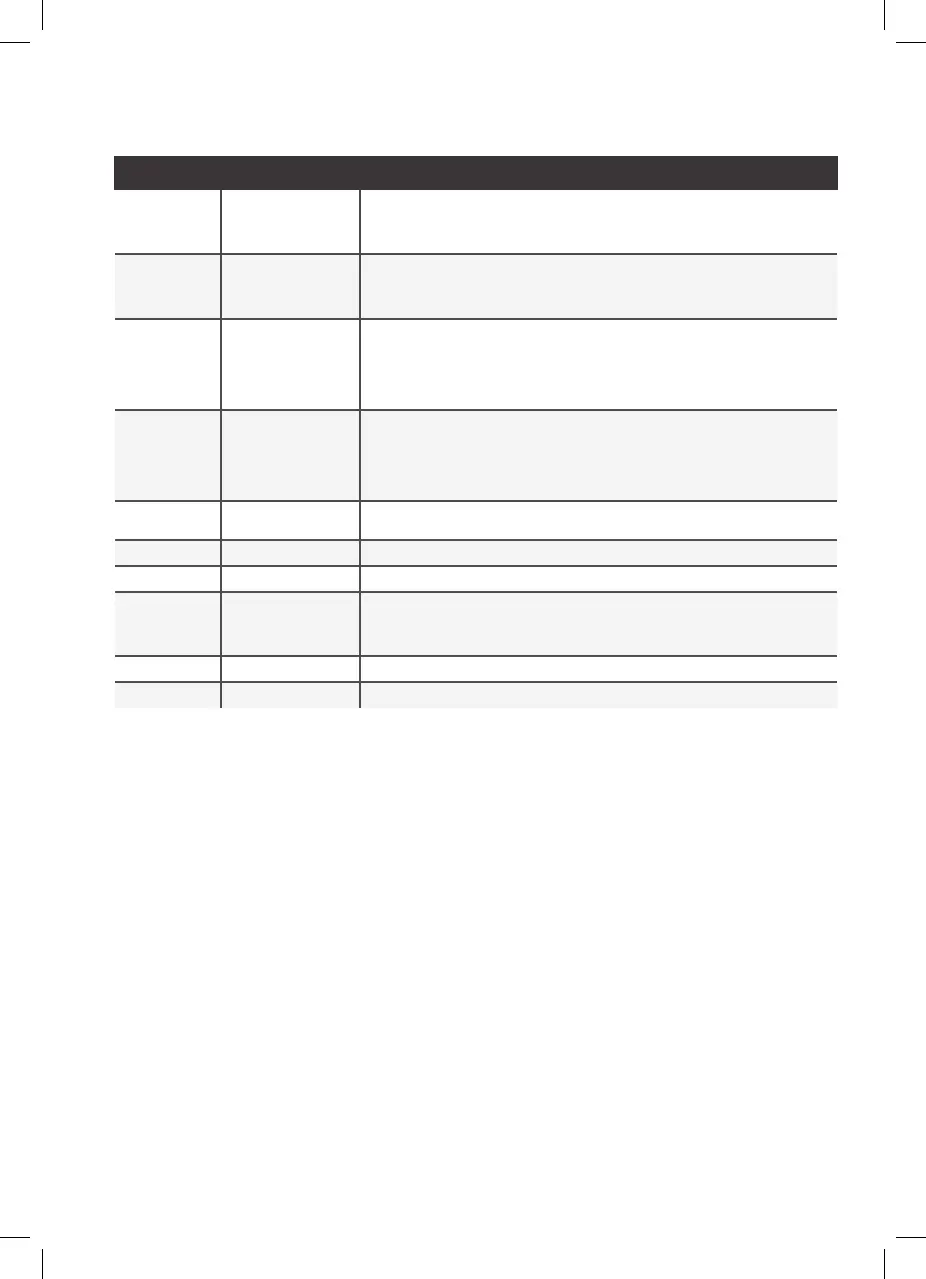
Issue Cause Solution
Rice Cooker
does not start
after selecting
menu option
Incorrect Operation Make sure to hold down Start for at least 1 second to start cooking.
Rice Cooker
does not
turn on
Improper Electrical
Connection
Check whether the power plug is connected to a functional, grounded electrical outlet
and power cord is connected to base of unit. If issue is not resolved after changing
outlets and ensuring that power plug is properly plugged into base of unit, contact
customer service for replacement.
Rice or grains
are overcooked
Timing needs to be
adjusted
If Rice is overcooked ensure that correct amount of water is being added and adjust
time setting to your desired doneness, less time will result in firmer rice and grains.
Please also ensure that you are using the rice measuring cup provided for volume of
grains. If lost, please contact customer service for replacement cup or use standard US
measuring cup. A Rice/Grains measurement is 2/3 of a US cup.
Rice or
grains are
undercooked
Timing needs to be
adjusted
If Rice is undercooked ensure that correct amount of water is being added. Adjust time
setting to your desired doneness, more time will result in softer rice and grains.
Please also ensure that you are using the rice measuring cup provided for volume of
grains. If lost, please contact customer service for replacement cup or use standard US
measuring cup. A Rice/Grains measurement is 2/3 of a US cup.
E0 Bottom Sensor Over
Temperature
Turn the unit off and wait for unit to cool then turn product on again. If this error still
occurs please contact Customer Service. for replacement.
E1 Internal Error Contact Customer Service.
E2 Internal Error Contact Customer Service.
E3 Internal Error Turn off the unit and unplug the power cord.
Wait for 1 hour until the rice cooker completely cools down.
Check for any debris or excess water between bowl and inner housing.
Follow C&U to restart the unit. If issue persist, contact customer service.
E4 Internal Error Contact Customer Service.
E5 Internal Error Contact Customer Service.


 To Next Page
 Loading...