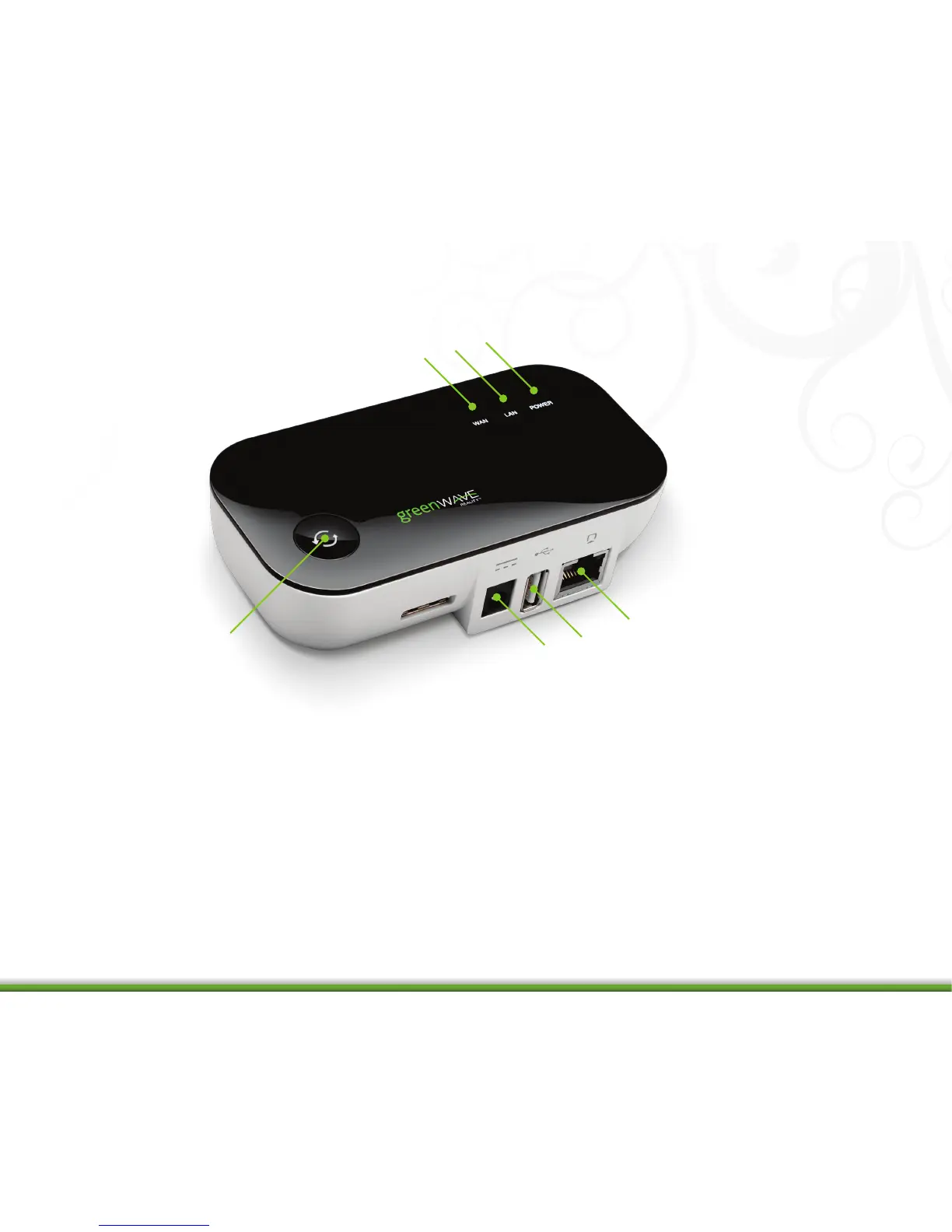
1. Sync button: Button that syncs devices and shows current activity and status of synced devices.
2. WAN (Internet connection) error indicator: Indicator shows whether or not the Gateway is connected to the Internet.
3. LAN (home network) error indicator: Indicator that shows whether or not the Gateway is connected to your network.
4. Power indicator: Indicator that shows whether or not the Gateway is powered.
5. Network socket (RJ45): Ethernet port to connect the Gateway to your network.
6. USB socket (on some models): Socket that provides for a USB connection to your network router.
7. Power adapter socket: Socket to plug in the Gateway power adaptor.
4
1
2
3
4
5
6
7


 To Next Page