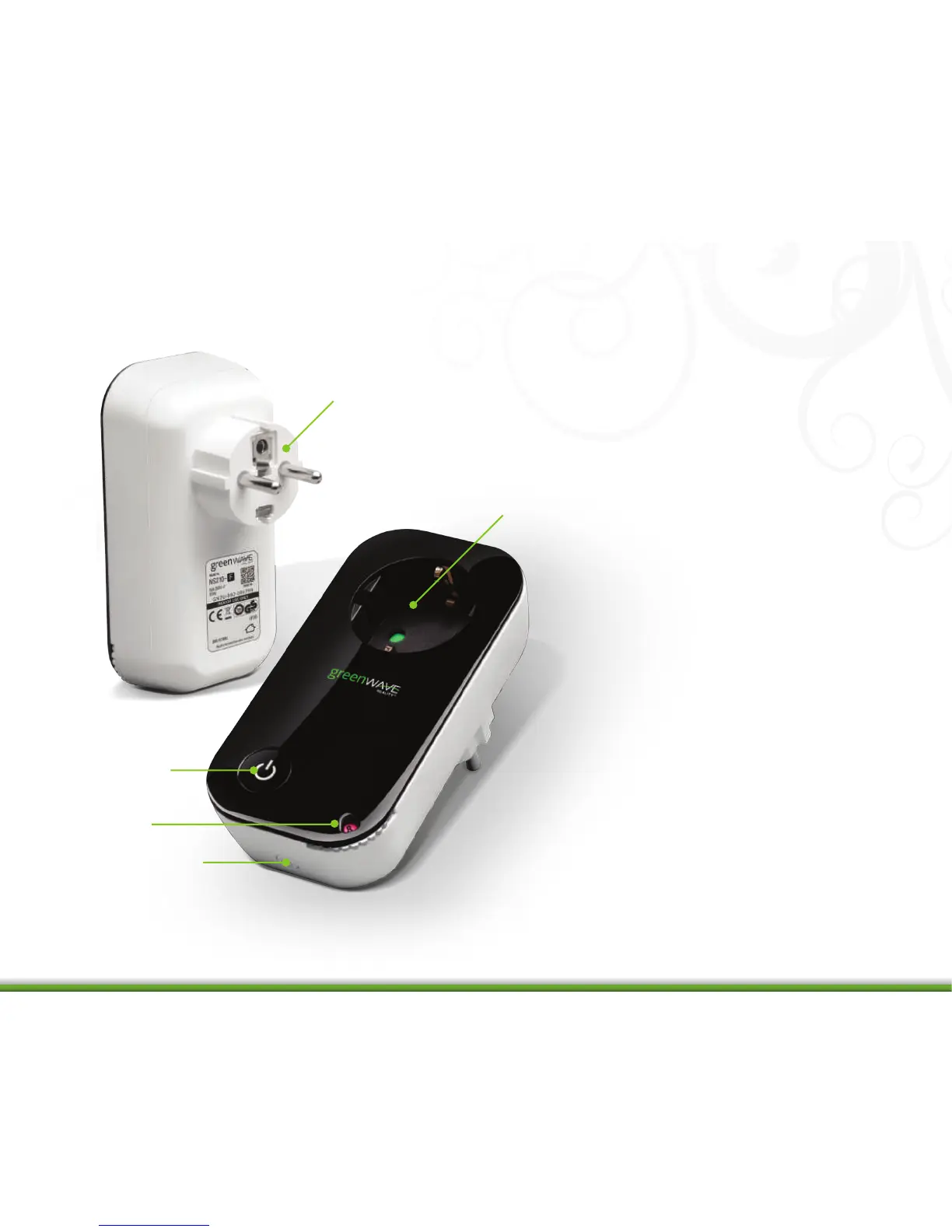
1. PowerNode plug: Prongs that
you plug into your power outlet.
2. PowerNode outlet: Outlet
where you plug in your appliance
or electrical device.
3. Room color selector: Wheel
that you rotate you specify the
associated room color.
4. Sync button: Button that you
press to sync PowerNode with
Gateway.
5. Indicator: Button that shows
current activity and status of
synced devices.
4
1
2
5
3
4


 To Next Page