
EasyManua.ls Logo

GreenWorks GACSB - User Manual

GreenWorks GACSB
9 pages
Print Icon
To Next Page IconTo Next Page
Loading...
GACSB
RU SHREDDER РУКОВОДСТВО ПОЛЬЗОВАТЕЛЯ

Questions and Answers

  • C
    Christopher PetersonAug 6, 2025
    What to do if my GreenWorks GACSB Paper Shredder motor does not run?
    • J
      Jim PenningtonAug 6, 2025
      If your GreenWorks Paper Shredder's motor isn't running, first ensure the shredder is properly plugged into a working outlet and that the extension cord isn't damaged. If that's not the issue, the overload protection might have been triggered. Remove any accumulated chips and press the reset button. Allow five minutes before attempting to restart the unit by pressing the ON/OFF switch. Also, make sure the hopper is correctly secured and the lock knob is tightened.
  • C
    Carol CastroAug 15, 2025
    Why is the material not pulled in GreenWorks GACSB?
    • T
      Tara BrownAug 16, 2025
      If the material isn't being pulled into your GreenWorks Paper Shredder, the feed inlet may be jammed. To resolve this, disconnect the power supply, open the hopper, and carefully remove the jammed material from the feed inlet. Then, replace the hopper. Alternatively, the cutting blade or discharge chute could be blocked. In each case you should disconnect the power supply and open the hopper to clear the blockage.
  • J
    John FlynnAug 27, 2025
    How to reverse blades on GreenWorks Paper Shredder?
    • W
      whitetamaraAug 27, 2025
      To address worn blades on your GreenWorks Paper Shredder, first disconnect the unit from the power supply. The reversible blade is fixed to the rotary plate with two screws. Align the slots on the board and the blade support, insert a metal rod like a screw driver into the slots to prevent rotating when reversing the blades and use the supplied socket wrench to unscrew the screws to reverse them.

Summary

Product Description and Overview

Purpose of the Shredder

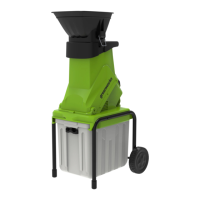
Garden shredder designed for cutting fibrous and woody garden waste for composting.

Shredder Component Overview

Diagram illustrating the components of the garden shredder.

General Power Tool Safety Warnings

Safety Information for Use

Instructions to reduce risk of injury before using the product.

General Safety Rules for Operation

Rules for safe operation including environment, dress, and protective equipment.

Service and Maintenance

Service Recommendations

Guidance for servicing the power tool with identical replacement parts.

Operation Tips and Symbols

Tips for Operating the Shredder

Advice for safe and effective operation of the garden shredder.

Product Symbols and Meanings

Explanation of symbols used on the product for better and safer operation.

Risk Levels and Disposal

Understanding Risk Levels

Explanation of signal words and meanings for associated risk levels.

Recycling and Proper Disposal

Guidelines for recycling machine parts and batteries.

Machine Assembly and Setup

Unpacking the Machine

Instructions for unpacking and preparing the garden shredder.

Installing Leg Support

Instructions for attaching the leg support to the machine.

Installing Wheels

Steps to install the wheels onto the garden shredder.

Installing the Hopper

Procedure for securely fitting the hopper onto the upper feeding chute.

Installing Collection Box

How to install the collection box beneath the shredder body.

Operation Instructions

Starting the Shredder

Steps to turn on the garden shredder and begin operation.

Stopping the Shredder

Procedure to safely turn off the garden shredder.

Instructional Information

Maintenance Procedures

Machine Maintenance Details

Cutting Blade Replacement Guide

Troubleshooting Common Issues

Technical Specifications

GreenWorks GACSB Specifications

General IconGeneral
Shred TypeStrip-Cut
Security LevelP-2
Auto Start/StopYes
Overheat ProtectionYes
Warranty1 year