Using the control Panel
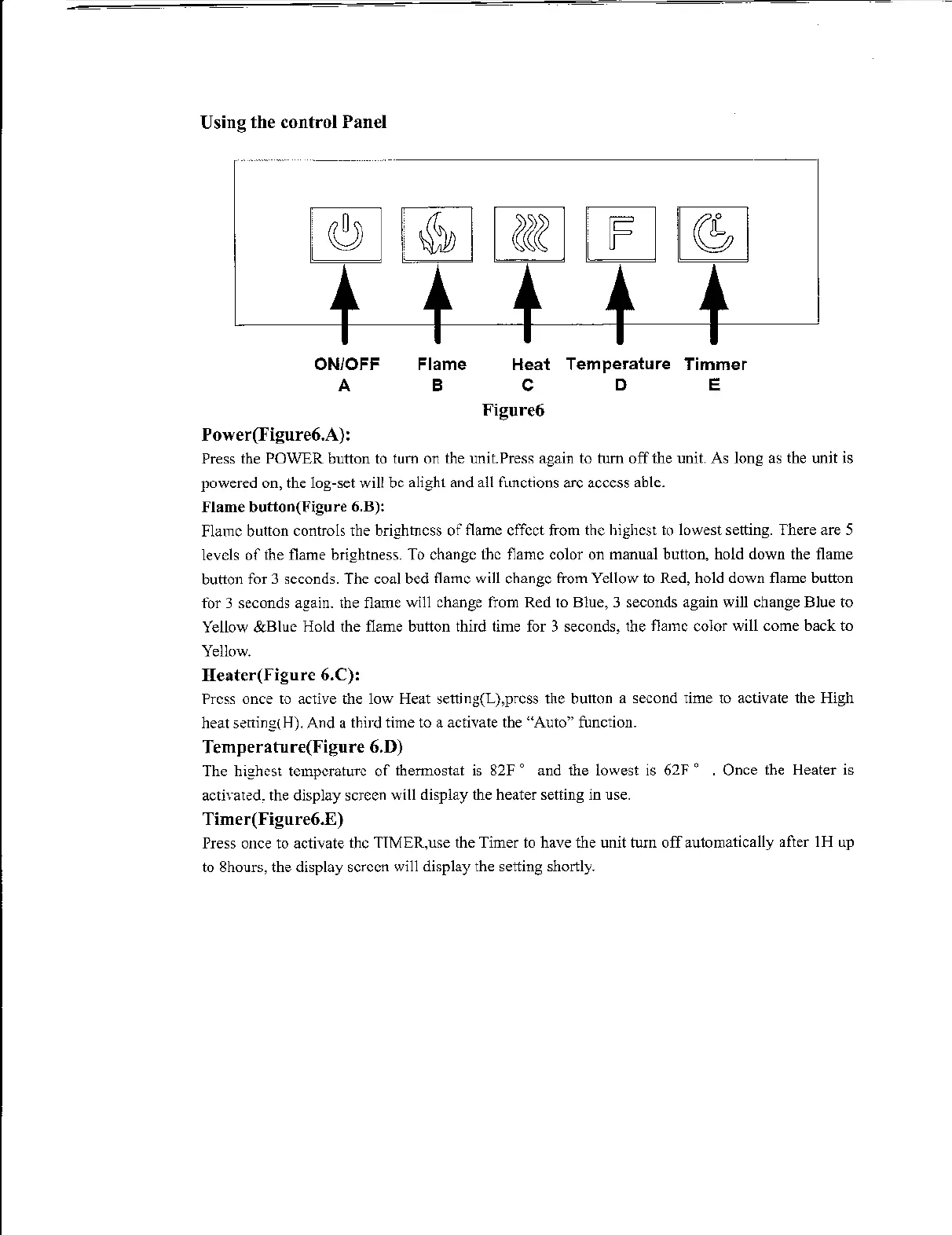
ON/OFF
A
Power(Figure6.A):
Flame
B
Heat
c
Figure6
Temperature
D
Timmer
E
Press the POWER button
to
tum on the unit.Press again to tum
off
the unit. As long
as
the unit is
powered on, the log-set will be alight and
all
functions arc access able.
Flame button(Figure 6.B):
Flame button controls the brightness
of
flame effect from the highest
to
lowest setting. There are 5
levels
of
the flame brightness.
To
change the flame color on manual button, hold down the flame
button for 3 seconds. The coal bed flame will change from Yellow
to
Red, hold down flame button
for 3 seconds again. the flame will change from Red
to
Blue, 3 seconds again will change Blue to
Yellow &Blue Hold the flame button third time for 3 seconds, the flame color will come back to
Yellow.
Heater(Figure 6.C):
Press once
to
active the low Heat setting(L),prcss the button a second time to activate the High
heat sening(H). And a third time
to
a activate the "Auto" function.
Temperature(Figure 6.D)
The highest temperature
of
thermostat
is
82F o and the lowest is
62F"
. Once the Heater is
actiYated. the display screen will display the heater setting in use.
Timer(Figure6.E)
Press once to activate the TIMER, use the Timer
to
have the unit turn
off
automatically after 1 H
up
to
8hours, the display screen will display the setting shortly.


 To Next Page
 Loading...