23
ENGLISH
The Cappuccinatore has been designed to prepare
only cappuccinos. You cannot use it for the prepa-
ration of other beverages.
• Make sure the machine is warm and ready for use. The
“Steam” indicator light is o .
• (Fig.22) - Place a container under the Cappuccinatore.
• Immerse the Cappuccinatore suction tube into the milk con-
tainer.
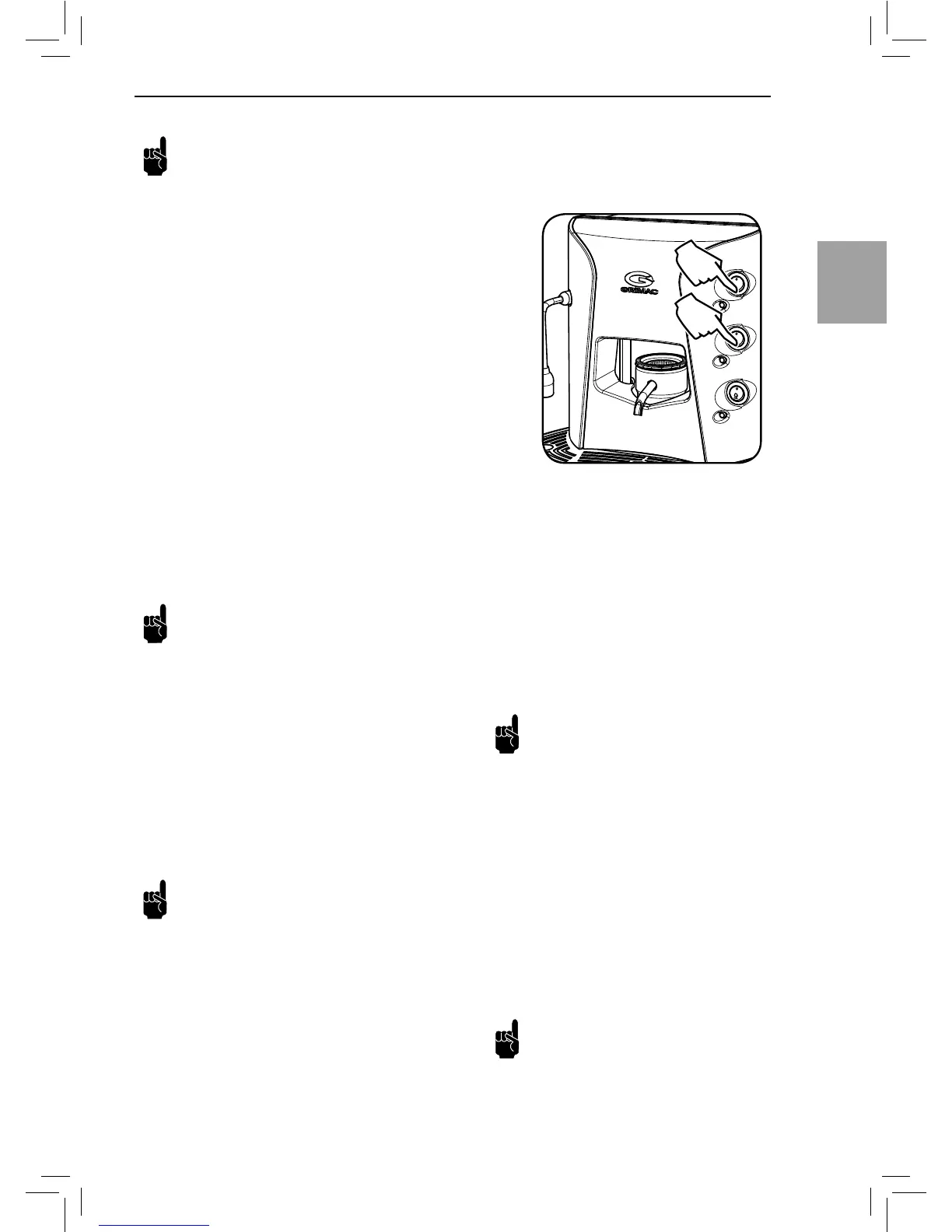
• (Fig.24) - Press the steam button.
• The frothed milk begins to come out of the Cappuccinatore.
• (Fig.23) - Adjust the froth quantity by using the pin.
By gently lifting the pin, the quantity of froth increases.
Be careful not to pull the pin too much or complete-
ly.
• (Fig.24) - To stop dispensing milk press the steam button
again.
After dispensing, immerse the suction tube into a container full
of fresh drinking water. Press the steam button and dispense
water until clean water comes out.
To stop dispensing press the steam button again.
The Cappuccinatore must be removed and com-
pletely washed once a week.
6 DOSATA VERSION
All Opale models can feature the automatic co ee dosing. This
is a pre-set function that cannot be implemented on those ma-
chines on which it is not installed.
The dosing function enables brewing a programmed amount
of co ee by simply pressing the button. The machine will stop
brewing once the set amount is reached.
Note: Only the Opale Dosata (only co ee version)
makes it possible to programme two di erent
amounts of co ee; these are usually espresso co ee and
long co ee.
ACCESSING THE PROGRAMMING MODE
• Turn o the machine. Press the ON/OFF button and bring it
to the “0” position.
• With the machine turned o , hold the brew button pressed
and turn on the machine by pressing the ON/OFF button and
bringing it to the “I” position.
• 5 seconds after turning on the machine, release the brew
button. The machine is now in programming mode.
PROGRAMMING
• (Fig. 11) - Place one pod in the pod holder.
• (Fig. 12) - Turn the lever to the right until the pod holder is
closed.
• (Fig. 13) - Place the cup on the cup holder grill. Make sure it
is positioned in the centre of the grill.
• Press the brew button to the (I) position. The machine starts
brewing co ee.
• When the desired amount of co ee is in the cup, press the
brew button again (the one that you hold pressed before).
Note: Only in the Opale Dosata (only co ee ver-
sion) the second button can be also programmed,
if desired, before exiting the programming mode. To
perform the programming, brew co ee using the long
co ee brew button.
EXITING THE PROGRAMMING MODE
• When the dose has been programmed, it is necessary to turn
o the machine to be able to exit the programming mode.
• When 5 seconds have passed, turn on the machine; the de-
sired dose has been programmed.
• The programmed dose will be stored and maintained until a
new dose is programmed.
Note: Even after having programmed the dose,
the co ee brewing can be stopped any time
by pressing again the button that was selected for the
brewing.


 To Next Page