Need help?
Do you have a question about the Grosvenor sateon ADVANCE and is the answer not in the manual?
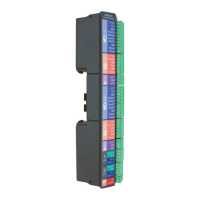
Details the connection of two doors and two readers via the Advance 2 Door Blade.
Describes the compact controller for small spaces, supporting Door or I/O Blades.
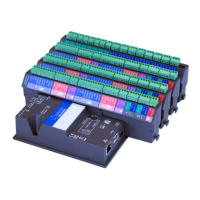
Details the controller suited for larger systems, supporting up to four Blades.
Explains the I/O Blade for connecting up to 8 supervised inputs and 8 relay outputs.
Illustrates network setup using only IP connectivity.
Shows network configuration using only RS485 communication.
Details network setup combining both IP and RS485 connectivity.
Describes power options using Power over Ethernet for controllers.
Explains power options using local power supplies for controllers.
Guide to calculating power needs for Single-Blade controllers.
Instructions for running cables and snapping the Blade into the controller.
Details on attaching the case to the wall and the optical tamper function.
Guide for installing the lithium polymer backup battery.
Instructions for connecting IP and/or RS485 cables.
Steps for connecting a 12V external power supply.
Guide to calculating power needs for Multi-Blade controllers with various blades.
Steps for running cabling to the enclosure and installing the controller.
Instructions for snapping in Blades and connecting power/network cables.
Guide for connecting backup battery and 12V external power supply.
Wiring diagrams for connecting Sateon readers to the 2 Door Blade.
Wiring diagrams for connecting HID Wiegand keypads to the 2 Door Blade.
Details for connecting door locks and exit buttons without fault detection.
Explains wiring for Fail Secure locks requiring power to release.
Details wiring for Fail Safe locks requiring power to lock.
Information on using external power supplies for door locks.
Guide to connecting input switches and opto-isolated output relays.
Instructions for connecting supervised inputs to the I/O Blade.
Details for connecting low voltage systems via output relays.
Steps for connecting peripherals and powering on the Sateon Mini PC.
Instructions for accessing the Sateon system from another computer.
Specifies hardware and OS requirements for Sateon installation.
Steps for performing an express installation of Sateon software.
Guide to accessing the Sateon Advance system via a web browser.
Provides the default username and password for Sateon administration.
Explains the need for a licence to access Sateon features.
Step-by-step guide for installing and validating the Sateon licence.
How to check the licence status after initial loading.
Instructions for contacting Grosvenor Support for licence validation.
Steps to launch the Sateon Quick Start application from the server.
Guide to entering the server name and logging into the Sateon system.
Setting Reader/Token type and communication direction in Quick Start.
How Quick Start automatically searches the network for controllers.
Explanation of controller statuses: New, Online, Offline, Unlicensed.
How to identify controllers using their serial numbers and MAC addresses.
Steps for configuring controller IP settings: name, mode, and address.
Guide for configuring RS485 controllers, including Relay and 485 Only modes.
Overview of setting up personnel, access, and tokens.
Guide to setting up hardware, doors, readers, inputs, and outputs.
Steps for setting up reader groups, schedules, and access grants.
 General
| Brand | Grosvenor |
|---|---|
| Model | sateon ADVANCE |
| Category | Controller |
| Language | English |

 To Next Page