Need help?
Do you have a question about the Grosvenor Janus C4 and is the answer not in the manual?
Describes a modular hardware component for door control, supporting two doors and two readers.
Used for RS-485 communication, connecting up to 6 controllers on an IP network.
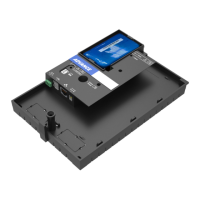
Compact controller ideal for small spaces, supporting one blade (Door, I/O, or OSDP).
Software for straightforward installation and configuration of Janus C4 controllers.
Connects additional peripherals, enabling relay outputs and supervised inputs.
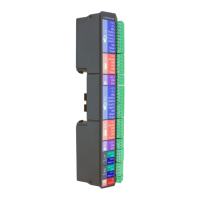
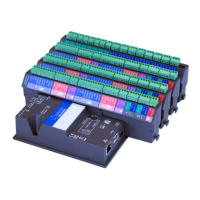
Controller for larger systems, supporting up to four blades for doors and I/O.
Supports OSDP readers and door control with bi-directional capability.
Diagram and explanation of network setup using only IP connectivity.
Diagram and explanation of network setup using only RS-485 communication.
Diagram and explanation of network setup combining IP and RS-485.
Details power supply options using Power over Ethernet (PoE).
Details power supply using local PSU and battery backup.
Guidance on calculating power supply needs for the single-blade controller.
Covers cabling, blade insertion, battery installation, and network connection.
Guidance on calculating power supply needs for the multi-blade controller.
Steps for physically installing the controller and enclosure, including connections.
Guidance on calculating power supply needs for the RS-485 Line Header.
Focuses on connecting network (IP/RS485) and power interfaces to the controller.
Wiring diagrams for Advance and HID readers to the 2 Door Blade.
Wiring for door locks, exit switches, and sensors to the 2 Door Blade.
Details wiring for Fail Secure, Fail Safe locks, and external power supply.
Wiring guidelines for input and output connections.
Wiring diagram for OSDP readers to the OSDP Blade.
Wiring for door locks and sensors for OSDP Blade.
Details wiring for Fail Secure, Fail Safe locks, and external power supply.
Wiring guidelines for input and output connections.
Wiring for supervised inputs on the I/O Blade, with optional line resistors.
Wiring for volt-free relay outputs on the I/O Blade.
Steps to power on, connect peripherals, and log into the Janus C4 Mini PC.
Instructions on how to access the Janus C4 client application remotely.
Steps to configure network settings (IP, Subnet, Gateway) on the Mini PC.
Restarting the Janus C4 Application Server service.
Logging into Janus C4 and bringing controllers online.
Steps to install Janus C4 Server and Advance Configurator software.
Procedures for licensing the system and adding the Janus Advance driver.
Steps to download and install the Janus C4 client application on a PC.
Entering credentials into the login window after client installation.
Procedure to activate the Janus C4 license via the software.
Steps for installing the Janus C4 driver from a file.
Description of the Configurator utility's purpose and shortcut.
Fields required for logging into the Configurator application.
How the Configurator discovers and identifies controllers on the network.
Explanation of available options like Install, Replace, and Configure.
Steps to bring an Advance controller online and set basic settings.
Configuring IP or RS-485 network settings for controllers.
Verifying controller status (online/offline) in Janus C4 software.
Applying and syncing configuration changes to the Janus C4 server.
Setting reader description, operational mode, and token format type.
Configuring reader address, digits for PIN, and PIN entry period.
Setting door description, address, lock type, and sensor type.
Configuring advanced door settings and assigning entry/exit readers.
Overview of Janus C4 as a centralised, multi-operator, network-enabled system.
Functions provided to operators for security management, automation, and analysis.
How to access Janus C4 documentation, guides, datasheets, and installers.
Information on attending training courses for commissioning or system design.
 General
| Manufacturer | Grosvenor Technology |
|---|---|
| Category | Controller |
| Reader Capacity | 4 |
| Inputs | 8 |
| Outputs | 4 |
| Operating Voltage | 12-24V DC |
| Communication | RS-485 |
| Door Capacity | 4 doors |

 To Next Page