WWW.GFWORLDWIDE.COM | +1 (208) 664-9291
OPERATING PROCEDURES
The following procedures explain in detail how to
operate the water delivery system. These operating
procedures are followed by specic instructions to
be used for changing the operating parameters and
congurations. The parameters and congurations
may be changed by the operator at any time to allow
immediate response to changing weather and road
conditions.
4.1 WATER TANK FILLING/PUMP PRIMING
The Ground Force water tank features a low center of
gravity for your safety. Due to this design, the water
pump may require priming after the tank has been
fully emptied.
If it is difcult to establish initial water pump ow, fol-
low the process below to prime the water pump.
Water pump priming procedure:
1. Park the truck facing up hill.
2. Start the water pump and open the water
cannon isolation valve.
3. Increase the engine speed to increase the
water pump speed.
4. Observe the water ow from the water cannon.
Once a clear stream (no air bubbles) is
established, shut the water cannon valve.
5. If the water pump will not reliably prime,
please contact Ground Force for additional
troubleshooting and tips.
4.2 WATER DELIVERY OPERATION
The Ground Force Water Control System display/con-
trol module will power on with the chassis ignition
key. When the chassis is running and ready to oper-
ate, the tank is full of water, and all safety precau-
tions have been followed, the Ground Force Water
Body can begin delivering water.
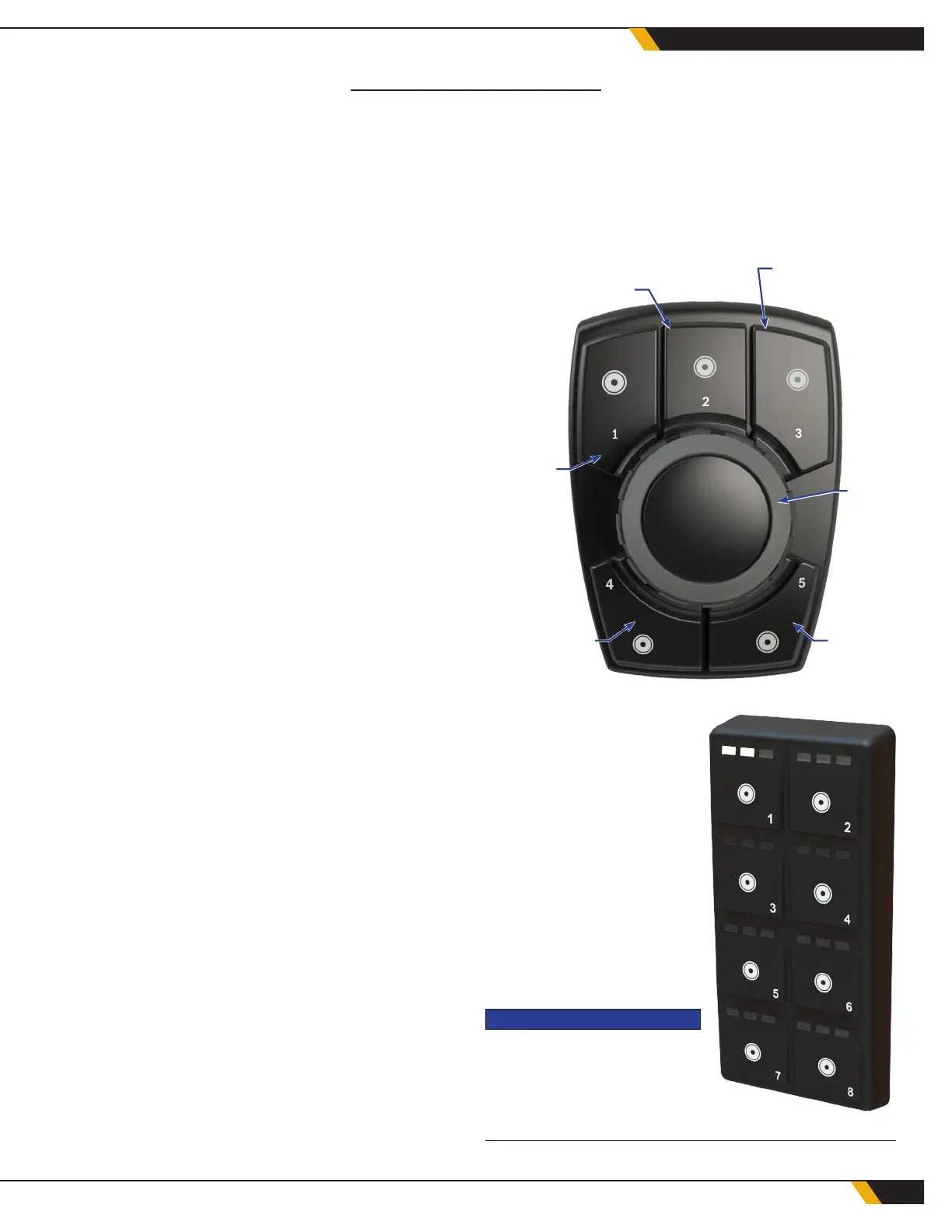
5.3 ENCODER
The encoder is the main WCS controller mounted in
the chassis cab. It has 5 at buttons and a center
button that rotates, and is used to navigate the func-
tions and programs on the WCS display.
SETTINGS
MENU
(BUTTON 2)
SYSTEM
OPTIONS
(BUTTON 1)
CENTER
BUTTON
DRIVER-SIDE
SPRAY
(BUTTON 4)
CURB-SIDE
SPRAY
(BUTTON 5)
TIMER
CONTROL
(BUTTON 3)
5.4 KEYPAD
If equipped, the 8-button
keypad will be labeled by
function, according to the
truck's specic spray valve
conguration. To enable a
spray valve, press its asso-
ciated button. Press the
button again to turn off the
spray valve and return to
the previous water delivery
program.
NOTICE
The keypad will override the pro-
gram selected on the WCS dis-
play. Lights on the keypad but-
tons will indicate which valves are active.
30
WATER CONTROL SYSTEM


 To Next Page
 Loading...