WWW.GFWORLDWIDE.COM | +1 (208) 664-9291
PROGRAM INDICATORS
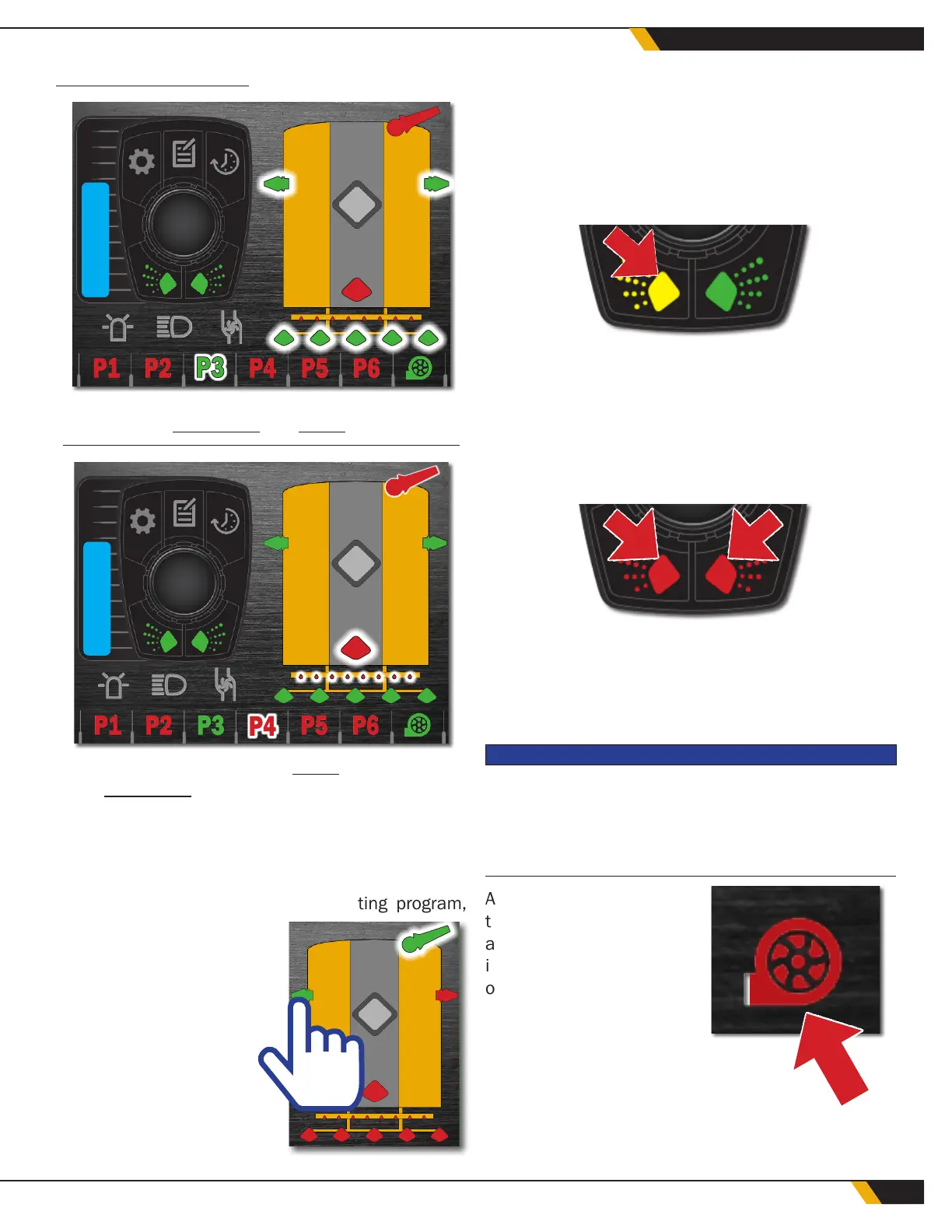
In this image, Program 3 is both
highlighted and active.
In this image, Program 3 is active, but Program
4 is highlighted. Push the center button to select
Program 4, or rotate the button to continue to the
next program.
5.8 ADD VALVES TEMPORARILY
To temporarily add valves to an existing program,
touch the valves on the
WCS touch screen to add
them to the current pro-
gram. The selected valves
will not remain active if
the operator chooses
another program. Valves
included in the program
can also be disabled
using the touch screen.
5.9 STOP SPRAY MANUALLY
To temporarily stop water delivery, select one or both
of the lower buttons on the encoder (Buttons 4 and
5). This allows the operator to temporarily stop water
delivery to one or both sides of the water truck. The
button will turn yellow until it is pressed again.
To stop both sides at the same time, press the center
button once.
To resume watering operations, press the desired
button again.
5.10 STOP WATER DELIVERY
The water pump is designed to operate continuously
during water delivery. The water pump will stop auto-
matically once the low level shut-off set point has
been reached.
NOTICE
Ground Force recommends using the program controls to
stop water delivery. In order to reduce wear and avoid dam-
age to the water pump, hydraulics, and other system compo-
nents, do not cycle the water pump on and off.
At the end of operations,
turn the pump off manu-
ally by pressing and hold-
ing the two lower buttons
of the encoder, Button 4
and Button 5, simultane-
ously. Hold for at least
two seconds until the
water pump icon in the
lower right corner of the
display screen turns red.
32
WATER CONTROL SYSTEM



 To Next Page