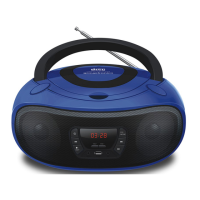
RADIO
Using the radio
1. Press the EQ/MODE Button to change to FM mode.
rAD will be briefly displayed on the screen when radio mode is chosen. After 2-3
seconds display will then change to radio frequency being displayed.
2. Extend the FM antenna to improve FM radio reception.
3. Short press PREV or NEXT track buttons to step through the radio frequencies.
Long press PREV or NEXT track buttons to auto tune to the next available radio station.
Long press PLAY/PAUSE to auto tune the radio in to all available stations and save all
found radio stations to memory.
Saving radio stations
Up to 20 frequencies can be saved to memory.
1. When in FM mode: Short press STOP/REP to save the current radio station to
memory. PO1 will flash on screen. To change the preset number the radio station will
be saved to, press the PLAY/PAUSE button to increase the preset number from P01 to
P20.
2. Now press STOP/REP to save the channel to the current preset memory number
shown on the display.
To recall saved radio stations
1. When in FM model: Press PLAY/PAUSE button repeatedly to find the preset number
you wish to recall.
2. Once your preset number is shown on screen do not press any other button for 1-2
seconds and the radio will change to the saved radio frequency.
CD
Playing a CD
1. Open the CD door and place a CD or CD-R/RW disc into the player.
2. Press the EQ/MODE Button to change to CD mode. CD will be displayed on screen


 To Next Page
 Loading...