
 Need help?
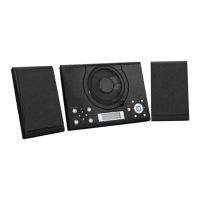
Do you have a question about the Grouptronics GTMC-101 USB and is the answer not in the manual?
Correctly connect speakers to L and R terminals for audio output.
Instructions for connecting the AC/DC adapter to the unit.
Guide on cleaning the CD laser lens to resolve playback problems.
Safety guidelines for operation, ventilation, liquids, flames, and climate.
Precautions for battery installation, heat, mixing, polarity, and removal.
Instructions for safe disposal of the device and batteries and unplugging during storms.
Identification of buttons, ports, and indicators on the main player unit.
Overview of buttons and functions available on the remote control.
Step-by-step instructions to connect the AC/DC adapter and power on.
How batteries maintain clock and alarm settings during power outages.
Guide to accurately set the device's internal clock time.
Configure up to two alarms with specific times and sound sources.
Choose alarm sound from Buzzer, Radio, CD, or USB playback.
How to turn off or deactivate alarms to prevent them from sounding.
Temporarily postpone an active alarm for a short duration.
Set the unit to automatically switch off after a specified sleep time.
Controls for increasing and decreasing the sound volume output.
Procedures for finding and listening to FM radio stations.
How to save preferred radio frequencies for quick access.
Accessing previously saved radio stations from memory.
Instructions for inserting, playing, and selecting tracks on CDs.
Understanding and using Repeat, Random, and Normal playback for CDs.
Connecting and playing audio files from a USB flash drive.
Setting repeat or random playback for USB music content.
Connecting external audio sources via the AUX jack.
How to connect headphones and important volume level warnings.
Advice on cleaning and protecting CD surfaces to ensure playback quality.
 General
| Brand | Grouptronics |
|---|---|
| Model | GTMC-101 USB |
| Category | CD Player |
| Language | English |

 To Next Page