EasyManua.ls Logo

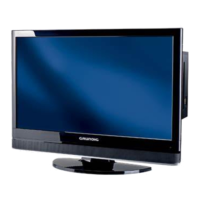
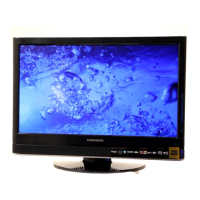
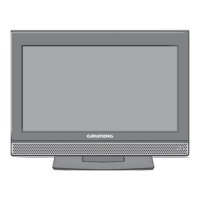
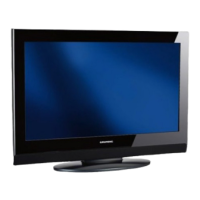
Grundig 19-2010 T DVD - User Manual

Grundig 19-2010 T DVD
75 pages
Print Icon
To Next Page IconTo Next Page
Loading...
TV Service Manual
Zusätzlich erforderliche Unterlagen für den Komplettservice
Additionally required Service Documents for the Complete Service
Service
Manual
Sicherheit
Safety
Materialnr./Part No.
720108000001
Chassis D6
19-2010 T DVD GBI0019
Vision 2
19-2930 T DVD GBH4719
22-2930 T DVD GBH4722
NUR FÜR INTERNEN GEBRAUCH
FOR INTERNAL USE ONLY
Materialnummer / Part Number 720100552000
Änderungen vorbehalten / Subject to alteration
TCC 0710 MP • Prepared in Germany
http://www.grundig.com

Questions and Answers

  • T
    Tamara BentonAug 11, 2025
    What to do if Grundig TV remote control does not work?
    • M
      Max CooleyAug 11, 2025
      If your Grundig TV remote control isn't working, first, ensure you're pointing it directly at the TV. Then, check the batteries and replace them if needed. As a last resort, try turning off the TV using the main power button for about 2 minutes.
  • M
    Michael BlackAug 17, 2025
    Why is my Grundig 19-2010 T DVD screen lit (snow), but there is no station?
    • V
      vbarronAug 17, 2025
      If your Grundig TV screen is showing only static ('snow') without a station, try these steps: First, check if the antenna cable is securely connected. Next, initiate a station search. Adjust the brightness, contrast, or color settings. Test with a different TV station to rule out issues at the broadcast end. Finally, try changing the position of the TV to avoid interference from other devices.
  • L
    Lauren BennettAug 23, 2025
    Why am I seeing ghosting and reflection on my Grundig TV?
    • D
      Debra JohnsonAug 25, 2025
      If you're seeing ghosting or reflections on your Grundig TV, try these solutions: Perform an automatic or manual channel setting/fine tuning. Have your antenna cable or system checked. Avoid keeping the color intensity at maximum. Select the correct color standard in your TV settings, if available. Test with another channel to see if the problem persists. Also, make sure the volume isn't set to minimum.
  • J
    Jesse MullinsAug 29, 2025
    What to do if teletext is missing or faulty on Grundig 19-2010 T DVD TV?
    • C
      Catherine StewartAug 29, 2025
      If teletext is missing or faulty on your Grundig TV, test with another channel to rule out a problem at the station. If that doesn't work, the television station may not have teletext, or the antenna system may be faulty, so you should test another channel for fine tuning and ghosts. Also, check the antenna system to ensure the station signal isn't too weak.
  • S
    sandraacostaSep 4, 2025
    Why is the picture dark in PC mode on my Grundig 19-2010 T DVD TV?
    • C
      christine31Sep 4, 2025
      If the picture appears dark when using PC mode on your Grundig TV, it might be due to an incorrect setting for picture resolution and picture frequency on your PC. Try changing the setting on the PC (for example, picture resolution 1280 x 768, picture frequency 60Hz).

Grundig 19-2010 T DVD Specifications

General IconGeneral
Screen Size19 inches
Display Resolution1366 x 768 pixels
Built-in DVD PlayerYes
Display TypeLCD
Aspect Ratio16:9
HDMI Ports1
USB Ports1
VGA InputYes
Built-in SpeakersYes
HD TypeHD Ready
Resolution1366 x 768 pixels

Related product manuals