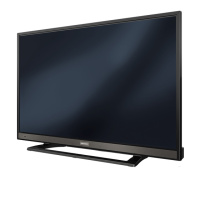
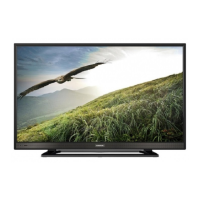
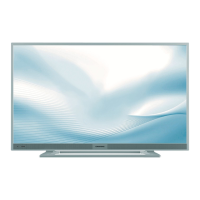
This document is a user manual for a Grundig TV, specifically model 28 VLE 5500 SG. It provides comprehensive instructions for setup, operation, and maintenance of the television.
The Grundig 28 VLE 5500 SG is a television designed for home entertainment, offering a range of features for viewing digital and analogue television channels, connecting external devices, and playing media from USB storage.
Function Description
The TV serves as a central hub for various media. Its primary function is to display television broadcasts, supporting both digital (DVB-S/S2, DVB-T, DVB-C) and analogue signals. It features a High Definition (HD) receiver, allowing for the reception of digital TV channels in HD quality. The television can connect to satellite, terrestrial, and cable networks.
Beyond broadcasting, the TV offers extensive connectivity for external devices. It includes multiple HDMI inputs for connecting devices like DVD players, Blu-ray players, game consoles, and PCs, supporting HD video and audio. USB ports enable playback of various media files (video, audio, and images) directly from USB storage devices. The TV also supports SCART connections for older devices and a Common Interface (CI) slot for encrypted channels, requiring a CA module and smart card.
The remote control provides full functionality for navigating menus, changing channels, adjusting volume, and accessing various features like Teletext and media playback controls. Parental lock features are available to restrict access to specific channels or functions.
Important Technical Specifications
- Screen Size: 70 cm / 28 inch
- Maximum Resolution: WXGA, 1366 x 768
- Power Consumption:
- On mode: 33 W / 47 W max.
- Annual power consumption: 48 kWh
- Stand-by power consumption: < 0.50 W
- Operating Voltage: Input: 220-240 V~, 50-60 Hz; Output: 19V / 2,5 A max.
- Audio Output: 2 x 10 W music power output; 2 x 10 W Sine wave power.
- Digital Reception Ranges:
- Satellite: Ku band: 10,700 MHz - 12,750 MHz; Modulation: DVBS QPSK, DVBS2 QPSK, 8 PSK; IF band: 950 MHz - 2,150 MHz; Signal level: -25dBm to -65 dBm.
- Cable: Overall band: 110 MHz - 862 MHz; Modulation: 16QAM, 32QAM, 64QAM, 128QAM and 256QAM; Symbol rate: 4.0 Msym/s to 7.4 Msym/s.
- Terrestrial (DVB-T): VHF/UHF band, Bandwidth 7 MHz and 8 MHz; FFT Size: 2K, 8K; Modulation: 16QAM, 64QAM, QPSK; Guard Interval: 1/4, 1/8, 1/16, 1/32.
- Terrestrial (DVB-T2): VHF/UHF band, Bandwidth 7 MHz and 8 MHz; FFT Size: 1K, 2K, 4K, 8K, 16K, 32K; Modulation: 16QAM, 64QAM, 256QAM, QPSK; Guard Interval: 1/4, 19/256, 1/8, 19/128, 1/16, 1/32, 1/128.
- Analogue Reception Ranges: C02 ... C80, special channels S01 ... S41.
- Preset Channels: All Channels 6000 (Satellite - DVB-S/S2), 1000 (Cable - DVB-C) or 99 (Analogue), 1000 (Terrestrial - DVB-T) or 99 (Analogue), 7 AV, 2 USB.
- Weight: approx. 3.34 kg
- Dimensions: W H D 64,1 cm x 40,2 cm x 7,4 cm
- RoHS Limits: Pb (Lead)/Hg (Mercury) Pb meets RoHS directive / 0 mg.
- Peak Luminance Ratio: 65%.
- Default Satellite: 20.
- LNB Power Supply: 13/18 V, 14/19 V optional, maximum 500 mA.
- LNB Switching Signal: 0/22 kHz 650mV +/- 250mVpp.
- DiSEqC: 1.0-operation, 1.1-operation, 1.2-operation.
Usage Features
- Initial Setup and Tuning: The TV guides the user through initial setup, including language selection, country, and automatic channel search for all available digital and analogue channels. Manual tuning options are also provided for fine-tuning.
- Channel Management: Users can create favourite lists, delete, reorder, and skip channels. This allows for personalized channel organization.
- Picture Settings: Extensive picture settings are available, including picture mode (User, Standard, Dynamic, Movie, Game), brightness, contrast, sharpness, colour, colour temperature, and DNR (Digital Noise Reduction). Advanced tuning options like MPEG NR, Dynamic Contrast, and Backlight are also present. The TV supports various picture formats (Panorama, Overscan, Auto, 16:9, 16:9 and 14:9, 4:3, Letterbox, Subtitle).
- Sound Settings: Sound settings include volume, balance, sound type (SRS TSHD, Stereo), sound mode (Standard, Music, Movie, Natural, Speech), and audio output setup. An equalizer is available for custom sound adjustments. SRS TruSurround HD technology enhances the audio experience.
- Convenience Functions:
- Language Settings: The TV supports multiple languages for menus and audio/subtitle tracks.
- Date & Time Settings: Automatic and manual settings for date and time, including timer functions like sleep timer and switch-on timer.
- Parental Control: Keypad lock and channel locking features allow parents to restrict access to certain content.
- Software Updates: The TV supports software updates, either automatically or manually, to ensure optimal performance and access to new features.
- External Device Operation:
- DIGI LINK (CEC): This feature allows the TV to control compatible external HDMI devices (e.g., DVD players) with the TV's remote control.
- USB Operation: The TV can play various file formats (JPEG, PNG, BMP for images; AVI, MKV, MP4, TS, MOV, MPG, DAT, VOB for video; MP3, AAC for audio) from USB storage. It offers basic playback functions, including play, pause, resume, fast forward/rewind, and repeat. Slideshows can be created for images.
- PC Monitor Functionality: The TV can be connected to a PC via PC-IN (VGA) and HDMI inputs, offering settings for auto adjust, position, size, and phase.
- Teletext Operation: Provides access to Teletext pages with features like TOP text, FLOF text, page hold, sub-page display, and revealing answers.
Maintenance Features
- Environmental Note: The manual emphasizes the importance of proper disposal of batteries and the television itself to protect the environment. It advises against disposing of these items with household waste and encourages users to utilize local collection points for recycling.
- Cleaning: The TV screen and cabinet should be cleaned with a soft, damp cloth. Strong cleaning agents, solvents, or abrasive materials should not be used.
- Ventilation: Adequate ventilation is crucial to prevent overheating. The TV should be placed in a well-ventilated area, and the ventilation openings should not be blocked.
- Troubleshooting: A dedicated troubleshooting section provides solutions for common problems, such as no picture, no sound, remote control issues, or poor signal quality. It advises users to consult an authorized Grundig dealer for complex issues.
- Product Fiche: The manual includes a product fiche with detailed information on energy efficiency and other technical specifications, in compliance with EU directives.
- Software Updates: Regular software updates are available to improve performance and add new features, ensuring the TV remains up-to-date.
- Restoring Default Settings: The TV offers an option to restore all settings to their factory defaults, which can be useful for resolving persistent issues or preparing the TV for a new user.

 Need help?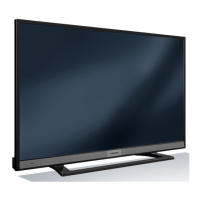


 To Next Page
 General