This document describes the Grundig 55 GUB 8678 television, a device designed for receiving and displaying digital and analogue TV programmes, streaming content, and audio/video material from external devices. It complies with several EU directives, including 2014/53/EU, 2014/30/EC, 2014/35/EC, 2009/125/EC, 2010/30/EU, and 2011/65/EU. The TV's wireless system is approved for use in numerous countries including AT, BE, BG, CH, CY, CZ, DE, DK, EE, ES, FI, FR, GB, GR, HU, IE, IS, IT, LI, LT, LU, LV, MT, NL, NO, PL, PT, RO, SE, SI, SK, HR, TR, and can also be operated in countries outside Europe.
Function Description
The Grundig 55 GUB 8678 is a versatile television capable of receiving digital TV programmes via DVB-S, DVB-T, and DVB-C, as well as analogue TV. It features a twin-triple tuner that enables Picture-in-Picture (PIP) functionality, allowing users to view one TV programme in the main picture and another in an inset picture. This also supports viewing one programme while recording another. Many of its features require an Internet connection, for which the TV is equipped with both WLAN and a LAN port.
The TV supports recording of TV programmes, requiring an external USB storage device (not included). Recorded programmes can only be played back on the same TV set. The device also includes a Media Player that displays images and plays recorded programmes, films, and music from connected USB devices or a DLNA media server. The Time Shift function allows users to pause and resume programmes, with the programme being recorded to an external data medium.
The television integrates SMART inter@ctive TV 4.0+, offering access to various Internet services and applications. A web browser is also included for general internet browsing. HbbTV, an interactive successor to teletext, provides content with modern design, high-resolution images, and video sequences, requiring an Internet connection for full functionality.
Important Technical Specifications
General:
- Model: Grundig 55 GUB 8678
- Energy efficiency class: A
- Screen diagonal: 139 cm / 55 inch
- Maximum resolution: 3840 x 2160
- Operating voltage: 220 ... 240 V~, 50 ... 60 Hz
- Screen area (dm²): 82 dm²
- Weight: approx. 21.9 kg
- Dimensions (W × H × D): 123.9 cm × 72.5 cm × 5.6 cm
Power Consumption:
- Operation: 110 W / 175 W max.
- Standby: 0.30 W
- Networked standby: 2.90 W
- Switched off: 0.01 W
- Annual power consumption: 161 kWh
Audio Output:
- Music power: 2 × 30 W
- Sine power: 2 × 15 W + 10 W (for subwoofer, if available)
Digital Reception Ranges:
- 2 x Satellite (Ku band):
- Frequency: 10,700 MHz ... 12,750 MHz
- Modulation: DVBS QPSK, DVBS2 QPSK, 8 PSK
- IF band: 950 MHz ... 2150 MHz
- Signal level: -25 dBm ... -65 dBm
- 2 x Cable (Overall band):
- Frequency: 110 MHz ... 862 MHz
- Modulation: 16 QAM, 32 QAM, 64 QAM, 128 QAM, 256 QAM
- Symbol rate: 4.0 Msym/s ... 7.2 Msym/s
- 2 x Terrestrial (DVB-T):
- Bandwidth: 7 MHz and 8 MHz
- FFT size: 2 k, 8 k
- Modulation: 16 QAM, 64 QAM, QPSK
- Guard interval: 1/4, 1/8, 1/16, 1/32
- 2 x Terrestrial (DVB-T2)*:
- Bandwidth: 7 MHz and 8 MHz
- FFT size: 1 k, 2 k, 4 k, 8 k, 16 k, 32 k
- Modulation: 16 QAM, 64 QAM, 256 QAM, QPSK
- Guard interval: 1/4, 19/256, 1/8, 19/128, 1/16, 1/32, 1/128
- DVB-T2 is optional and not available on all products.
Analogue Reception Ranges:
- Channels: C02 ... C80, special channels S01 ... S41
Preset Channels:
- TV/Radio: 6000 (satellite – DVB-S), 1000 (cable – DVB-C) or 99 (analogue); 1000 (terrestrial – DVB-T) or 99 (analogue); 7 AV, 3 USB
Supported Media Files:
- Image files: jpg/jpe, bmp, png
- Music files: m4a, wma, aac
- Video files: mov, xvid, mpg, mpe, vob, dat, trp, ts, avi, mp4, mkv
Connectivity:
- SCART / S-VHS / COMPONENT: SCART socket (audio/video input/output), S-VHS socket (audio/video input), Component socket (audio/video input via SCART-YPbPr adapter).
- Optic Out: Optical audio output.
- LAN: Network connection.
- USB 3: For data media or keyboard.
- HDMI3: Input for digital audio and image data.
- HDMI4 (ARC): Input for digital audio and video data with audio return channel.
- SATELLITE (MAIN): For satellite antenna (single-cable GSCR system compatible).
- SATELLITE (SUB): For second satellite signal (DVB-S).
- ANT IN: For antenna cable (terrestrial or cable connection).
- Headphone jack: Or line output via adapter.
- CI1, CI2: For CA modules for receiving encrypted stations.
- USB 1 & USB 2: For data media for recording programmes (e.g., external hard disk).
- HDMI1 (MHL): Connect input for digital audio and video data, mobile devices with Mobile High-Definition Link.
- HDMI2: Input for digital audio and image data.
Usage Features
Setup and Initial Use:
- The TV can be set up with the supplied stand or mounted using a VESA bracket.
- Initial setup involves connecting cables, inserting the power plug, switching on the power, and following the on-screen setup wizard.
- New TV stations can be added later via the "Settings" menu, by selecting "Source" and then "Automatic Channel Search."
- TV stations can be sorted in the channel list using the remote control.
Remote Control Functions:
- Power: Switches on/off from standby.
- Channel Selection: Direct selection (1-9, 0), channel list access (ALL, FAV 1-4).
- Teletext/TV Modes: Switches between teletext and TV modes.
- Contextual Functions: Keys adapt functionality based on screen help, HbbTV.
- Navigation: Cursor control (up, down, left, right), OK button for selection/activation.
- Menu/Exit: Opens menu, exits menu/applications.
- Zapping: Switches back one menu level.
- Tools: Opens Tools menu.
- MyApps: Opens MyApps menu.
- Volume: Adjusts volume, mute.
- Source: Selects signal source.
- Channel Step: Selects stations step by step.
- Recording/Playback: Record, playback, pause, stop (for digital TV channels).
- PIP: PIP function on/off.
- Media Navigation: Next/previous image/chapter, next/previous track.
- Subtitle: Selects subtitle.
- Media Player: Opens Media Player menu.
- Audio Channel: Selects audio channel.
- Screen Share: Opens Screen share.
Recording and Time Shift:
- Recording requires a fast data medium with a USB3.0 connection to USB1 and USB2 ports for reliable HD recording.
- Approximately 2.6 to 6.6 GB of storage space is needed for one hour of recording.
- Direct recording and programmed recording via the programme guide are supported.
- The Time Shift function allows pausing live TV for up to one hour, with the programme recorded to an external data medium.
Media Playback:
- The Media Player supports image (jpg/jpe, bmp, png), music (m4a, wma, aac), and video (mov, xvid, mpg, mpe, vob, dat, trp, ts, avi, mp4, mkv) files.
- Subtitles are supported for films, provided the subtitle file (SRT, SUB, ASS, SSA, SMI formats) has the identical filename as the film file and is in the same folder.
Smart TV and Internet:
- SMART inter@ctive TV 4.0+: Access to various Internet services and apps via the Application Center.
- Web Browser: For general internet browsing.
- HbbTV: Interactive services from TV stations, requiring an Internet connection.
Favourites Lists:
- Users can organize TV and radio stations into custom favourites lists.
Maintenance Features
Cleaning the TV Set:
- Power Disconnection: Always pull the power cord out of the mains socket before cleaning.
- Appliance Cleaning: Use a damp cloth and a mild detergent. Avoid detergents containing alcohol, spirit, ammonia, or scouring agents.
- Screen Cleaning: Use a damp, soft cloth. Do not use water with soap or detergent.
Battery Replacement:
- The remote control uses 2 × Micro/RO3/AAA batteries.
- Ensure correct polarity when inserting new batteries.
- Do not mix used and new batteries.
- Dispose of used batteries at retail stores or public collection points, not in household waste.
Environmental Information:
- The product should not be disposed of with normal household waste at the end of its service life; it should be taken to a recycling centre for electrical and electronic equipment.
- Packaging materials should be disposed of separately according to local guidelines for environmentally safe recycling.
- To save energy, turn the TV to standby mode when not in use (≤ 0.5 W). For extended periods of disuse, turn it off with the power switch or unplug it from the socket.
- Select a location for the TV set where no direct sunlight falls on the screen to allow for lower backlight selection and energy saving.
Safety Precautions:
- Do not open the TV set to avoid electrical shock and voiding the guarantee.
- Only use the supplied power cable or AC/DC adapter.
- Do not operate with a damaged power cord/adapter.
- If the plug has an earthing contact, insert it into a socket with an earthing contact.
- Protect the TV set from moisture; do not place liquid-filled vessels on it.
- Do not cover ventilation slots to prevent fire hazard.
- Unplug power and antenna plugs during thunderstorms.
- Keep candles or open flames away from the TV set.
- Do not expose batteries to extreme heat.
- Place the TV set on a stable surface and use recommended cabinets or stands to prevent falling injuries.
- Ensure adequate ventilation with at least 10 cm clearance around the TV set.
- Be aware that rubber feet may discolour furniture surfaces; place a sheet of glass or plastic under the stand to protect furniture.

 Need help?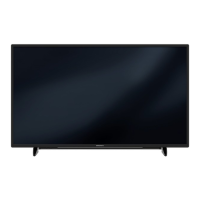



 To Next Page
 General