EasyManua.ls Logo

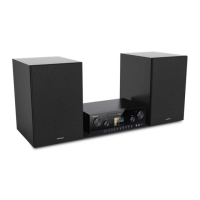
Grundig CMS 5000 - User Manual

Grundig CMS 5000
44 pages
Print Icon
To Next Page IconTo Next Page
Loading...
Micro Hi-Fi
System
User Manual
EN - RU
01M-8871033600-3623-01
CMS 5000

Questions and Answers

  • M
    Matthew ButlerAug 14, 2025
    Why Grundig CMS 5000 no station is found?
    • Z
      zmartinAug 14, 2025
      If your Grundig Stereo System isn't finding any stations, it could be due to a few reasons: 1. The station might be temporarily unavailable; try again later. 2. The station's link might have changed, or the station may no longer be transmitting. Contact the provider for information. 3. If you manually added the station, the link might be incorrect. Double-check and correct it.
  • R
    ronnie53Aug 17, 2025
    What to do if my Grundig CMS 5000 has no sound?
    • D
      Donald GibsonAug 17, 2025
      If your Grundig Stereo System isn't producing any sound, here's what you can do: 1. Make sure the sound isn't muted. 2. Increase the volume. 3. Disconnect any headphones or speakers from the connector jack. 4. Check the speaker cables.
  • K
    Kaylee FloresAug 21, 2025
    How to fix Grundig CMS 5000 when no network connection can be established?
    • M
      Margaret WoodwardAug 21, 2025
      If your Grundig Stereo System isn't connecting to the network, try the following: 1. Ensure the WLAN function is enabled and the password is correct. 2. Attempt to manually set an IP address on the device. 3. Activate the DHCP function on your router and reconnect the device. 4. If a firewall is active, configure it to allow access for the device. 5. Move the device closer to the router. 6. Reboot the router.
  • D
    dennisgentryAug 25, 2025
    Why my Grundig CMS 5000 Stereo System does not switch on?
    • L
      Lawrence EllisAug 25, 2025
      If your Grundig Stereo System isn't turning on, ensure the power plug is properly connected.
  • J
    Johnathan JacksonAug 27, 2025
    What to do if CD is not playing or skips during playback on Grundig Stereo System?
    • K
      Kimberly BallAug 27, 2025
      If the CD is not playing or skips during playback on your Grundig Stereo System: 1. Ensure the device is in CD mode and that a working CD is inserted. 2. Make sure the CD is inserted correctly with the labeled side facing up. 3. Clean the CD or try a different CD if the current one is dirty or faulty.
  • R
    Robert WernerAug 30, 2025
    What to do if Grundig Stereo System USB driver or MP3 player is not detected?
    • C
      Christine BentleyAug 30, 2025
      If your Grundig Stereo System isn't detecting the USB driver or MP3 player, try these steps: 1. Make sure the USB driver or MP3 player is properly plugged in. 2. If using a USB hard disk, ensure it has an external power supply connected. 3. If your MP3 player isn't recognized, try using a USB drive instead.
  • R
    Ronald BeltranSep 2, 2025
    How to stop the hiss in FM mode on Grundig CMS 5000 Stereo System?
    • P
      Pamela CooleySep 3, 2025
      If you experience hissing in FM mode on your Grundig Stereo System: 1. Check and reposition the antenna. 2. Try moving the radio to a different location.
  • B
    Beth SimonSep 6, 2025
    What to do if Grundig CMS 5000 has no stations available / burbling / intermittent in DAB mode?
    • L
      lisahernandezSep 6, 2025
      If you are experiencing issues such as no stations, burbling, or intermittent audio in DAB mode on your Grundig Stereo System: 1. Check and reposition the antenna. 2. Rescan for local stations, focusing on high-strength signals. 3. Verify the local DAB coverage in your area.
  • K
    Kelly SmithSep 9, 2025
    What to do if Bluetooth is not connected on Grundig CMS 5000 Stereo System?
    • D
      Dominique SanchezSep 9, 2025
      If the Bluetooth is not connected on your Grundig Stereo System, disconnect and reconnect the Bluetooth connection.

Summary

SAFETY

General Safety Precautions

Covers precautions for device handling, environment, and electrical safety.

Power Supply Safety

Details on socket outlet installation and safe power plug handling.

REMOTE CONTROL

GETTING STARTED

Connection and Preparation

Guides on connecting speakers, antennas, and power for initial setup.

Connecting to the Network

Instructions for connecting the device to a wireless network via WEP/WPA or WPS.

GENERAL DEVICE FUNCTIONS

First-time Setup Wizard

Details the initial setup process including language and network configuration.

MAIN OPERATION

Internet Radio and Podcasts

How to access and listen to internet radio stations and podcasts.

DAB+ and FM Radio Operation

Guides on tuning DAB+ and FM radio stations, including scanning.

CD and USB Playback

Instructions for playing music from CDs and USB drives, including programming.

Bluetooth Connectivity

Steps for pairing Bluetooth devices and controlling playback wirelessly.

SYSTEM SETTINGS

TROUBLESHOOTING

Grundig CMS 5000 Specifications

General IconGeneral
TypeMicro Hi-Fi System
TunerFM/AM
Remote ControlYes
Playable formatsCD, MP3
ConnectivityUSB, AUX

Related product manuals