32
DISHWASHER / USER INSTRUCTIONS
/44 EN
MAINTENANCE AND CLEANING
6
Service life of the product extends and
frequently faced problems decrease if it is
cleaned at regular intervals.
A
Unplug the product and turn off
the tap before attempting any
cleaning procedures.
C
Do not use abrasive substances
for cleaning.
C
Clean the filter and impellers at
least once a week in order for
the machine operates efficiently.
Cleaning the outer surface of
the product
Wipe the outer surface and door gaskets
of the product gently with a mild cleaning
material and damp cloth. Wipe the "Control
panel" only with a slightly damp cloth.
Cleaning the interior of the
machine
• Clean the interior of the machine and
the tank by running a programme with
or without detergent based on the
degree of soil.
• If water has remained in the machine,
drain the water by performing the
procedures under the topic "Canceling
a programme". If the water cannot
be discharged, remove the filters as
specified in the "Cleaning the filters"
section and check if there are any
leftover deposits that have accumulated
at the bottom of the machine, blocking
the water path. Clean if necessary.
Cleaning the filters
Clean the filters at least once every three
months in order for the machine operates
efficiently. Check if food residues are left on
the filters. If there are food residues on filters,
take them out and clean well under running
water.
C
Filter cleanliness is increased
by 80% with the micro filter
cleaning system available on
your machine.
1. Turn the micro filter (1) and coarse filter
(2) assembly counter clockwise and pull
it out from its seating.
2. Press the two pawls on the coarse filter
inwards and separate the coarse filter
from the assembly.
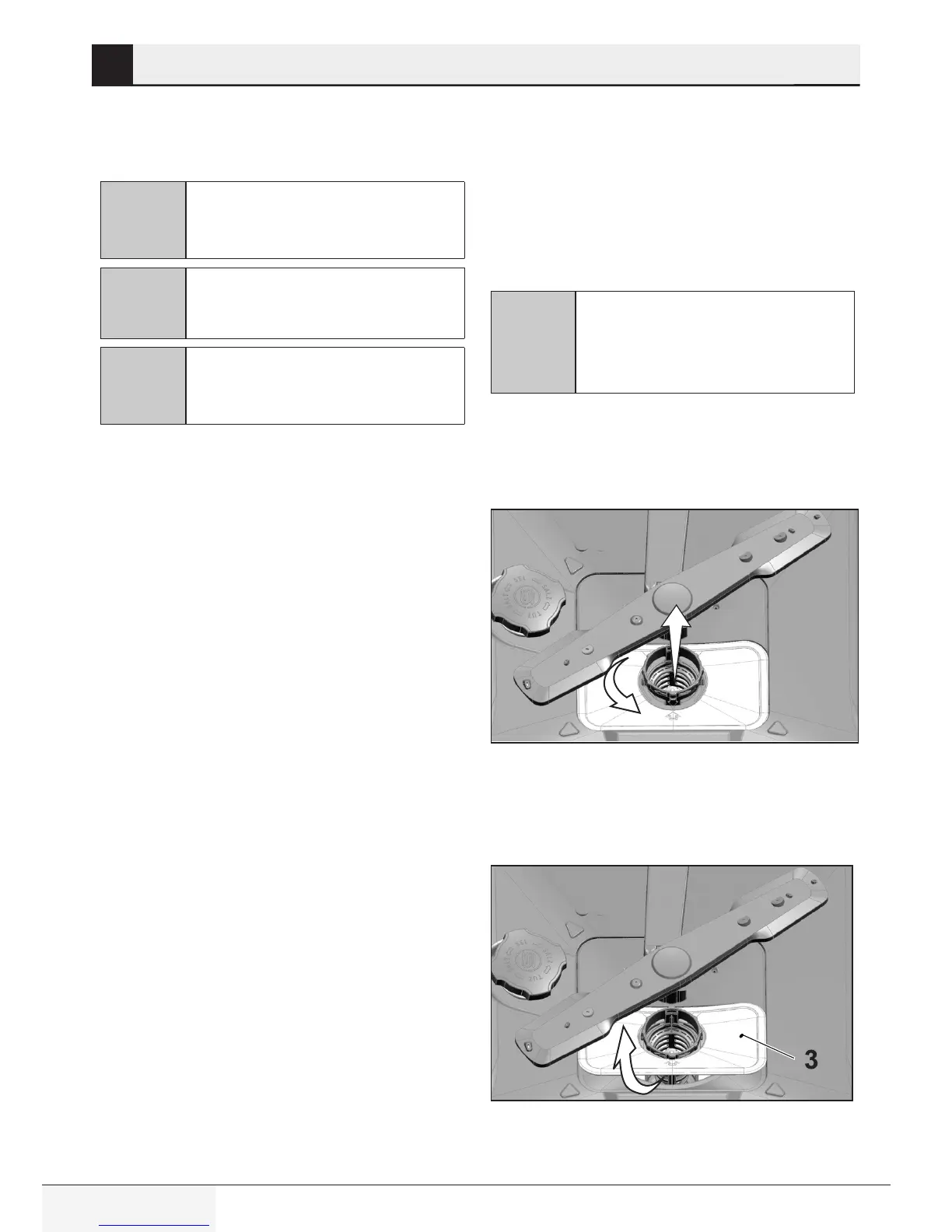
3. Pull out the metal/plastic filter (3) from
the seating.







 To Next Page