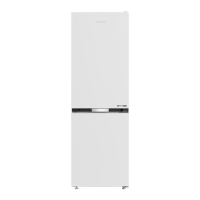
This document is a user manual for a Grundig Refrigerator, model GQN1232FX. It covers installation, operation, and maintenance of the appliance.
Function Description:
The Grundig Refrigerator GQN1232FX is a household appliance designed for storing food and beverages. It features both a cooler compartment and a freezer compartment, allowing for versatile storage options. The refrigerator incorporates various technologies to optimize food preservation, energy efficiency, and user convenience.
Key functional components include:
- Cooler Compartment: Equipped with butter-cheese shelf, cooler compartment shelves, shelter wire, breakfast compartment, adjustable glass shelves, and vegetable bins. It also includes an odour filter and a fan for air circulation.
- Freezer Compartment: Designed for storing frozen foods in dedicated compartments. It supports rapid freezing of fresh food.
- Water Dispenser (Optional): Provides cold water. Requires connection to a water mains or a carboy.
- Ice Box (Optional): Used for ice collection.
- Ice Maker (Optional): Non-removable ice container at the bottom of the ice machine.
- Humidity Controlled Crisper (Optional): Designed to maintain optimal humidity levels for vegetables, extending their freshness.
- Zero Degree Compartment (for certain models): Ideal for storing delicatessen, meat, or fish at lower temperatures.
- Blue Light (for certain models): Vegetable bins with blue light to promote photosynthesis and prolong the freshness of fruits and vegetables.
- Telescopic Drawer: Allows for easy access and organization within the cooler compartment.
- Ionizer (for certain models): An air duct system that generates negative ions to eliminate bacteria and other molecules causing odor in the air.
- Movable Middle Section: A sealing mechanism on the cooler compartment doors to prevent cold air from escaping.
Important Technical Specifications:
- Cooling System: Uses R600a gas as a refrigerant.
- Power Connection: Requires an earthed socket with 220-240V/50 Hz voltage and a 10-16A fuse. Multi-group plugs or extension cables are not recommended.
- Water Pressure (for water dispenser): Maximum 90 psi (620 kPa), minimum 80 psi (550 kPa).
- Water Temperature (for water dispenser): Operating interval between 33°F (0.6°C) minimum and 100°F (38°C) maximum.
- Freezer Capacity: Capable of freezing 4.5 kg of food items at -18°C or lower temperatures in 24 hours for each 100 litres of freezer compartment volume.
- Temperature Settings:
- Freezer compartment: Adjustable from -18°C to -24°C.
- Cooler compartment: Adjustable from 8°C to 1°C.
- Energy Consumption: Optimized through features like energy saving function, economy mode, and proper food placement.
- Lighting: Interior light uses an LED type lamp.
Usage Features:
- Indicator Panel: A touch-control panel with various indicators and buttons for controlling the refrigerator's functions.
- Cooler Compartment Indicator: Lights up when adjusting cooler temperature.
- Error Status Indicator: Displays "E" and numbers (1, 2, 3...) in case of sensor fault or cooling issues.
- Temperature Indicator: Shows current freezer and cooler temperatures.
- Vacation Function Button: Sets the cooler compartment to "---" (no cooling process) for energy saving during long absences. Other compartments remain cooled.
- Temperature Adjustment Button: Adjusts respective compartment temperatures.
- Compartment Selection Button: Toggles between cooler and freezer compartments.
- Freezer Compartment Indicator: Lights up when adjusting freezer temperature.
- Economy Mode Indicator: Indicates energy-saving operation.
- Vacation Function Indicator: Shows when vacation function is active.
- High Temperature / Fault Alert: A warning indicator that illuminates during power failure, high temperature failures, or error warnings.
- Energy Saving Function (Display Off): Automatically activates when the doors are kept closed for a long time, turning off the display to save energy.
- Rapid Cooling: Quickly cools the cooler compartment.
- Rapid Freezing: Quickly freezes the freezer compartment.
- Keypad Lock: Locks the control panel to prevent accidental changes.
- Eco-fuzzy: An economic mode that optimizes energy consumption based on usage patterns.
- Ice Making On/Off: Controls the ice maker function.
- Display On/Off / Alarm Off: Controls display visibility and silences alarms.
- Autoeco: Automatically switches to economic mode if the door remains closed for a long time.
- Celcius/Fahrenheit Conversion: Allows switching between temperature units.
- Door Open Alert (Optional): An audible alert if the door remains open for 1 minute.
- Food Storage Guidelines: Specific recommendations for placing different types of food in various compartments to optimize freshness and energy efficiency. For example, fruits and vegetables in the vegetable bin, frozen goods in the freezer, and delicatessen in the breakfast compartment.
- Water Filter (Optional): External or internal filter for water quality. The "Ice Off" indicator on the panel must be active during installation. The filter needs to be replaced periodically, and the indicator panel will show an alert.
Maintenance Features:
- General Cleaning:
- Unplug the product before cleaning.
- Do not use gasoline, benzene, or similar substances.
- Avoid using sharp, abrasive tools, soap, household cleaners, detergent, or wax polish.
- Clean with a cloth soaked in a solution of bicarbonate of soda and warm water.
- Do not wash by spraying or pouring water directly onto the product.
- Ensure no water enters the lamp housing or other electrical items.
- Check door gaskets regularly for cleanliness.
- Remove shelves and door shelves for thorough cleaning.
- Do not use cleaning agents or water containing chlorine.
- Odour Filter:
- Prevents unpleasant odors.
- Pull the cover, remove the filter, clean it, and leave it under sunlight for one day.
- Install the filter back in its place.
- Must be cleaned once a year.
- Defrosting: The refrigerator performs full-automatic defrosting. Defrosting cycle is performed periodically.
- Water Filter Replacement: The filter needs to be replaced every 6 months. The refrigerator automatically calculates the remaining period and the filter replacing alert indicator will light up when replacement is due.
- Troubleshooting: The manual provides a comprehensive list of potential problems and their solutions, including issues with the compressor, door opening, temperature, food placement, and noises. It advises contacting authorized service for complex issues.
- Product Longevity: Service life of the product extends and frequently faced problems decrease if cleaned at regular intervals.
- Recycling: Packaging materials are recyclable. The product itself bears a classification symbol for waste electrical and electronic equipment (WEEE) and should not be disposed of with normal domestic waste. It should be taken to a collection center for recycling.

 Need help?
 General




 To Next Page