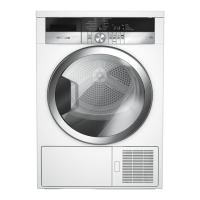
EasyManua.ls Logo

Grundig GT55824F12 - User Manual

Grundig GT55824F12
68 pages
Go to English
Print Icon
To Next Page IconTo Next Page
Loading...
Trockner
Bedienungsanleitung
Dryer
User Manual
GT55824F12
DE / EN
2960312987_DE/ 26-10-21.(16:26)

Table of Contents

Questions and Answers

  • R
    riosgraceAug 19, 2025
    Why does my Grundig Dryer take so long to dry?
    • W
      williamquinnAug 19, 2025
      Drying operation may take too long because the fibre filter pores may be clogged. Wash the fibre filters with warm water and dry them. Also, the condenser front side may be clogged, so clean it. Ensure that ventilation grills are not blocked and that the room is adequately ventilated. A lime layer may have accumulated on the humidity sensor, so clean the humidity sensor. Avoid loading the drying machine excessively, and ensure laundry is adequately wrung before drying.
  • C
    Claire VazquezAug 21, 2025
    What to do if my Grundig GT55824F12 does not turn on?
    • X
      xjohnsonAug 21, 2025
      If your Grundig Dryer does not turn on, ensure that the power cord is plugged in and that the loading door is properly closed. Also, check that a program is set and it is not in Pause position. Finally, ensure that the child lock is turned off.
  • A
    alexis15Aug 23, 2025
    What to do if clothes come out damp after drying in my Grundig GT55824F12 Dryer?
    • B
      Brian DunnAug 23, 2025
      Clothes may come out damp from your Grundig Dryer because a program not suitable for the laundry type may have been used. Check the maintenance labels on the clothes and select a program suitable for the clothes' type or use time programs as extra. The fibre filter pores or condenser front side may be clogged. Wash the filters with warm water and dry them, and clean the condenser. Also, avoid loading the drying machine excessively and ensure laundry is adequately wrung.
  • J
    jmurphyAug 26, 2025
    How to fix fibre filter cleaning icon lit on Grundig GT55824F12 Dryer?
    • R
      Rickey AllenAug 27, 2025
      If the fibre filter cleaning icon is lit on your Grundig Dryer, it may indicate that the fibre filter is unclean or that a layer has formed on the fibre filter pores, leading to clogging. Wash the filters with warm water and dry them. Also, ensure that the fibre filters are properly inserted and that the environmentally-friendly filter cloth is installed on the plastic part and placed on the filter housing. If the warning symbol persists, replace your filter.
  • D
    David HartmanAug 28, 2025
    Why is the water tank warning symbol on my Grundig Dryer flashing?
    • J
      Jason SaundersAug 28, 2025
      If the water tank warning symbol is on or flashing on your Grundig Dryer, the water tank may be full. Empty the water tank. If the product is connected directly to the water drain check the water discharge hose, because it might have collapsed.
  • B
    Brooke CrawfordAug 30, 2025
    How to fix condenser warning icon flashing on Grundig GT55824F12?
    • S
      Samantha AcostaAug 30, 2025
      If the condenser warning icon is flashing on your Grundig Dryer, the condenser front side may be clogged with fibres. Clean the front side of the condenser. Also, ensure that the interior and exterior fibre filters are properly inserted.
  • A
    Adam RichardSep 1, 2025
    Why has my Grundig GT55824F12 program terminated prematurely?
    • S
      sara40Sep 2, 2025
      The program on your Grundig Dryer might have terminated prematurely because the loading door might not be closed completely. Ensure that the loading door is properly closed. There might be a power outage. Press the Start / Pause / Cancel button to start the program. Also, the water tank may be full, so empty the water tank.
  • Y
    Yvonne AtkinsSep 4, 2025
    Why is my Grundig GT55824F12 beeping?
    • B
      brent62Sep 4, 2025
      An audible warning might be heard from your Grundig Dryer because the fibre filters may not be inserted. Insert the interior and exterior filters to their places. Also, the filters of the machine may not have been installed. Install the fibre filters (internal and external) or the environmentally-friendly filter to their housing.
  • J
    Juan ReyesSep 6, 2025
    Why have my clothes shrunk in my Grundig GT55824F12?
    • D
      Daniel MclaughlinSep 6, 2025
      Clothes may have shrunk, hardened, or spoiled in your Grundig Dryer because a program not suitable with the laundry type might have been used. Check the maintenance labels on the clothes and select a program suitable for the clothes.
  • C
    Christopher MartinezSep 8, 2025
    What does 'F L t' message mean on Grundig GT55824F12?
    • G
      Gina HillSep 9, 2025
      If you see the “F L t” message on the screen of your Grundig Dryer, it may be because the filters are dirty. Clean internal and external filters or replace the eco-friendly filter. If you use double filter, as an internal and external filter, on the cover area, ensure that both filters are installed. If you use the eco-friendly filter feature, ensure that the filter cloth is installed to the plastic part. The are in front of the condenser may be dirty, so open and inspect the toe board area and ensure that it is clean.

Grundig GT55824F12 Specifications

General IconGeneral
BrandGrundig
ModelGT55824F12
CategoryDryer
LanguageEnglish

Related product manuals