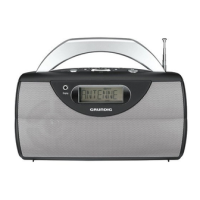
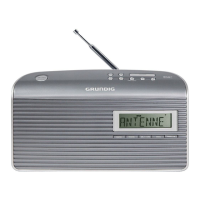
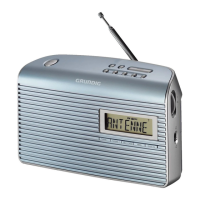
This document describes the Grundig Music 71 DAB+ portable radio, a device designed for the playback of audio signals, specifically DAB and FM radio. It emphasizes ease of use, offering both automatic and manual tuning and storage options for radio stations. The radio is portable, capable of operating on both mains power and batteries, making it versatile for various environments.
Function Description
The Grundig Music 71 DAB+ is a portable radio that supports both Digital Audio Broadcasting (DAB/DAB+) and FM radio bands. Its primary function is to receive and play back radio signals. The device features a telescopic antenna for optimal reception in both DAB and FM modes.
Radio Reception:
- DAB/DAB+ Mode: The radio can automatically scan the entire DAB bandwidth and store available stations in a program list. Users can then select their preferred DAB stations from this list or store them as presets (1-10). Manual tuning for DAB stations is also possible by selecting specific frequencies/channels. The device displays various DAB station information, including provider details, song titles, signal strength, genre, ensemble, frequency, bit rate, broadcasting format, and current time/date. It also supports Dynamic Range Control (DRC), allowing users to adjust the audio dynamics for better listening in noisy environments.
- FM Mode: Similar to DAB, the device can automatically scan the FM waveband and store the first 10 radio stations as presets. Manual tuning is available, allowing users to search for desired frequencies in 50 kHz steps. The radio also displays RDS (Radio Data System) information, which can include the radio station's name, radio text, station type (PTY), and the current time/date, though the availability and accuracy of this information depend on the broadcast.
Time and Alarm Functions:
- Clock: The device features a clock that can be set to either a 12-hour or 24-hour format. The time can be updated automatically via a time signal received from DAB or FM broadcasts, or it can be set manually.
- Alarm Mode: The radio includes an alarm function that can be set to wake the user with either a signal tone or a radio station. The alarm can be configured for daily, once, weekends, or weekdays. When the alarm sounds, it can be interrupted with a snooze function, which pauses the alarm for 5-minute intervals for a total of 90 minutes. The alarm stand-by can be activated or deactivated as needed.
- Sleep Timer: A sleep timer function allows the radio to automatically switch off after a preset time, adjustable between 10 and 90 minutes in 10-minute increments.
Audio Output:
- Volume Control: The device has dedicated controls for adjusting the volume.
- Tone Control: Users can adjust the tone of the audio output.
- Earphone Socket: A 3.5 mm stereo plug earphone socket is provided for private listening. It supports mono playback via earphones. A caution is included regarding excessive sound pressure and potential hearing loss.
Power Supply:
- Mains Operation: The radio can be powered by connecting it to a mains socket using the supplied power cable (230V~, 50/60 Hz).
- Battery Operation: For portable use, the device can operate on four C-size (LR 14) batteries (not supplied). During battery operation, time indication and alarm functions are not available.
Connectivity:
- USB Socket: A USB socket is included for upgrading the device's software.
Usage Features
The Grundig Music 71 DAB+ is designed for straightforward operation with a clear layout of controls.
Controls:
- Top and Front Controls:
- ON/OFF: Switches the device on and off.
- PRESET 1/6 ... 5/10: Buttons for storing and selecting radio stations. The "+5" button activates the second level of preset buttons (6-10).
- SLEEP: Sets the sleep timer.
- SNOOZE: Interrupts the alarm function.
- INFO: Displays DAB station information and RDS station information.
- MENU: Opens the menu for settings and other functions.
- SELECT/ATS: Confirms settings. In DAB/FM mode, pressing and holding this button initiates auto-tuning for radio stations.
- MODE/AL: Switches between DAB and FM input sources. In standby mode, it activates the alarm function and ends alarm stand-by.
- TUNING (Up/Down): In DAB mode, selects stations from the program list. In FM mode, tunes FM radio stations and selects menu options.
- Side, Back, and Bottom Controls:
- TONE & ໑: Adjusts the tone and serves as the earphone socket.
- + VOLUME –: Adjusts the volume.
- AC ~: Connection socket for the power cable.
- USB: USB socket for software upgrades.
- Battery Compartment: Houses the batteries for portable operation.
- Button Lock: A switch on the bottom of the device disables or enables the buttons, preventing accidental presses.
- Alarm Sound/Radio Switch: Switches between a signal sound and a radio program for the alarm mode.
Initial Setup:
- Upon first use or after a factory reset, the device automatically scans for DAB and FM stations and stores them. The time is also updated automatically.
Storing and Selecting Stations:
- After auto-tuning, users can store their favorite DAB and FM stations to presets (1-10) by selecting the desired station and then pressing and holding a preset button.
- Stations can be selected directly using the preset buttons or by stepping through the program list/frequencies using the tuning buttons.
Menu Navigation:
- The MENU button provides access to various settings, including system settings, time settings, alarm settings, display illumination, and software update options. Navigation within the menu is done using the TUNING buttons and confirmed with SELECT/ATS.
Display Illumination:
- The display can be set to illuminate permanently or for only 10 seconds.
Software Update:
- The device's software can be updated by connecting it to a PC via the USB socket and running an update program.
Maintenance Features
The manual provides several guidelines for maintaining the device and ensuring its safe operation.
General Safety and Placement:
- Intended Use: The device is strictly for audio signal playback; any other use is prohibited.
- Ventilation: Do not cover the device with materials like newspapers, tablecloths, or curtains to ensure proper cooling.
- Surface Protection: Be aware that furniture surfaces may react with the device's supports due to varnishes or plastics, potentially leaving residues.
- Environment: Designed for dry rooms. If used outdoors, protect it from moisture. Operate in moderate climates.
- Heat Sources: Avoid placing the device near heating units or in direct sunlight to prevent impaired cooling.
- Liquids and Flames: Do not place vases or other liquid-filled vessels on the device, as spills can pose a safety risk. Keep naked flames, such as candles, away from the device.
- Cleaning: Use a clean, dry cloth for cleaning; avoid cleaning agents that could damage the casing.
- Thunderstorms: Disconnect the mains power and antenna cable during thunderstorms to protect against lightning strikes.
Power and Battery Management:
- Mains Disconnection: To completely disconnect the device from the mains, pull out the power cable. Ensure the power plug is easily accessible.
- Battery Removal: Remove batteries when they are flat or if the device will not be used for an extended period.
- Battery Disposal: Dispose of used batteries responsibly, following local regulations, as they should not be discarded with household waste.
Troubleshooting and Reset:
- Static Electricity/Malfunctions: In case of malfunctions due to static electricity or fast transients, reset the device by unplugging and re-plugging the power plug after a few seconds.
- No User Serviceable Parts: Do not open the device casing under any circumstances, as this will void the warranty.
- Factory Reset: A "Reset" function in the menu allows users to revert all custom settings to default, which can be useful for troubleshooting or preparing the device for new use.
Program List Management:
- Pruning DAB Stations: If moving to a new location, users can "prune" (remove) unavailable DAB radio stations from the program list, which are often marked with a "?". This helps keep the station list relevant.

 Need help?
 General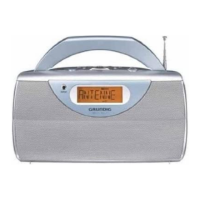



 To Next Page