EasyManua.ls Logo

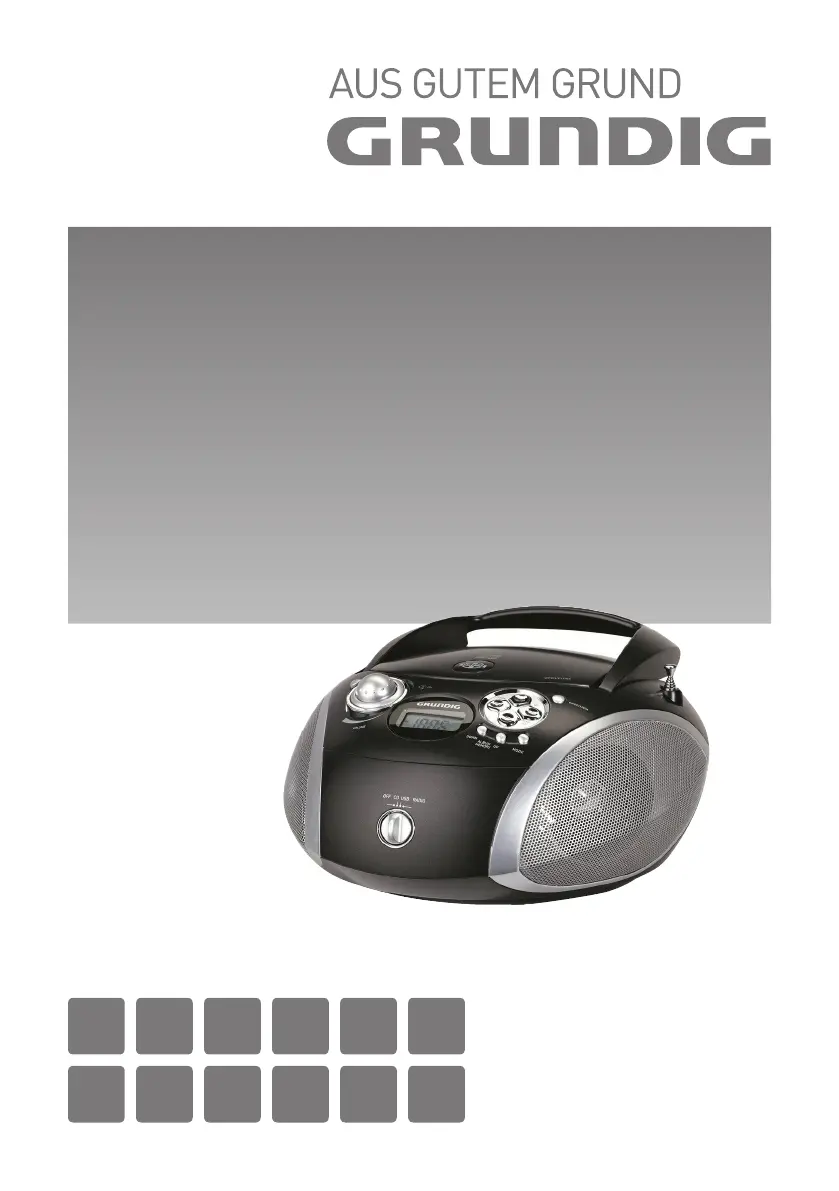
Grundig RCD 1445 USB - User Manual

Grundig RCD 1445 USB
162 pages
Go to English
Print Icon
To Next Page IconTo Next Page
Loading...
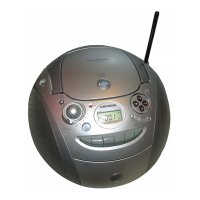
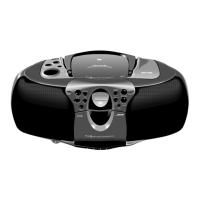
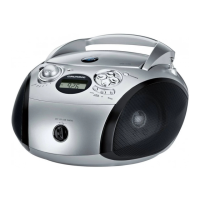
PORTABLE RADIO
CD/MP3/USB PLAYER
RCD 1445 USB
DE EN FR IT RU ES
NL NO DA SV FI TR

Other manuals for Grundig RCD 1445 USB

Questions and Answers

  • K
    karen78Jul 30, 2025
    Why is there no sound coming from my Grundig Portable Stereo System?
    • K
      Kenneth HowardJul 30, 2025
      If there's no sound, several factors could be at play. First, check if the volume is set too low and adjust it accordingly. Also, ensure that headphones are not connected, as they will cut off the speaker sound. Additionally, check the batteries, if they are flat, replace them or ensure they are correctly inserted. Finally, make sure the mains cable is properly connected.
  • M
    Mikayla HamptonAug 3, 2025
    What to do if my Grundig Portable Stereo System has poor radio reception?
    • J
      Jennifer HamiltonAug 3, 2025
      Poor radio reception can often be improved. For VHF (FM), try tilting and turning the telescopic antenna to get a better signal. Also, keep the radio recorder away from electrical devices like TVs, computers, and neon lamps, as they can cause interference.
  • D
    Dawn MooreAug 7, 2025
    What to do if my Grundig Portable Stereo System does not respond to button commands?
    • L
      Lindsey McgeeAug 8, 2025
      If the device isn't responding to button presses, it might be due to a static electrical discharge or electrical fast transient. Try switching off the device, disconnecting the mains cable, and plugging it back in after a few seconds. You can also try removing any batteries.
  • R
    Ronnie FletcherAug 11, 2025
    What to do if CD Playback will not start on my Grundig Portable Stereo System?
    • M
      Mary SchmidtAug 11, 2025
      If CD playback won't start, the CD might be damaged or dirty. Try replacing or cleaning the CD to resolve this issue.
  • B
    Brittney JonesAug 16, 2025
    What to do if my Grundig Portable Stereo System CD player skips tracks?
    • C
      cardenascathyAug 16, 2025
      If the CD player skips tracks, it could be due to a stored track memory being played. Try switching to normal playback or deleting the stored memory. Alternatively, the RANDOM function might be activated; switch it off to play tracks in order.
  • V
    Victoria RossAug 20, 2025
    Why CD-Rs or CD-RWs are not being played back, or being played back incorrectly on my Grundig Portable Stereo System?
    • D
      Daryl PhillipsAug 20, 2025
      If CD-Rs or CD-RWs aren't playing correctly, the CD itself may be faulty, or the software/hardware settings were incorrect during burning. Check the components of your CD burner and burner software, or try using a different CD.
  • M
    Michael MorenoAug 25, 2025
    Why does my MP3 CD play too fast or slowly on my Grundig Portable Stereo System?
    • H
      hvillegasAug 26, 2025
      If an MP3 CD plays too fast or slow, the sampling frequency of 44.1 kHz was not used during burning. Burn a new MP3 CD using the correct sampling frequency.

Summary

Safety and Setup Instructions

General Safety Precautions

Guidelines for safe operation, including protection from elements, ventilation, and handling.

Laser Device Information

Details about the Class 1 laser product and potential emission hazards.

Device Overview and Controls

Control Panel Functions

Explanation of controls for general information and CD unit operations.

Radio Unit Controls

Details on radio antenna, reception, and station tuning controls.

Display Indicators

Description of various symbols and indicators shown on the device display.

Power Supply and General Functions

Mains and Battery Operation

Instructions for powering the device using mains adapter or batteries.

Basic Device Operations

How to switch the device on/off, select input sources, and adjust volume.

Audio and Power Features

Details on Ultra Bass, headphone connection, and automatic shutdown.

Radio Mode Operation

Antenna and Input Setup

Instructions for extending the antenna and selecting the radio input source.

Station Tuning and Storage

Guides on automatic/manual station search, preset storage, and selection.

Reception Quality Settings

How to switch between mono and stereo reception for better sound.

CD Playback and Navigation

Selecting the CD Source

Instructions on how to select the CD input source and open the compartment.

Basic CD Playback Controls

How to start, pause, resume, and stop CD playback.

Track Navigation and Repeat Functions

Guide to selecting tracks, searching within tracks, and using repeat modes.

CD Track Memory Management

Creating and Managing Track Memories

Steps for creating, selecting, adding, changing, and deleting track memories.

Playing Back Track Memories

How to start playback of a stored track memory.

MP3 Mode Operations

Selecting Albums and Files

How to navigate and select albums and individual files on an MP3 disc.

Repeat Playback Options

Instructions for repeating a single file, an album, or all files.

Random Playback Mode

How to activate and use the random playback function for MP3 files.

MP3 Track Memory and Random Play

Creating and Managing MP3 Track Memories

Steps to create, store, change, and delete custom track sequences.

Random Playback of Tracks

How to enable and play tracks in a random order.

USB Mode Functionality

Connecting USB Devices

Guide on connecting MP3 players or USB memory sticks to the device.

Selecting USB Input Source

Instructions to switch to USB mode for playback.

Technical Information and Compliance

Technical Specifications

Details on power supply, output, radio, CD, MP3, and USB features.

WEEE and RoHS Compliance

Information regarding waste disposal and material compliance directives.

Troubleshooting Guide

General and Radio Issues

Solutions for common problems like no sound or poor radio reception.

CD and MP3 Playback Problems

Troubleshooting steps for CD playback errors and MP3 disc issues.

Grundig RCD 1445 USB Specifications

General IconGeneral
Tuner type-
Supported radio bandsFM
Preset stations quantity10
Optical drive typePlayer
Disc types supportedCD, CD-R, CD-RW
Cassette deckNo
RMS rated power- W
Audio formats supportedMP3, WMA
Display typeLCD
MP3 playbackYes
Product colorBlack, Silver
Headphone outputs1
USB 2.0 ports quantityUSB 2.0 ports have a data transmission speed of 480 Mbps, and are backwards compatible with USB 1.1 ports. You can connect all kinds of peripheral devices to them.
Power sourceAC/Battery
AC input voltage230 V
AC input frequency50 - 60 Hz
Compatible battery sizesC
Number of batteries supported6
Weight and Dimensions IconWeight and Dimensions
Width245 mm
Height140 mm
Weight1800 g

Related product manuals