EasyManua.ls Logo

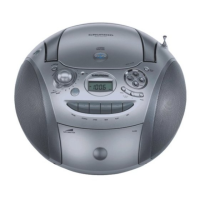
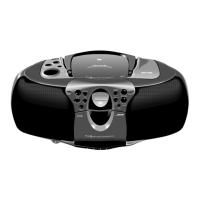
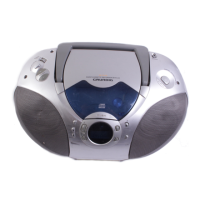
Grundig RR 740 CD - User Manual

Grundig RR 740 CD
22 pages
Print Icon
To Next Page IconTo Next Page
Loading...
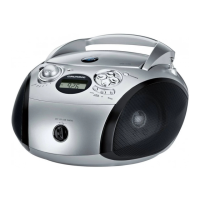
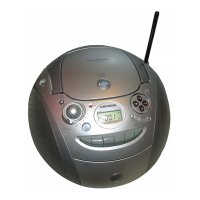
RADIO RECORDER WITH CD
RR 740 CD / RR 770 CD
1

Other manuals for Grundig RR 740 CD

Questions and Answers

  • N
    nolanmeganAug 12, 2025
    Why is there no sound coming from my Grundig RR 740 CD Portable Stereo System?
    • J
      Jeremy NovakAug 12, 2025
      If there is no sound coming from your Grundig Portable Stereo System, there might be several reasons: * The volume may be set too low, so try turning it up. * Headphones might be connected; unplug them. * The batteries could be flat; replace them. * The batteries may be incorrectly inserted; ensure they are correctly placed. * The mains cable might not be properly connected; check and properly connect it.
  • J
    Jonathan FullerAug 16, 2025
    What to do if my Grundig RR 740 CD Portable Stereo System radio reception is poor?
    • J
      Jessica HernandezAug 16, 2025
      If you're experiencing poor radio reception with your Grundig Portable Stereo System: * For VHF (FM), try tilting and turning the telescopic antenna. * For AM (MW/LW), turn the whole device to improve the signal. * Also, keep the radio recorder away from electrical devices such as televisions, video recorders, computers, neon lamps, thermostats, or motors, as they can cause interference.
  • C
    Colton LewisAug 19, 2025
    What to do if the Grundig RR 740 CD Portable Stereo System remote control does not respond?
    • C
      Christopher StevensAug 19, 2025
      If the remote control for your Grundig Portable Stereo System is not responding, the battery is likely flat. Replace the batteries.
  • B
    Benjamin MckayAug 23, 2025
    What to do if my Grundig RR 740 CD CD player skips tracks?
    • P
      patrick28Aug 23, 2025
      If your CD player skips tracks, check if the PROGRAM or RANDOM function is selected. If it is, switch off the PROGRAM or RANDOM function.
  • J
    Jared TownsendAug 27, 2025
    What to do if my Grundig Portable Stereo System is not recording cassettes?
    • R
      Rachel HarrisAug 27, 2025
      If your Grundig Portable Stereo System is not recording cassettes, check if the recording protection tab has been broken off the cassette. If it has, close the opening with adhesive tape.
  • D
    david76Aug 31, 2025
    How to fix CD Playback won’t start on Grundig RR 740 CD Portable Stereo System?
    • U
      uwilliamsAug 31, 2025
      If CD Playback won’t start on your Grundig Portable Stereo System, the CD might be damaged or dirty. Try replacing or cleaning the CD.
  • D
    daniellebarkerSep 3, 2025
    What to do if my Grundig RR 740 CD Portable Stereo System radio recorder does not respond when I press the buttons?
    • C
      Catherine RichSep 4, 2025
      If your Grundig Portable Stereo System radio recorder does not respond when you press the buttons, it might be due to static electrical discharge. To resolve this, switch off the radio recorder, disconnect the mains cable, and plug it in again after a few seconds.
  • S
    Suzanne FullerSep 7, 2025
    Why is the cassette playback sound quality poor on my Grundig Portable Stereo System?
    • A
      Autumn WhiteSep 8, 2025
      If the cassette playback sound quality is poor on your Grundig Portable Stereo System, it could be due to dust and dirt on the magnetic heads, capstans, or idlers. Clean these components to improve the sound quality.

Grundig RR 740 CD Specifications

General IconGeneral
BrandGrundig
ModelRR 740 CD
CategoryPortable Stereo System
LanguageEnglish

Related product manuals