EasyManua.ls Logo

Grundig STR 310 - Page 24

Grundig STR 310
39 pages
Print Icon
To Next Page IconTo Next Page
To Previous Page IconTo Previous Page
Loading...
Operation
Your
receiver
has
already
been
preprogrammed
at
the
factory
with
the
satellite
channels
listed
in
the
enclosed
table
(eg.
TV
channels
of
the
Astra
satellites
1A,
1B,
1C,
and
1D)
and
with
the
accompanying
soundtrack
frequen-
cies.
The
ten
radio
programme
positions
R1
to
R10
and
the
30
favourite
channel
positions
Fi
to
F30
are
preprogrammed
at
the
factory
as
shown
in
the
table.
Of
course
you
can
also
receive
channels
which
are
not
preprogrammed
in
the
receiver.
Picture
Tuning
Choose
an
unused
channel
position
number
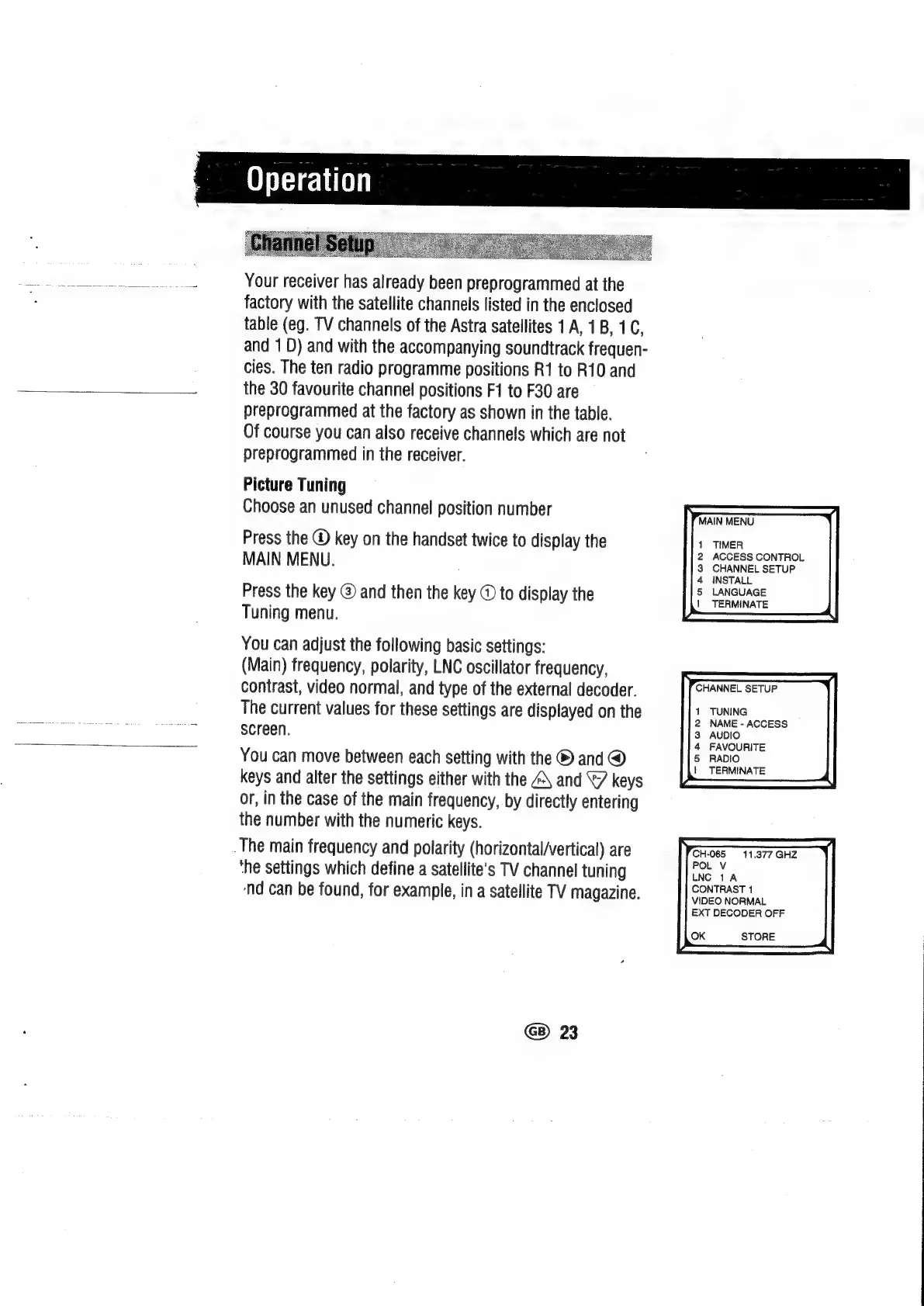
Press
the
@
key
on
the
handset
twice
to
display
the
MAIN
MENU.
Press
the
key
@
and
then
the
key
@
to
display
the
Tuning
menu.
You
can
adjust
the
following
basic
settings:
(Main)
frequency,
polarity,
LNC
oscillator
frequency,
contrast,
video
normal,
and
type
of
the
external
decoder.
The
current
values
for
these
settings
are
displayed
on
the
screen.
You
can
move
between
each
setting
with
the
®
and
@
keys
and
alter
the
settings
either
with
the
A\
and
keys
or,
in
the
case
of
the
main
frequency,
by
directly
entering
the
number
with
the
numeric
keys.
_The
main
frequency
and
polarity
(horizontal/vertical)
are
‘he
settings
which
define
a
satellite's
TV
channel
tuning
nd
can
be
found,
for
example,
in
a
satellite
TV
magazine.
G)
23
MAIN
MENU
TIMER
ACCESS
CONTROL
CHANNEL
SETUP
INSTALL
LANGUAGE
|
TERMINATE
TUNING
NAME
-
ACCESS
AUDIO
FAVOURITE
RADIO
TERMINATE
CH-065
11.377
GHZ
POL
V
LNC
1A
CONTRAST
1
VIDEO
NORMAL
EXT
DECODER
OFF
OK
STORE

Related product manuals