EasyManua.ls Logo

Grundig STR 310 - Page 23

Grundig STR 310
39 pages
Print Icon
To Next Page IconTo Next Page
To Previous Page IconTo Previous Page
Loading...
Operation
lf
you
wish
to
watch
satellite
channels
which
have
a
decoding
system
(eg.
Premiere)
then
you
will
need
to
connect
an
external
decoder
with
a
EURO-AV
(Scart)
lead
to
the
DECODER
socket
of
the
receiver.
Once
you
have
connected
your
decoder,
you
will
need
to
define
for
the
type
of
video
signal
applicable
to
the
decoder.
This
is
done
as
follows:
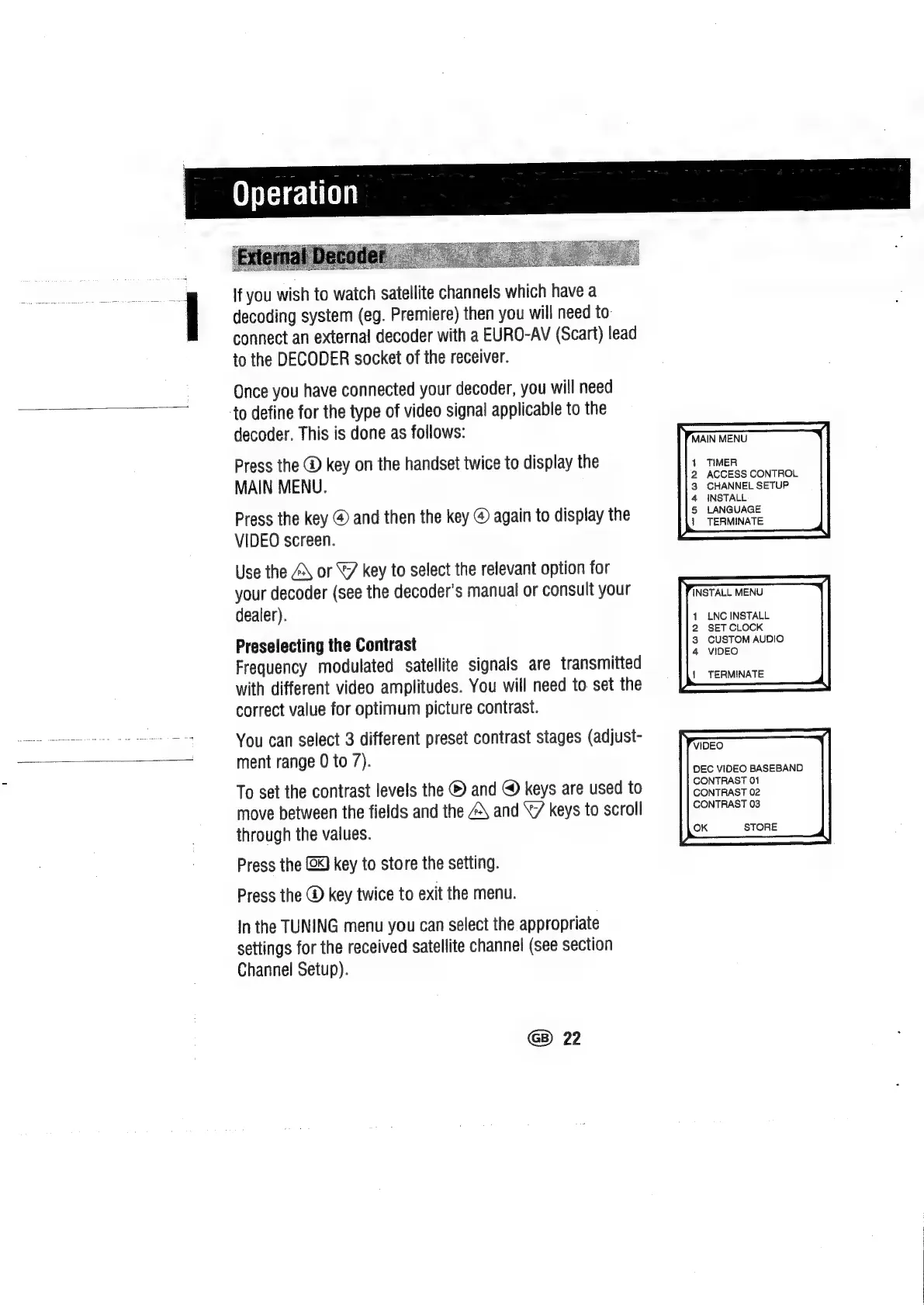
Press
the
@
key
on
the
handset
twice
to
display
the
MAIN
MENU.
Press
the
key
@
and
then
the
key
@
again
to
display
the
VIDEO
screen.
Use
the
A\
or
©
key
to
select
the
relevant
option
for
your
decoder
(see
the
decoder’s
manual
or
consult
your
dealer).
Preselecting
the
Contrast
Frequency
modulated
satellite
signals
are
transmitted
with
different
video
amplitudes.
You
will
need
to
set
the
correct
value
for
optimum
picture
contrast.
You
can
select
3
different
preset
contrast
stages
(adjust-
ment
range
0
to
7).
To
set
the
contrast
levels
the
®
and
@
keys
are
used
to
move
between
the
fields
and
the
4\
and
\7/
keys
to
scroll
through
the
values.
Press
the
(x)
key
to
store
the
setting.
Press
the
@
key
twice
to
exit
the
menu.
In
the
TUNING
menu
you
can
select
the
appropriate
settings
for
the
received
satellite
channel
(see
section
Channel
Setup).
G)
22
MAIN
MENU
TIMER
ACCESS
CONTROL
CHANNEL
SETUP
INSTALL
LANGUAGE
TERMINATE
1
LNC
INSTALL
2
SET
CLOCK
3
CUSTOM
AUDIO
4
VIDEO
|
TERMINATE
VIDEO
DEC
VIDEO
BASEBAND
CONTRAST
01
CONTRAST
02
CONTRAST
03
OK
STORE

Related product manuals