EasyManua.ls Logo

Grundig STR 310 - Page 26

Grundig STR 310
39 pages
Print Icon
To Next Page IconTo Next Page
To Previous Page IconTo Previous Page
Loading...
operon
a
The
satellite
stations
given
in
the
attached
channel
list
have
been
preprogrammed
with
the
appropriate
settings
and
channel
names.
lf
you
wish
to
alter
the
programmed
names
or
give
names
to
new
channels,
proceed
as
follows:
Select
the
desired
channel
position.
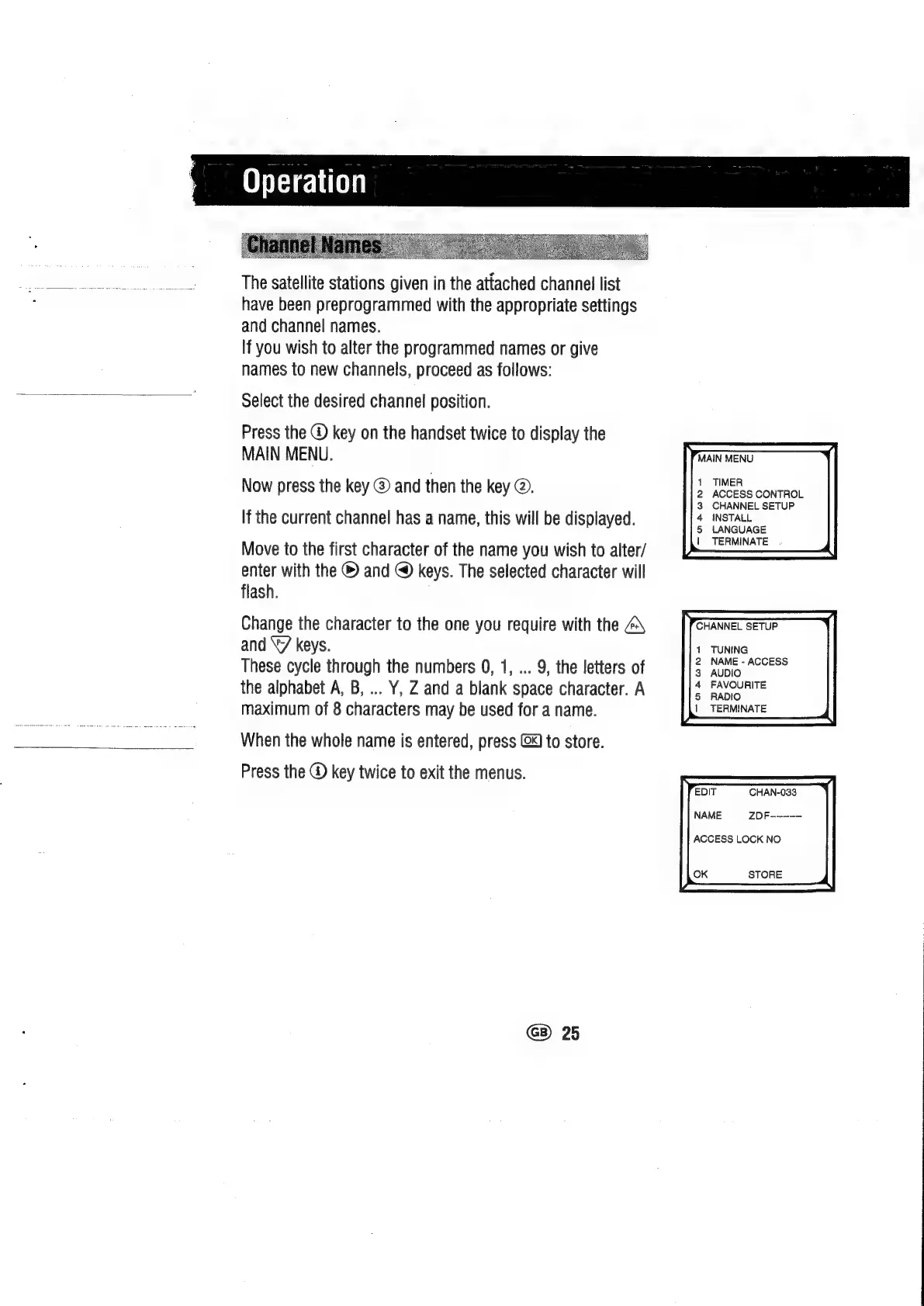
Press
the
@
key
on
the
handset
twice
to
display
the
MAIN
MENU.
Now
press
the
key
@
and
then
the
key
@.
If
the
current
channel
has
a
name,
this
will
be
displayed.
Move
to
the
first
character
of
the
name
you
wish
to
alter/
enter
with
the
©
and
@
keys.
The
selected
character
will
flash.
Change
the
character
to
the
one
you
require
with
the
and
“7
keys.
These
cycle
through
the
numbers
0,
1,
...
9,
the
letters
of
the
alphabet
A,
B,
...
Y,
Z
and
a
blank
space
character.
A
maximum
of
8
characters
may
be
used
for
a
name.
Press
the
@
key
twice
to
exit
the
menus.
When
the
whole
name
is
entered,
press
@X)
to
store.
GB)
25
MAIN
MENU.
TIMER
ACCESS
CONTROL
CHANNEL
SETUP
INSTALL
LANGUAGE
|
TERMINATE
.
CHANNEL
SETUP
TUNING
NAME
-
ACCESS
AUDIO
FAVOURITE
RADIO
TERMINATE
CHAN-033
ZDF-—----
ACCESS
LOCK
NO
STORE

Related product manuals