EasyManua.ls Logo

Grundig STR 310 - Page 27

Grundig STR 310
39 pages
Print Icon
To Next Page IconTo Next Page
To Previous Page IconTo Previous Page
Loading...
Operation
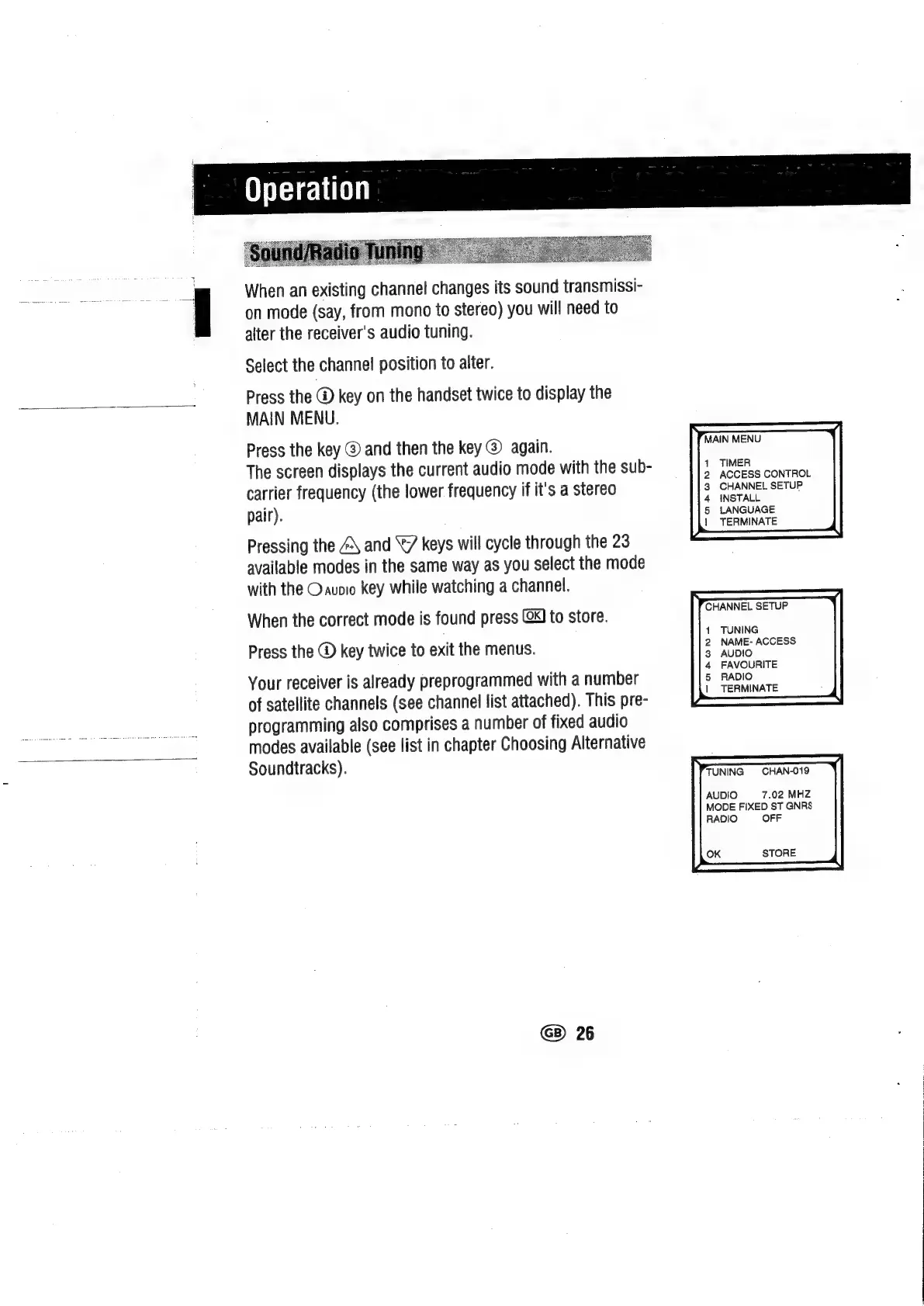
When
an
existing
channel
changes
its
sound
transmissi-
on
mode
(say,
from
mono
to
stereo)
you
will
need
to
alter
the
receiver's
audio
tuning.
Select
the
channel
position
to
alter.
Press
the
@
key
on
the
handset
twice
to
display
the
MAIN
MENU.
Press
the
key
@
and
then
the
key
@
again.
The
screen
displays
the
current
audio
mode
with
the
sub-
carrier
frequency
(the
lower
frequency
if
it's
a
stereo
pair).
Pressing
the
Z\
and
7
keys
will
cycle
through
the
23
available
modes
in
the
same
way
as
you
select
the
mode
with
the
Oauoio
key
while
watching
a
channel.
When
the
correct
mode
is
found
press
(XJ
to
store.
Press
the
key
twice
to
exit
the
menus.
Your
receiver
is
already
preprogrammed
with
a
number
of
satellite
channels
(see
channel
list
attached).
This
pre-
programming
also
comprises
a
number
of
fixed
audio
modes
available
(see
list
in
chapter
Choosing
Alternative
Soundtracks).
GB)
26
MAIN
MENU
1
TIMER
2
ACCESS
CONTROL
3
CHANNEL
SETUP
4
INSTALL
5
LANGUAGE
1
TERMINATE
CHANNEL
SETUP
1
TUNING
2
NAME-
ACCESS
3
AUDIO
4
FAVOURITE
5
RADIO
|
TERMINATE
TUNING
CHAN-019
AUDIO
7.02
MHZ
MODE
FIXED
ST
GNRS
RADIO
OFF
OK
STORE

Related product manuals