EasyManua.ls Logo

Grundig STR 310 - Page 28

Grundig STR 310
39 pages
Print Icon
To Next Page IconTo Next Page
To Previous Page IconTo Previous Page
Loading...
Operation
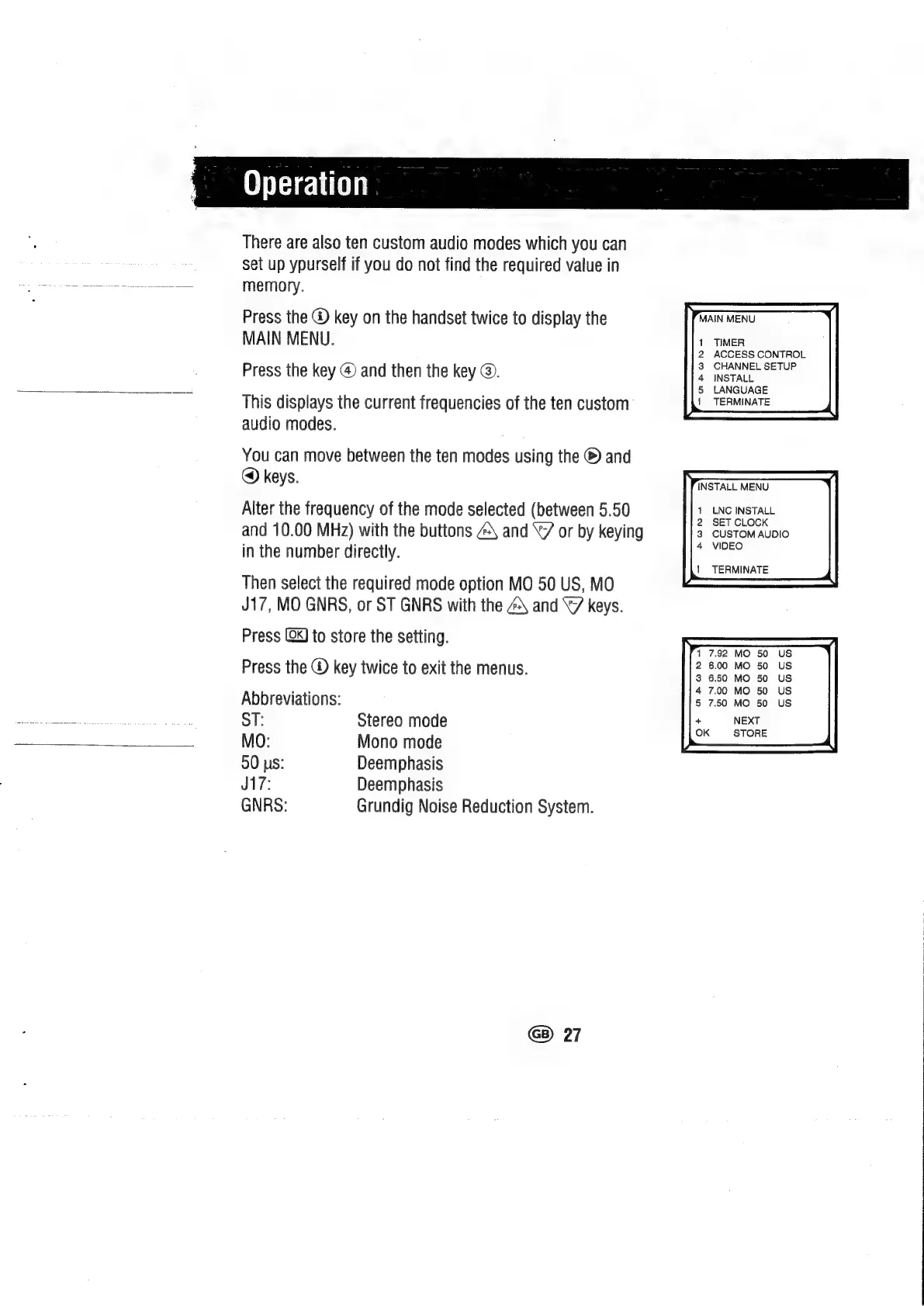
There
are
also
ten
custom
audio
modes
which
you
can
set
up
ypurself
if
you
do
not
find
the
required
value
in
memory.
Press
the
@
key
on
the
handset
twice
to
display
the
MAIN
MENU.
Press
the
key
@
and
then
the
key
@.
This
displays
the
current
frequencies
of
the
ten
custom
audio
modes.
You
can
move
between
the
ten
modes
using
the
®
and
@
keys.
Alter
the
frequency
of
the
mode
selected
(between
5.50
and
10.00
MHz)
with
the
buttons
4\
and
\7
or
by
keying
in
the
number
directly.
Then
select
the
required
mode
option
MO
50
US,
MO
J17,
MO
GNRS,
or
ST
GNRS
with
the
4\
and
“7
keys.
Press
(0k)
to
store
the
setting.
Press
the
®
key
twice
to
exit
the
menus.
Abbreviations:
ST:
Stereo
mode
MO:
Mono
mode
50
us:
Deemphasis
J17:
Deemphasis
GNRS:
Grundig
Noise
Reduction
System.
G8)
27
ACCESS
CONTROL
CHANNEL
SETUP
INSTALL
LANGUAGE
TERMINATE
1
LNC
INSTALL
3
CUSTOM
AUDIO
4
VIDEO
|
TERMINATE
5
7.50
MO
50
+
NEXT
OK
STORE

Related product manuals