EasyManua.ls Logo

Grundig STR 310 - Page 29

Grundig STR 310
39 pages
Print Icon
To Next Page IconTo Next Page
To Previous Page IconTo Previous Page
Loading...
Operation
You
can
protect
your
receiver
against
unauthorized
use.
This
is
possible
with
all
TV
channels
and
a
number
of
settings.
These
access
controls
rely
on
a
personal
identi-
fication
number,
or
PIN.
Setting
your
own
PIN
When
it
leaves
the
factory,
the
receiver
is
programmed
with
a
default
PIN
code
(see
back
page).
You
can
alter
this
code
number
to
whatever
you
may
find
easy
to
remember.
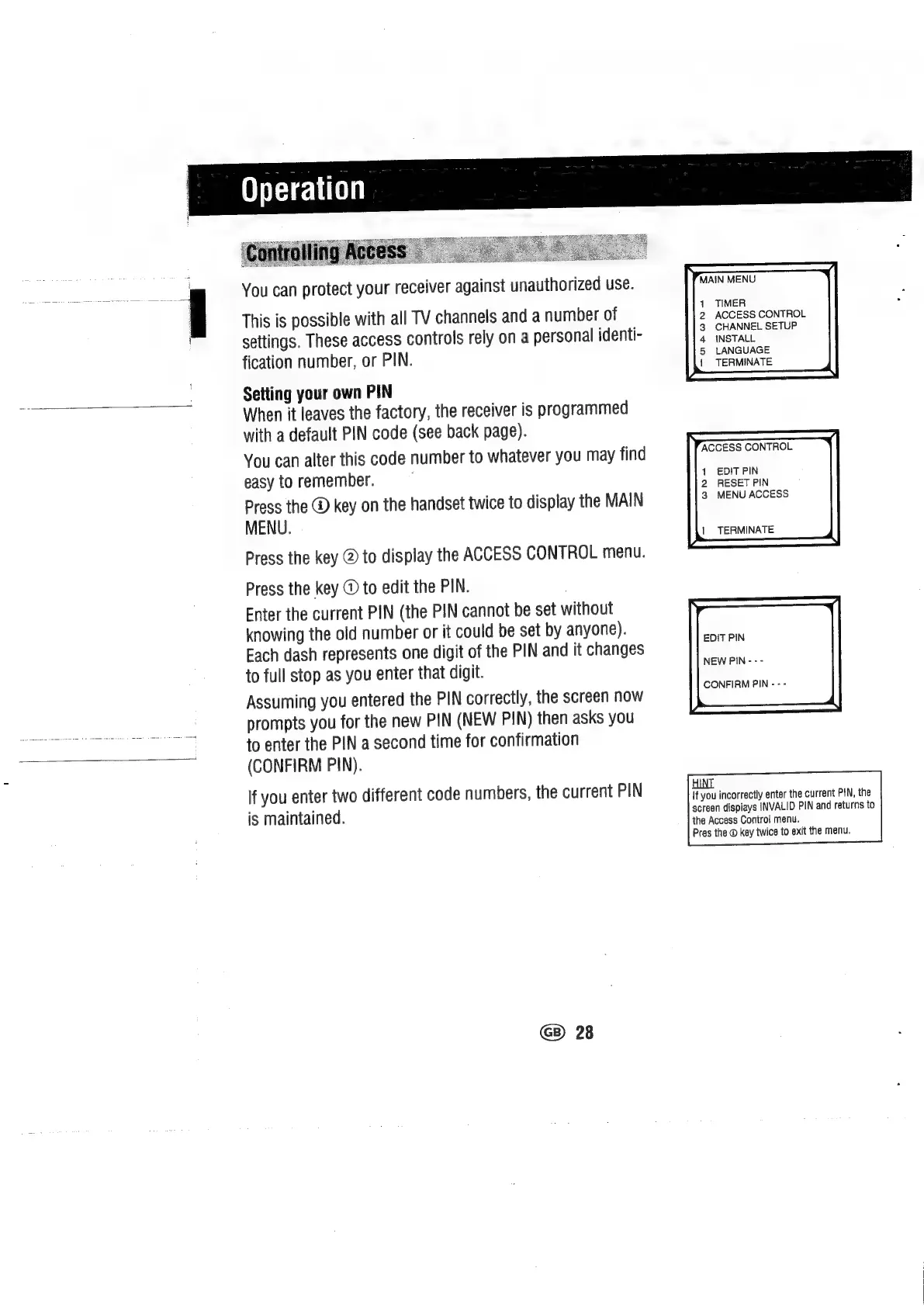
Press
the
@
key
on
the
handset
twice
to
display
the
MAIN
MENU.
Press
the
key
@
to
display
the
ACCESS
CONTROL
menu.
Press
the
key
©
to
edit
the
PIN.
Enter
the
current
PIN
(the
PIN
cannot
be
set
without
knowing
the
old
number
or
it
could
be
set
by
anyone).
Each
dash
represents
one
digit
of
the
PIN
and
it
changes
to
full
stop
as
you
enter
that
digit.
Assuming
you
entered
the
PIN
correctly,
the
screen
now
prompts
you
for
the
new
PIN
(NEW
PIN)
then
asks
you
to
enter
the
PIN
a
second
time
for
confirmation
(CONFIRM
PIN).
lf
you
enter
two
different
code
numbers,
the
current
PIN
is
maintained.
GB)
28
MAIN
MENU
TIMER
ACCESS
CONTROL
CHANNEL
SETUP
INSTALL
LANGUAGE
|
TERMINATE
ACCESS
CONTROL
1
EDITPIN
2
RESET
PIN
3
MENU
ACCESS
|
TERMINATE
EDIT
PIN
NEW
PIN
-
-
-
CONFIRM
PIN
-
-
-
If
you
incorrectly
enter
the
current
PIN,
the
screen
displays
INVALID
PIN
and
returns
to
the
Access
Control
menu.
Pres
the
@
key
twice
to
exit
the
menu.

Related product manuals