EasyManua.ls Logo

Grundig STR 310 - Page 30

Grundig STR 310
39 pages
Print Icon
To Next Page IconTo Next Page
To Previous Page IconTo Previous Page
Loading...
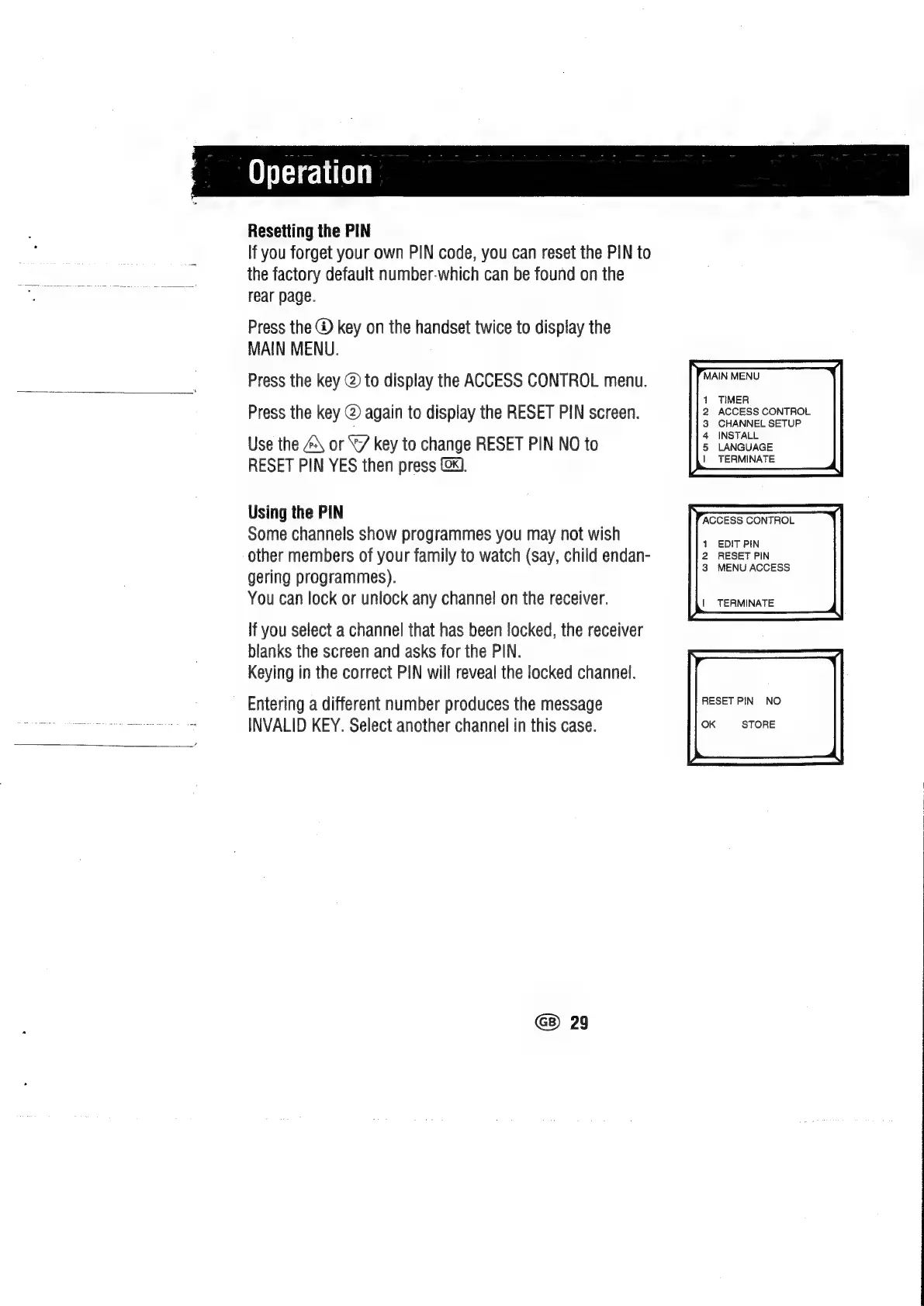
Resetting
the
PIN
If
you
forget
your
own
PIN
code,
you
can
reset
the
PIN
to
the
factory
default
number-which
can
be
found
on
the
rear
page.
Press
the
®
key
on
the
handset
twice
to
display
the
MAIN
MENU.
Press
the
key
@
to
display
the
ACCESS
CONTROL
menu.
EEN
Press
the
key
@
again
to
display
the
RESET
PIN
screen.
Access
pale
Use
the
\
or
8/7
key
to
change
RESET
PIN
NO
to
nee
RESET
PIN
YES
then
press
@4.
a
Using
the
PIN
ACCESS
CONTROL
Some
channels
show
programmes
you
may
not
wish
eu
other
members
of
your
family
to
watch
(say,
child
endan-
2
cBeAET
AN
gering
programmes).
You
can
lock
or
unlock
any
channel
on
the
receiver.
|
TERMINATE
If
you
select
a
channel
that
has
been
locked,
the
receiver
blanks
the
screen
and
asks
for
the
PIN.
Keying
in
the
correct
PIN
will
reveal
the
locked
channel.
Entering
a
different
number
produces
the
message
Peseta
=
ee
3
INVALID
KEY.
Select
another
channel
in
this
case.
ye.
eee
GB)
29

Related product manuals