EasyManua.ls Logo

Grundig STR 310 - Page 34

Grundig STR 310
39 pages
Print Icon
To Next Page IconTo Next Page
To Previous Page IconTo Previous Page
Loading...
Remote
Control
of
GRUNDIG
TV
Sets
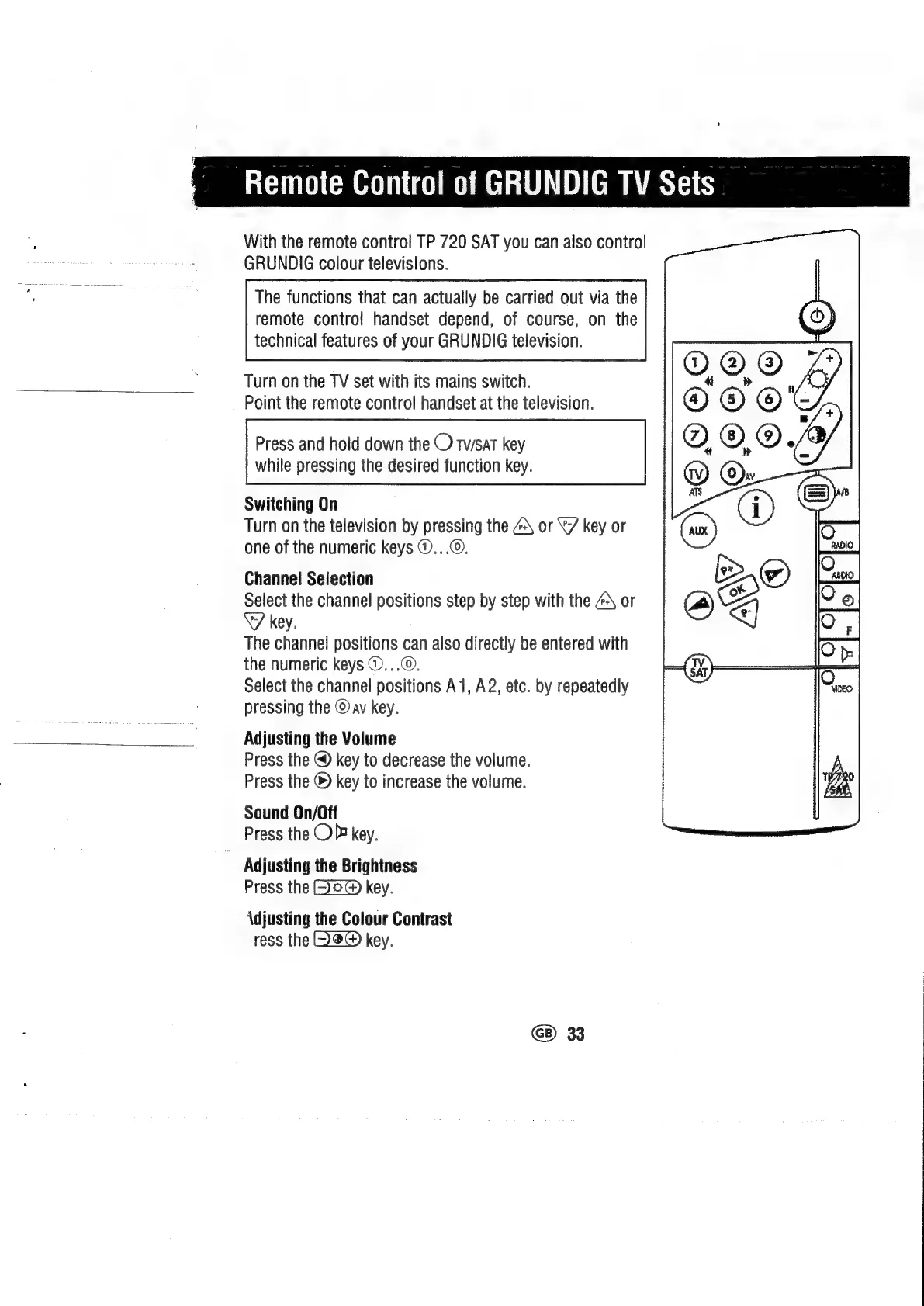
With
the
remote
control
TP
720
SAT
you
can
also
control
GRUNDIG
colour
televisions.
The
functions
that
can
actually
be
carried
out
via
the
remote
contro!
handset
depend,
of
course,
on
the
technical
features
of
your
GRUNDIG
television.
Turn
on
the
TV
set
with
its
mains
switch.
Point
the
remote
control
handset
at
the
television.
Press
and
hold
down
the
O
twsat
key
while
pressing
the
desired
function
key.
Switching
On
Turn
on
the
television
by
pressing
the
4\
or
“7
key
or
one
of
the
numeric
keys
@...©.
Channel
Selection
Select
the
channel
positions
step
by
step
with
the
ZA
or
key.
The
channel
positions
can
also
directly
be
entered
with
the
numeric
keys
©...©.
Select
the
channel
positions
A1,
A2,
etc.
by
repeatedly
pressing
the
@
av
key.
Adjusting
the
Volume
Press
the
@
key
to
decrease
the
volume.
Press
the
©
key
to
increase
the
volume.
Sound
On/Off
Press
the
OP
key.
Adjusting
the
Brightness
Press
the
key.
\djusting
the
Colour
Contrast
ress
the
key.
G8)
33

Related product manuals