EasyManua.ls Logo

Grundig STR 310 - Page 7

Grundig STR 310
39 pages
Print Icon
To Next Page IconTo Next Page
To Previous Page IconTo Previous Page
Loading...
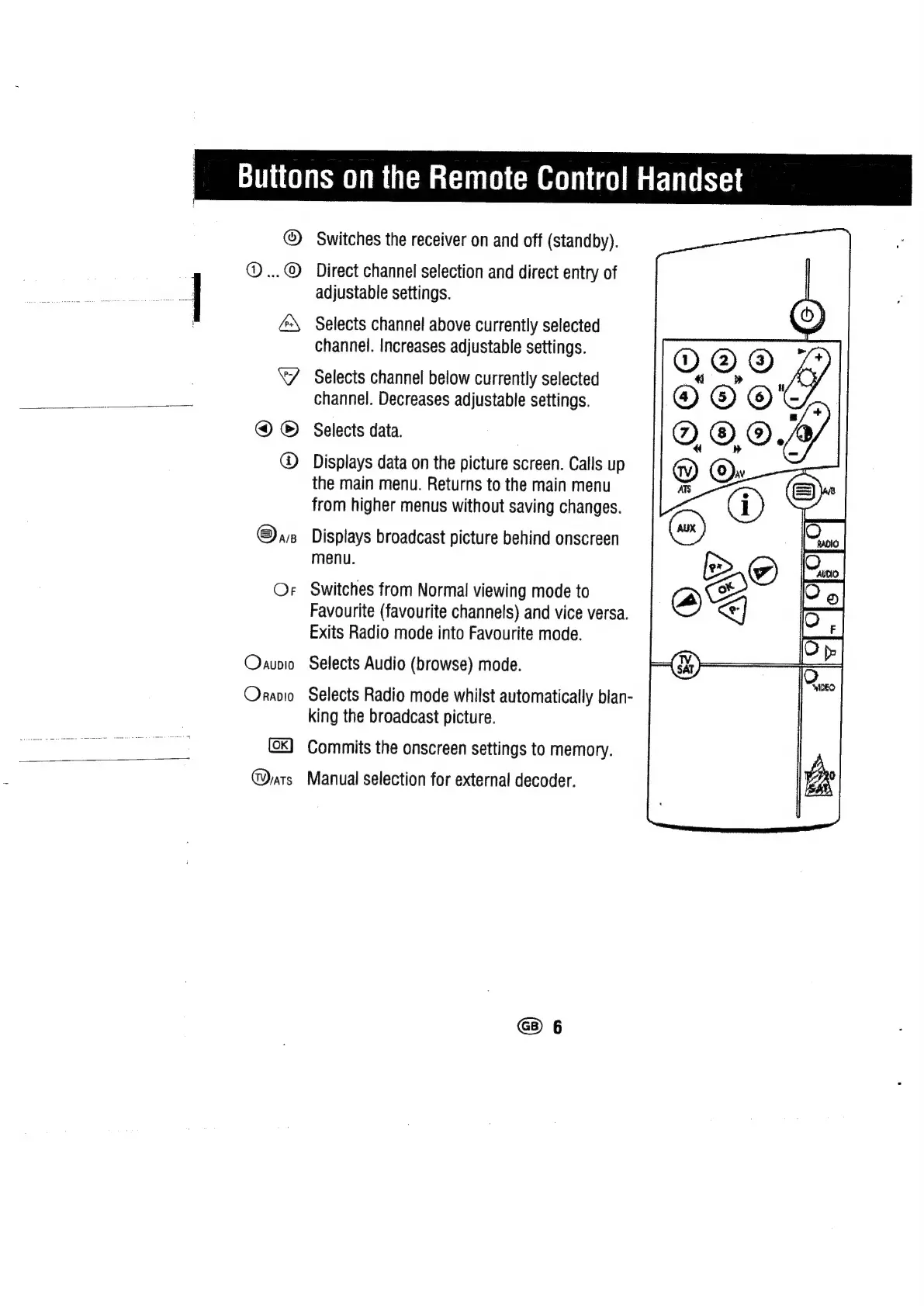
Buttons
on
the
Remote
Control!
Handset
>
©©6
ed
©
®
@arp
Oraupio
Orranio
Darts
Switches
the
receiver
on
and
off
(standby).
Direct
channel
selection
and
direct
entry
of
adjustable
settings.
Selects
channel
above
currently
selected
channel.
Increases
adjustable
settings.
Selects
channel
below
currently
selected
channel.
Decreases
adjustable
settings.
Selects
data.
Displays
data
on
the
picture
screen.
Calls
up
the
main
menu.
Returns
to
the
main
menu
from
higher
menus
without
saving
changes.
Displays
broadcast
picture
behind
onscreen
menu.
Switches
from
Normal
viewing
mode
to
Favourite
(favourite
channels)
and
vice
versa.
Exits
Radio
mode
into
Favourite
mode.
Selects
Audio
(browse)
mode.
Selects
Radio
mode
whilst
automatically
blan-
king
the
broadcast
picture.
Commits
the
onscreen
settings
to
memory.
Manual
selection
for
external
decoder.

Related product manuals