EasyManua.ls Logo

Grundig VISION 3 26-3821 - User Manual

Grundig VISION 3 26-3821
35 pages
Print Icon
To Next Page IconTo Next Page
Loading...
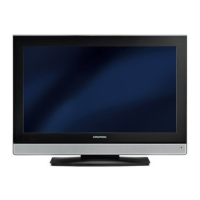
COLOR TELEVISION
VISION 3 26-3821
VISION 3 32-3821

Questions and Answers

  • H
    Haley SandovalAug 2, 2025
    Why is my Grundig TV remote control not working?
    • C
      Carolyn GuerreroAug 2, 2025
      If your Grundig TV remote control isn't working, make sure you're pointing it directly at the TV. Also, check the batteries and replace them if needed. If that doesn't work, try switching off the television with the main power button for about 2 minutes.
  • C
    Courtney LoganAug 6, 2025
    How to fix poor picture contrast on Grundig TV?
    • E
      Elizabeth JohnsonAug 6, 2025
      To fix poor picture contrast on your Grundig TV, try adjusting the brightness, contrast, or color settings. It could also be a problem with the station, so test with another channel to check.
  • W
    walkerrandallAug 10, 2025
    What causes interference to picture and sound on Grundig TV?
    • J
      Johnny LawsonAug 10, 2025
      Interference to the picture and sound on your Grundig TV can be caused by other devices. Try changing the position of the interfering device.
  • J
    johnsonshaunAug 14, 2025
    What to do if Grundig VISION 3 26-3821 TV has screen lit (snow), but no station?
    • T
      Tony MayAug 14, 2025
      If your Grundig TV screen is lit with static but you're not getting a station, check if the antenna cable is connected. If it is, you may need to start the station search to program the channels.
  • S
    Steven DavisAug 18, 2025
    Why is there no color on my Grundig VISION 3 26-3821 TV?
    • E
      Ethan BarnesAug 18, 2025
      If your Grundig TV has no color, first ensure that the color intensity isn't set to minimum; turn it up. Also, check the TV standard setting and select the correct color standard if this setting option is available. It may also be a problem with the station, so test with another channel.
  • S
    Stephanie HallAug 23, 2025
    What causes ghosts or reflection on Grundig VISION 3 26-3821 TV screen?
    • T
      Troy StoneAug 23, 2025
      Ghosts or reflections on your Grundig TV screen can be due to the channel setting. Try automatic or manual channel setting/fine tuning. It could also be an antenna issue; have the antenna cable or system checked.
  • C
    Cameron CarneyAug 27, 2025
    What to do if teletext is missing or faulty on Grundig VISION 3 26-3821 TV?
    • A
      Anthony MckeeAug 28, 2025
      If the teletext on your Grundig TV is missing or faulty, it could be a problem with the station, so test with another channel. It may also be due to the television station having no teletext or a problem with the antenna system; test another channel for fine tuning and ghosts. A weak station signal can also be the cause, so check the antenna system.

Summary

SET-UP AND SAFETY

General Setup and Safety Guidelines

Essential advice for optimal placement, ventilation, and safe operation.

Notes on Device Placement and Connectivity

Advice on furniture interaction, screen quality, and connection procedures.

Wall Bracket Installation Caution

Important considerations before mounting the television on a wall bracket.

CONNECTION;PREPARATION

Connecting Antenna and Mains Cable

Guide to connecting the TV to the antenna and power source.

Notes on Connection Procedure

Important reminders about connecting external devices and the power plug.

Inserting Batteries in the Remote Control

Step-by-step instructions for inserting batteries into the remote.

Environmental Note on Battery Disposal

Guidelines for the proper disposal of used batteries.

OVERVIEW

Television Connections Explained

Detailed description of all input and output sockets on the television.

Controls on the Television Set

Explanation of the physical buttons and their functions on the TV.

The Remote Control Functions

Comprehensive guide to the buttons and operations of the remote control.

Remote Control Operation for External Devices

Instructions for programming the remote to control other devices.

SETTINGS

Automatic Channel Search Setup

Guide to automatically tuning and setting up TV channels.

Managing Stored Channels

Instructions for deleting, sorting, and renaming stored TV channels.

Sorting and Renaming Channels

Detailed steps for reordering and naming stored TV channels.

Skipping Television Channels

How to mark channels to be skipped during channel selection.

Picture Settings Adjustment

How to adjust brightness, contrast, colour, sharpness, and other picture parameters.

Backlight Adjustment

Guide to changing the screen backlight level.

Finishing Picture Settings

How to exit the picture settings menu.

Audio Settings Management

Instructions for adjusting volume, bass, treble, balance, and sound modes.

TELEVISION OPERATION

Basic Television Functions

Essential operations like switching on/off, selecting channels, volume, muting, time, and info.

Picture Settings Selection

How to choose predefined picture modes like USER, SOFT, NATURAL, RICH.

Audio Settings Selection

How to select predefined audio modes like USER, MUSIC, SPORTS, CINEMA, SPEECH.

Zapping Functionality

How to quickly switch between the two most recently viewed TV stations.

Changing Picture Format

Guide to selecting different aspect ratios like AUTO, 16:9, 4:3, LETTERBOX, SUBTITLE, PANORAMA.

TELETEXT MODE

FLOF and Normal Text Mode

How to switch to and navigate basic teletext pages.

Additional Teletext Functions

Explains skipping pages, increasing text size, and stopping sub-pages.

Calling Up Teletext Sub-pages

Steps to access specific sub-pages within a teletext broadcast.

Revealing Teletext Answers

How to display hidden answers or information on teletext pages.

CONVENIENCE FUNCTIONS

Accessing the Features Menu

How to open the main menu to access convenience features.

Changing Menu Language

Instructions for selecting the display language for the TV menus.

Setting Timers

How to set switch-on and switch-off timers for the television.

Keypad Lock (Parental Control)

How to activate or deactivate the TV's physical buttons.

Activating Parental Lock

Guide to blocking specific TV channels for children.

Deactivating Parental Lock

How to unblock previously locked TV channels.

USING EXTERNAL DEVICES

Connecting DVD Players and Recorders

Instructions for connecting various external video devices via HDMI.

High Definition (HD Ready) Capability

Information about the TV's ability to display HDTV signals.

Connecting via Analogue and SCART

Guide to connecting devices using component (YPbPr) and SCART cables.

Connecting via S-Video

Instructions for connecting devices using an S-Video cable.

Connecting via Analogue AV

How to connect devices using standard analogue AV cinch cables.

Using Video Recorders and Set-Top Boxes

Steps to select input sources for recorders and set-top boxes.

Connecting and Adjusting Headphones

How to connect headphones and adjust their volume.

Connecting Decoders and Satellite Receivers

Guide to connecting external decoders or satellite receivers via SCART.

Operating Decoders and Receivers

How to select the SCART input for decoder/receiver operation.

Connecting a Camcorder

Instructions for connecting camcorders using Video/S-VHS and audio cinch cables.

Operating a Camcorder

How to select AV or S-VIDEO input for camcorder playback.

PC MONITOR MODE

Connecting a PC to the Television

Steps for connecting a PC using VGA and audio cables.

Selecting PC Input Channel

How to select the PC input source on the TV.

PC Monitor Settings Adjustment

Guide to adjusting PC display settings like position, clock, and phase.

SPECIAL SETTINGS

Setting Television Channels via Search

How to perform an automatic search for new TV channels.

Storing Program Numbers

How to assign channels to preset program numbers.

Fine-Tuning Television Channels

Manual adjustment for improving reception quality of TV channels.

Setting Channels by Number

How to directly enter channel numbers or select special/common channels.

Re-tuning All Television Channels

Guide to re-tuning channels, useful after moving or for new broadcasts.

INFORMATION

Technical Specifications

Details on operating voltage, power consumption, sound output, screen size, etc.

Service and EU Directives

Information for dealers and compliance with EU electrical directives.

Environmental Recycling Note

Guidance on proper disposal and recycling of the television.

Troubleshooting Common Issues

Solutions for common problems like no picture, poor contrast, no sound, or remote issues.

Additional Information for UK Units

Specific electrical and plug information for televisions sold in the UK.

Grundig VISION 3 26-3821 Specifications

General IconGeneral
BrandGrundig
ModelVISION 3 26-3821
CategoryTV
LanguageEnglish

Related product manuals