EasyManua.ls Logo

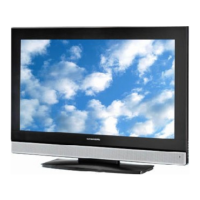
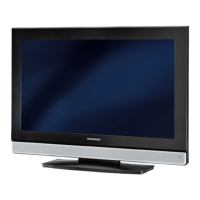
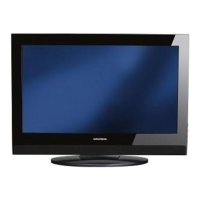
Grundig VISION 3 26-3830 T - User Manual

Grundig VISION 3 26-3830 T
43 pages
Print Icon
To Next Page IconTo Next Page
Loading...
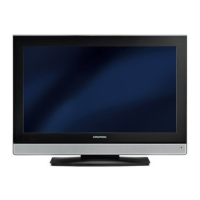
COLOR TELEVISION
VISION 3 26-3830 T
VISION 3 32-3830 T
VISION 3 37-3830 T

Questions and Answers

  • D
    Denise HinesAug 15, 2025
    Why is my Grundig TV remote control not working?
    • H
      Hunter PowellAug 15, 2025
      If your Grundig TV remote control isn't working, make sure you're pointing it directly at the TV. Also, check the batteries and replace them if needed. If that doesn't work, try switching off the television with the main power button for about 2 minutes.
  • J
    jason04Aug 18, 2025
    What to do if my Grundig VISION 3 26-3830 T has picture but no sound?
    • J
      Julia PerezAug 18, 2025
      If your Grundig TV has a picture but no sound, the volume may be set to minimum. Try turning up or switching on the volume.
  • J
    Julie JonesAug 22, 2025
    How to fix poor picture contrast on Grundig TV?
    • L
      Linda HowellAug 22, 2025
      To fix poor picture contrast on your Grundig TV, try adjusting the brightness, contrast, or color settings. It could also be a problem with the station, so test with another channel to check.
  • B
    Brittany DouglasAug 25, 2025
    What causes interference to picture and sound on Grundig VISION 3 26-3830 T TV?
    • D
      Dawn MartinAug 26, 2025
      Interference to the picture and sound on your Grundig TV can be caused by other devices. Try changing the position of the interfering device.
  • W
    William MedinaAug 28, 2025
    What to do if Grundig VISION 3 26-3830 T TV has screen lit (snow), but no station?
    • J
      Jim WalkerAug 28, 2025
      If your Grundig TV screen is lit with static but you're not getting a station, check if the antenna cable is connected. If it is, you may need to start the station search to program the channels.
  • S
    stephanie50Aug 31, 2025
    Why is there no color on my Grundig VISION 3 26-3830 T TV?
    • K
      Kimberly TranAug 31, 2025
      If your Grundig TV has no color, first ensure that the color intensity isn't set to minimum; turn it up. Also, check the TV standard setting and select the correct color standard if this setting option is available. It may also be a problem with the station, so test with another channel.
  • A
    andrew75Sep 4, 2025
    What causes ghosts or reflection on Grundig TV screen?
    • D
      diazdavidSep 4, 2025
      Ghosts or reflections on your Grundig TV screen can be due to the channel setting. Try automatic or manual channel setting/fine tuning. It could also be an antenna issue; have the antenna cable or system checked.
  • V
    Vanessa DrakeSep 8, 2025
    Why is picture dark in PC mode on Grundig TV?
    • L
      Leslie WatkinsSep 8, 2025
      If the picture is dark in PC mode on your Grundig TV, it could be due to an incorrect setting for picture resolution and picture frequency on the PC. Change the setting on the PC (for example, picture resolution 1280 x 768, picture frequency 60Hz).
  • K
    Kathryn RamirezSep 12, 2025
    What to do if teletext is missing or faulty on Grundig VISION 3 26-3830 T TV?
    • B
      Brian WilliamsSep 12, 2025
      If the teletext on your Grundig TV is missing or faulty, it could be a problem with the station, so test with another channel. It may also be due to the television station having no teletext or a problem with the antenna system; test another channel for fine tuning and ghosts. A weak station signal can also be the cause, so check the antenna system.

Summary

Set-Up and Safety

Safe Setup and Handling

Important information for safe setup, placement, and handling of the television.

General Information

Television Features and Reception

Overview of television features, digital station reception, and Common Interface.

Connection;Preparation

Connecting Antenna and Power

Step-by-step guide to connecting the antenna and the mains power cable.

Remote Control Battery Installation

Instructions for inserting batteries into the remote control.

Overview

Television Ports and Connections

Identification and description of all input and output sockets on the television.

On-Television Controls

Explanation of the buttons located on the television set for operation.

Remote Control Operation

Detailed description of each button on the remote control and its function.

Settings

Tuning Television Stations

Guide to automatically tuning and finding digital and analogue TV channels.

Managing Digital Channels

Instructions for organizing, moving, and deleting stored digital television channels.

Favourite Channels and Parental Control

Creating favourite channel lists and blocking channels for parental control.

Picture and Audio Settings

Adjusting picture parameters like brightness and contrast, and audio settings like volume and sound type.

Advanced Audio Adjustments

Customizing stereo width, automatic volume, and equalizer sound profiles.

Television Operation

Basic Operations

Powering on/off, selecting channels, AV inputs, volume control, and muting.

Picture, Sound, and Language Settings

Adjusting picture, sound, audio language, and using the zoom function.

Channel Zapping and TV Guide

Using the zap function to save channels and accessing the electronic TV guide.

Picture Format Adjustments

Adjusting aspect ratios like AUTO, 16:9, 4:3, Letterbox, Subtitle, and Panorama.

Teletext Mode

Basic Teletext Navigation

Switching to teletext, navigating pages, and additional functions.

Advanced Teletext Features

Calling sub-pages, revealing answers, and split-screen teletext viewing.

Convenience Functions

Menu and Timer Configuration

Changing menu language, setting the clock, and configuring switch-on/off timers.

System Reset and Digital Channel Settings

Resetting the TV, managing antenna voltage, and configuring digital channels and language settings.

Time Zone and Parental Controls

Setting time zones, enabling parental control, and changing the PIN code.

CI Module and Software Management

Accessing CI module information, signal details, and updating TV software.

Using External Devices

Connecting Digital Devices

Connecting HD-ready devices like set-top boxes and DVD players via HDMI.

Connecting Analogue and S-Video Devices

Connecting devices using Component (YUV), Euro/AV, and S-Video inputs.

Analog TV, Video Recorders, and Headphones

Connecting analogue TV sources, video recorders, and headphones, adjusting headphone sound.

Connecting Decoders and Satellite Receivers

Instructions for connecting decoders or satellite receivers using EURO-AV cables.

Camcorders and AV Receivers

Connecting camcorders via VIDEO/S-VHS and AV receivers via SPDIF OUT.

PC Monitor Mode

Connecting and Configuring a PC

Connecting a PC via VGA and audio cables, and adjusting PC display settings.

Operation with Common Interface

Installing and Accessing CI Module

Inserting the CI module and smart card, and accessing PAY-TV channels.

Special Settings

Tuning Digital Television Stations

Searching for and manually tuning digital television stations.

Tuning Analogue Channels via Search

Switching to analogue, searching, and storing analogue channels.

Fine-Tuning and Manual Channel Entry

Manually adjusting analogue channels for better reception and entering channel numbers.

Re-tuning and Managing Analogue Channels

Re-tuning all analogue channels and managing stored analogue stations like deleting.

Sorting, Naming, and Skipping Channels

Sorting channels, entering custom names, and skipping channels in the program table.

Information

Technical and Environmental Data

Specifications, EU directives, compliance standards, and environmental disposal information.

Troubleshooting Common Issues

A guide to diagnosing and resolving common TV faults and problems.

UK Specific Information and Wiring

Details for UK units, plug compatibility, fuse replacement, and mains lead wiring instructions.

Grundig VISION 3 26-3830 T Specifications

General IconGeneral
BrandGrundig
ModelVISION 3 26-3830 T
CategoryTV
LanguageEnglish

Related product manuals