EN
17
Then close the Top Menu window, and you will a
window like this:
NOTE: The TS Recording should last at least 20
seconds for the TS Player feature can play it.
Once you tap on the TS Player button, it will be
displayed the list of the TS Recordings:
Tap on TS Player to
select the le
Top menu
This menu has several tabs that will be explained
below. To select one of them, the user must tap on
the title.
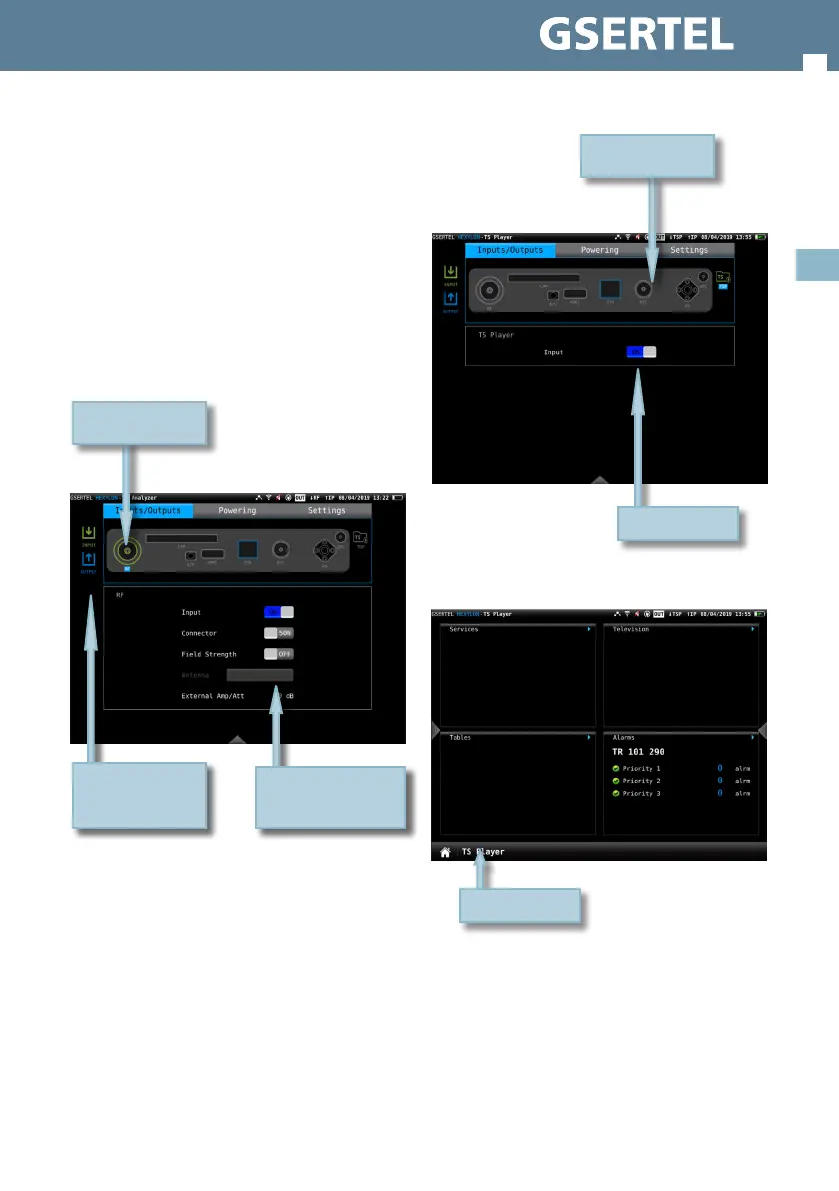
Inputs/Outputs:
Doing tap on the connector draw, the
corresponding input/output will be enabled/
disabled. Once it is enabled, the user must set
some options depending on the kind of input.
If your HEXYLON has the option 901628 (TS
Recording), you can select the TS player feature. So
you can see your TS recording in your HEXYLON:
Inputs are green and
outputs are blue
Tap to select options
Enabled input
Then turn it ON
Tap on TS Player



 To Next Page