EN
23
2. User profiles
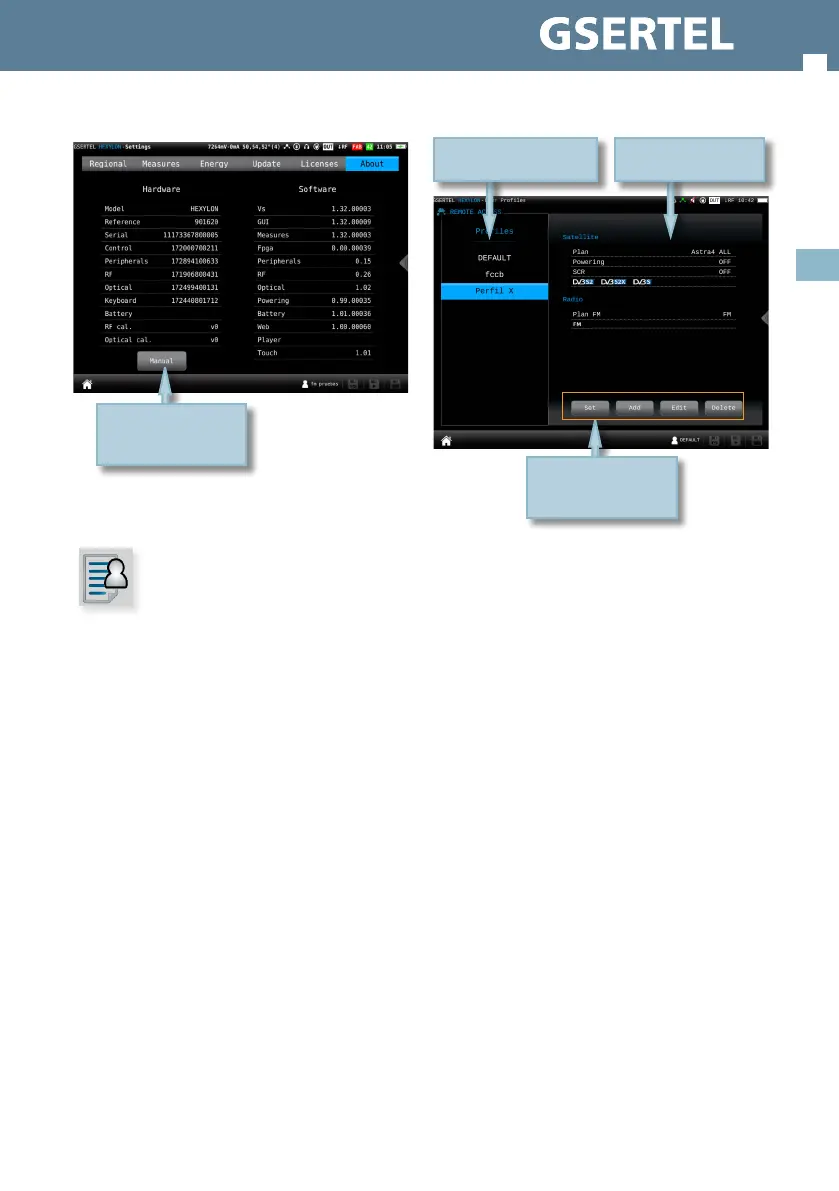
Your Hexylon allows dene as many user proles as
your need. For each user prole, you must indicate
what band(s) is going to measure that user prole
and the main parameters.
If you select terrestrial band for a prole, you
must select the channel plan, the preampliers
powering and the norm.
If you select satellite band for a prole, you must
select the channel plan, polarity, powering, SCR
and DiSEqC.
Tap to open the manual
.
2.1.- Set
Goes to the setting feature of the main menu (see
section 1.- Settings)
2.2.- Add
Adds a new user prole. When you tap on this
button, a popup window will open where the user
must set all the required parameters.
First of all, you must type the prole name. Then,
you must select the bands you want to include in
that prole and set up the parameters.
To select a band, you must select the corresponding
check box. The rst step is the terrestrial band, then
tap on “Next” button pass to the satellite band, and
nally the radio band.
Once you have nished the radio band
conguration, tap on “add” button to save the user
prole.
Tap to select the action
Proles list
Tap to select
Selected prole
conguration


 To Next Page
 Loading...