Hexylon High-performance portable meter
24
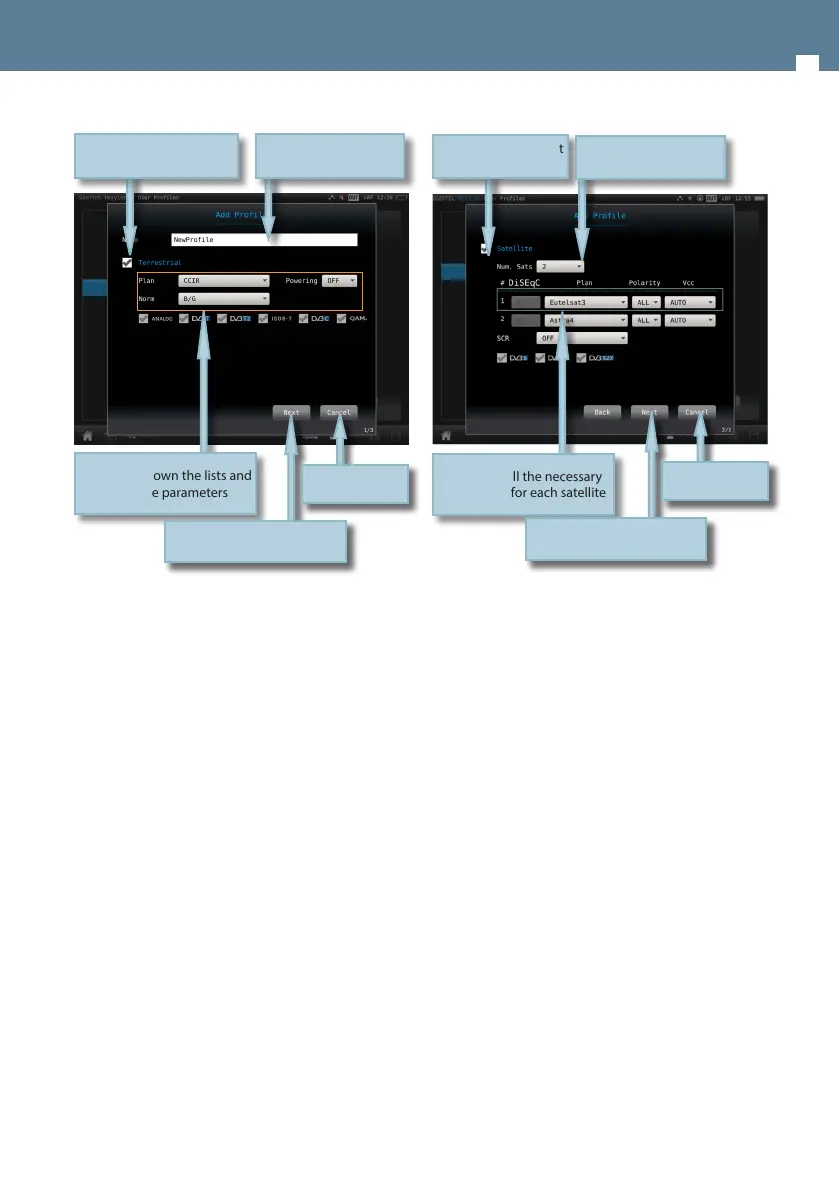
Congure all the necessary
parameters for each satellite
Tap to select/deselect
the band
Select the number of
satellites
Tap to continue to the next
band
Tap to cancel
2.3.- Edit
Allows changes in the selected prole of the list.
The process is similar to add a new prole.
2.4.- Delete
Deletes the selected prole from the list.
If you include the satellite band in the prole,
you must select how many satellites you want to
include in that prole. Then you must set all the
parameters for each one.
Each satellite plan is automatically associated with
a DiSEqC command (rst plan with SAT A, second
plan wit SAT B, and so on). So, the powering is
always ON and automatically set to AUTO, but the
user can select any other value.
Tap to dropdown the lists and
select the parameters
Tap to select/deselect
the band
Type the new prole
name
Tap to continue with the next
band
Tap to cancel


 To Next Page
 Loading...