Hexylon High-performance portable meter
54
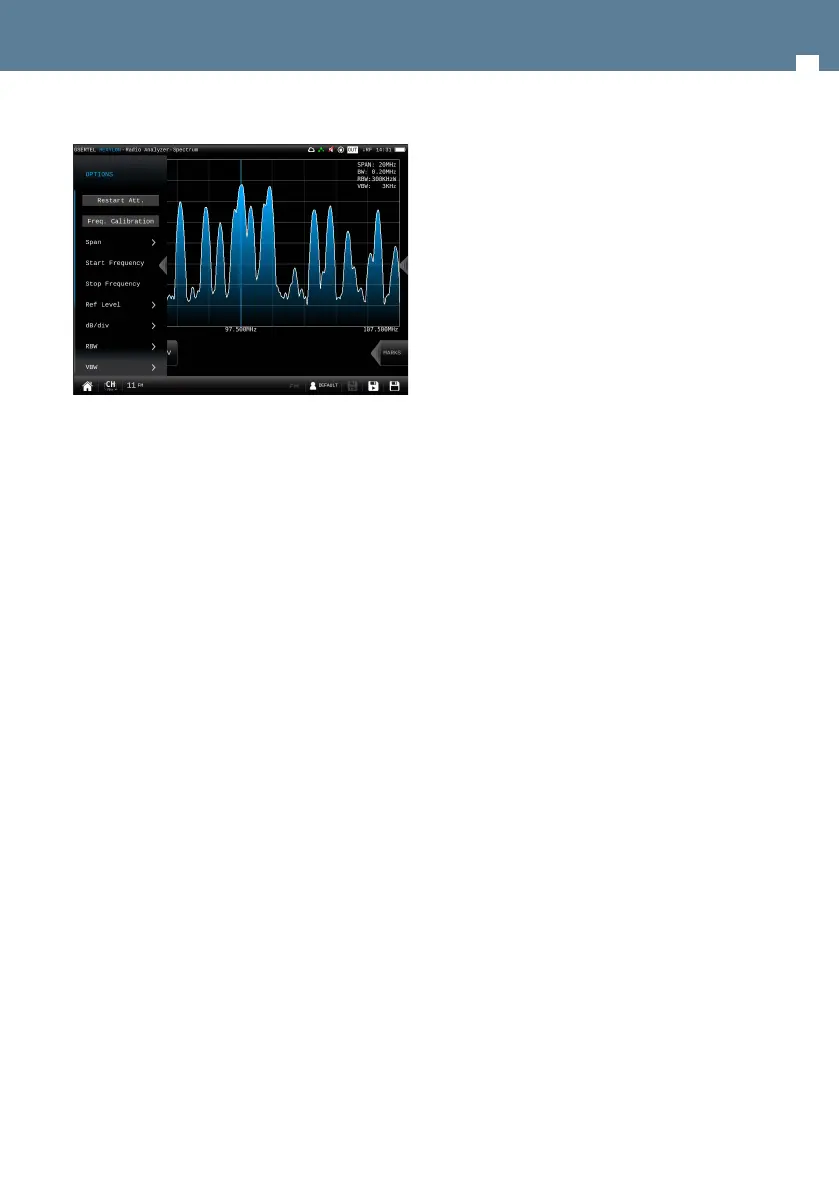
8.4.5.2.- Options context menu
• Restart Att: restarts the control attenuation.
• Frequency Calibration: If the user needs more
accuracy, this feature improves it by considering
all the conditions of the Hexylon in the current
moment.
• Span: 100KHz, 1MHz, 5MHz, 10 MHz, 20 MHz, 50
MHz, 100 MHz, 200 MHz, 500 MHz, 1.0GHz, 2.0GHz,
3.3GHz, Other.
• Start Frequency: Allows the user to set the initial
frequency of the spectrum graph.
• Stop Frequency: Allows the user to set the nal
frequency of the spectrum graph.
• Reference level: Auto, 50dBuV – 130dBuV
• dB/div: Auto, 5dBuV, 10dBuV
• RBW: 500 HzW – 5MHzW
• VBW: 100Hz – 1MHz
• Average: Allows to average the number of
spectrum traces selected by the user. Please note
that the spectrum refresh may be slowed down.
- Reset average: resets the average.
- Number of averages: allows the user to
select the number of traces to average.
• BW: Selects the bandwith of the channel.
• Advanced: Access to spectrum advanced features:
- Hold: enables/disables max. hold and min.
hold features. Tapping on Clear button to
restart hold trace.
- Trigger: enables/disables the trigger by
level feature. To select the level, tap on
the label and a popup keyboard appears.
- Fill: enables/disables the spectrum graph
lled.
• Quality prole: allows to select the quality prole
• Powering:
- VDC: Selects the preamplier powering.
• Aim Antenna: ON/OFF
Emits a modular audible signal with
frequency directly proportional to signal
level in the spectrum trace relative to
reference level. It is recommended to set
the reference level manually, as well as to
select the span to include a frequency range
wide enough. The audible signal becomes
continuous when the signal level is close to
the reference level. Then it is necessary to
increase the reference level to get a more
accurate adjustment. This is a useful feature
to point antennas without having to look at
the display.
• OOB Emissions (only for DAB): It is a mask predened
by the ETSI EN 302 077 standard to check if the
channel complies with it or not.
8.4.6.- FM Deviation
This feature shows the dierence between an FM
modulated frequency and the nominal carrier
frequency.
The norm ITU-R SM.1268-4 establishes two ways
to measure the FM deviation, according to annex
II (Emission mask OFF in the option context menu)
and annex I (Emission mask ON in the option context
menu).


 To Next Page
 Loading...