EN
65
• Screenshot: shows a screenshot of the meter
exactly as it is at the measurement time.
If you select a MacroLOG, you can also select the
measurement iteration:
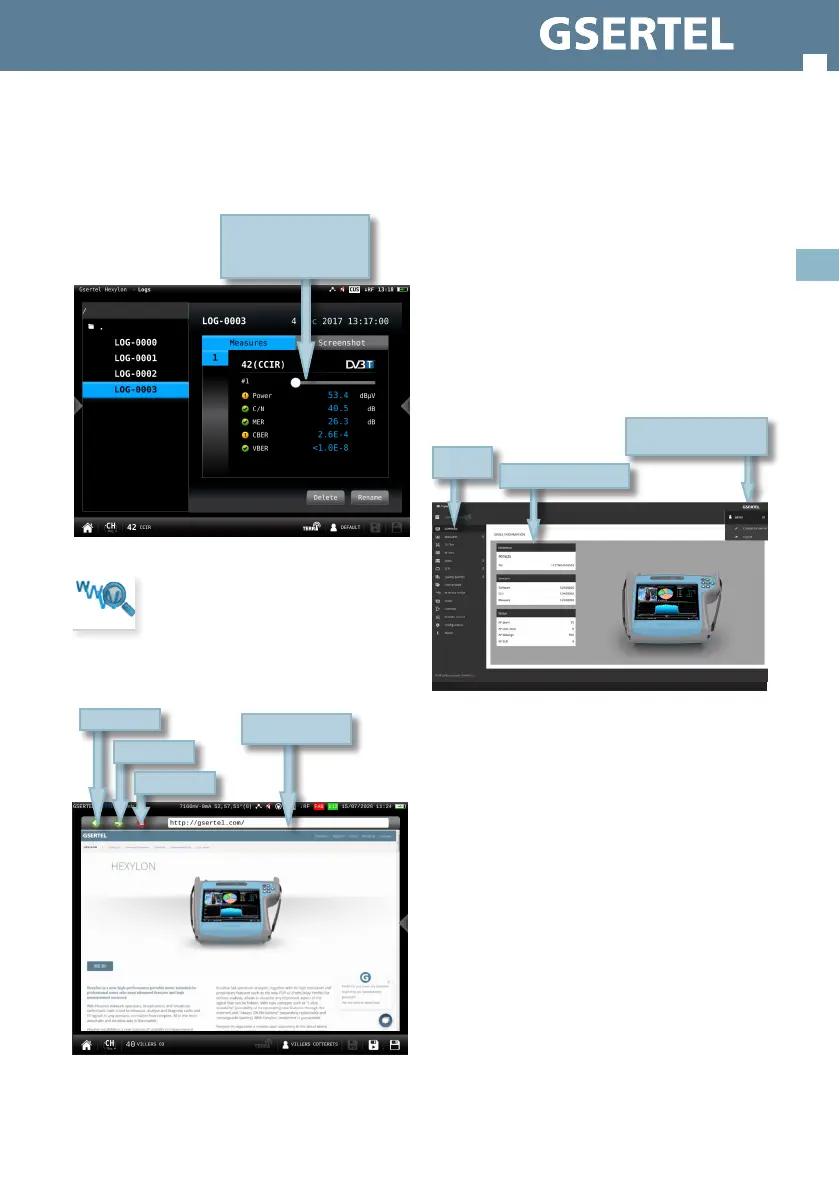
13. Web browser
Hexylon integrates a web browser that provides
access to web pages
Drag to see the
scheduled measurement
iteration
Navigation bar
Go back
Go ahead
Realod
Web application
To access your Hexylon web application, you must
type the IP of your meter in the address bar of your
web browser (Chrome recommended).
To know the IP of your meter, you must access
to the top menu and select Network feature (see
section Settings in Top menu).
The rst time that you access to the web application
you must use the following user and password:
User: admin
Password: admin
Then the web application will open, showing the
Resume window:
1.- Measurements
This feature shows all the LOGs and MacroLOGs
stored in the meter.
There are two display modes:
• Calendar: the measurements are shown grouped
by date in a calendar:
Tap to change
password or logout
Menu
Meter information


 To Next Page
 Loading...