EN
67
2.- TS Files
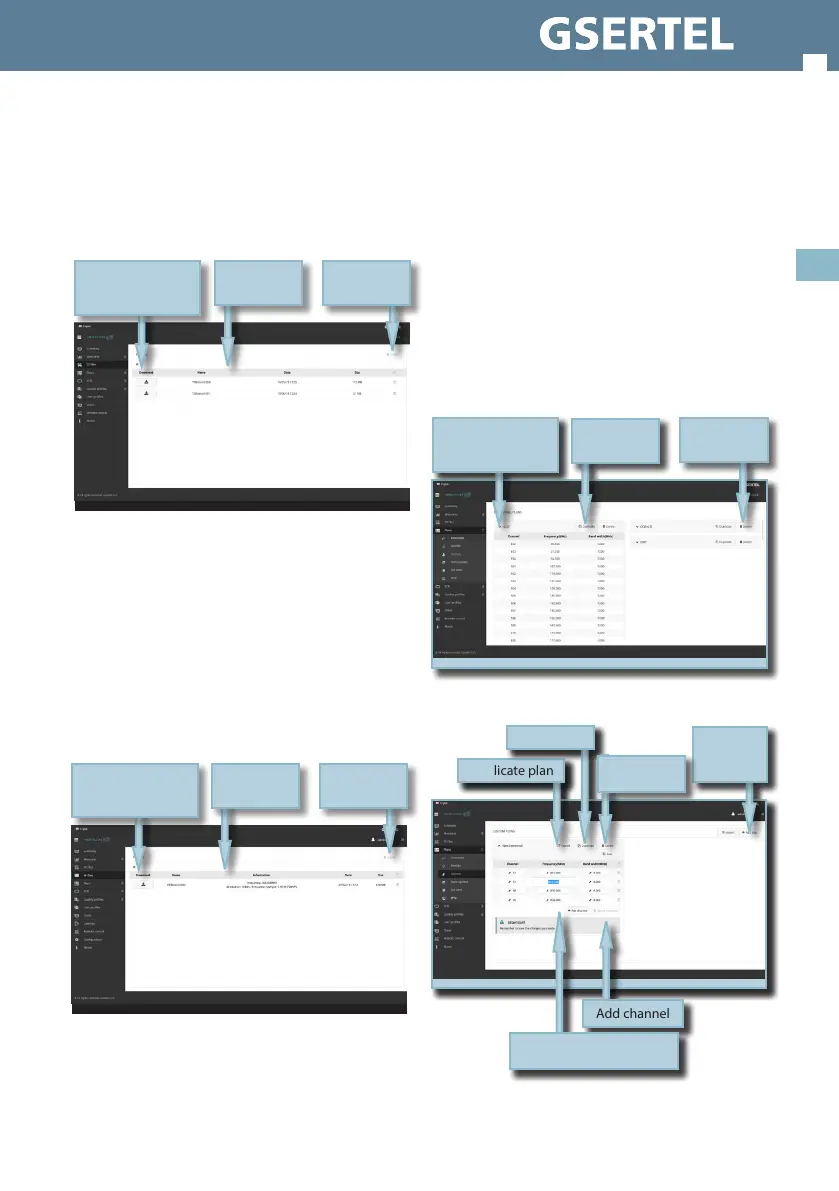
This feature allows to download the transport
stream les saved in the Hexylon.
You can delete the selected TS le using the Delete
button placed at the top right side of the screen.
3.- RF Files
This feature allows to download the RF les saved
in the Hexylon.
The RF les have .iq extension, and may be opened
using a RF signal generator that admits that type
of le.
You can delete the selected RF le using the Delete
button placed at the top right side of the screen.
Download le
List of TS les
Delete
selected les
Download le
List of RF les
Delete
selected les
4.- Plans
In this window, you can see all the channel plans
of your Hexylon.
They are grouped in several categories: Terrestrial,
Satellite, Custom, and IPTV.
The Terrestrial, Satellite and DAB channel plan are
the standard channel plans of the corresponding
band.
These plans can be removed from the meter, but
they can not be edited. However, you can make
a copy of one of them to build a new customer
channel plan from it.
The duplicated plans will appear in the Customer
list automatically.
Custom channel plans can be edited:
Display channel plan
Duplicate plan
Delete plan
Duplicate plan
Delete plan
Add
customer
plan
Add channel
Select to set the channel
parameters
Save the plan
in the meter


 To Next Page
 Loading...