Hexylon High-performance portable meter
68
Hexylon has no factory IPTV channel plan, neither
FM plan. The user must create his own IPTV or FM
channel plans.
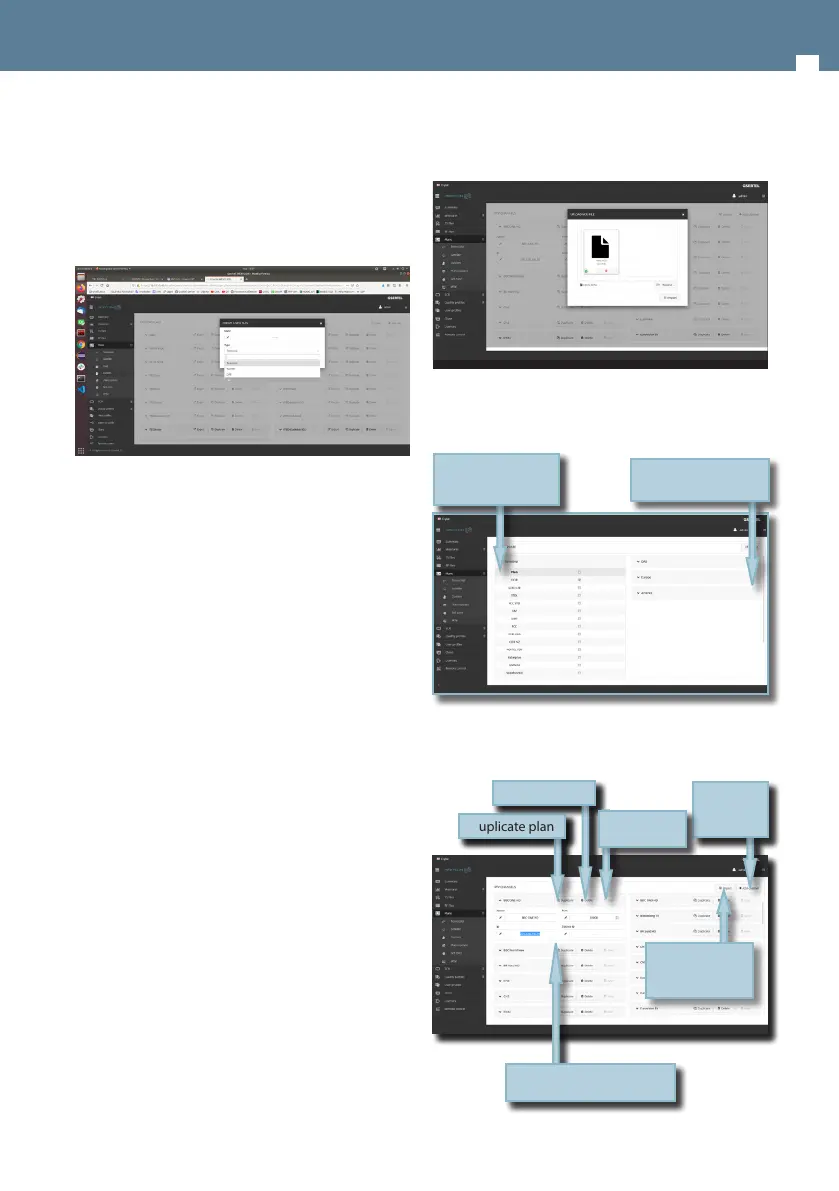
To create a new channel plan, click on the Add
button. As you can see in the image below, you
must select the type of channel plan: terrestrial,
satellite, FM, DAB or IPTV:
You create an IPTV plan, you can do it adding IPTV
channel one by one, or importing it from a .m3u
le.
A .m3u le is a plain text le that species the
locations of one or more media les. Each media
le must have the following structure:
#EXTINF:-1,Das Erste HD
rtp://@239.228.245.1:10000
rtp://@239.228.245.58:10000
Each media le must begin with the “#EXTINF:”
label.
“-1” indicates that it is a streaming le.
“,” indicated that the next eld is the channel name
(in this case Das Erste HD) . If there is no name for
a channel, a default name will be assigned.
At last it must appear the protocol and the
address of the source. HEXYLON only admits udp
and rtp protocols.
If a channel does not meet some of these
specications, it will not be included in the plan.
When the user select to import an IPTV channel
plan from a .m3u le, the web app will ask you to
select the le:
In this section, the user can also update the channel
plans to the latest version saved in our server.
The application also allows to congure the
channel plans according to the geographic area
you will use the meter.
Display to see the
channels
Save the channel plan
in the meter
Duplicate plan
Delete plan
Add new
channel
IPTV channel parameters
Save the plan
in the meter
Import IPTV
channel plan
from .m3u le


 To Next Page
 Loading...