- 13 -
3
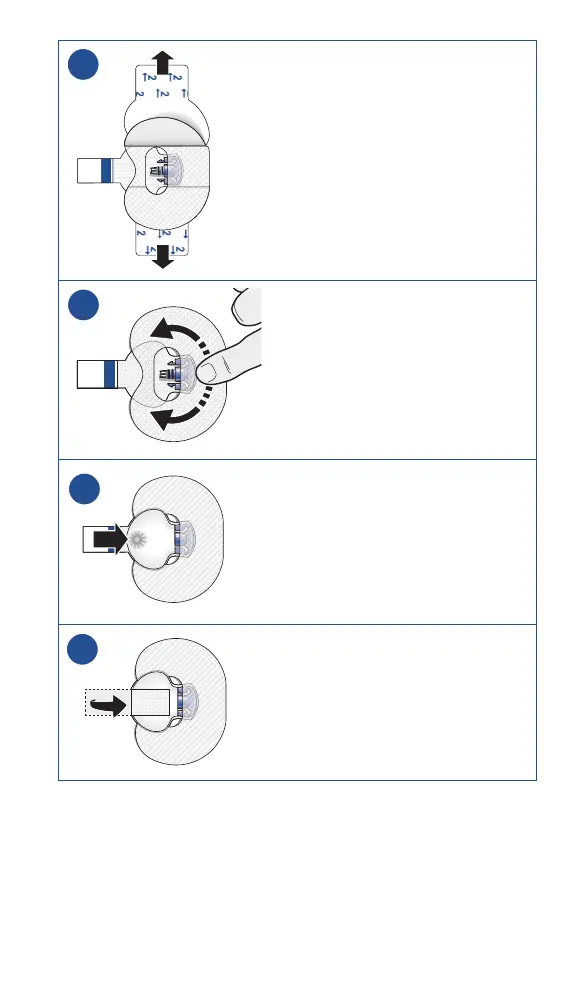
3. Remove liners marked 2 from
each side.
4
4. Smooth the tape.
5
5. Connect the transmitter to the
sensor.
Note: Wait for the green light on
the transmitter to flash. If the green
light does not flash, refer to the
Troubleshooting section of the
Guardian 4 transmitter user guide.
6
6. Cover the transmitter with the
adhesive tab.
Note: Do not pull the tab too tightly.



 To Next Page