- 14 -
7
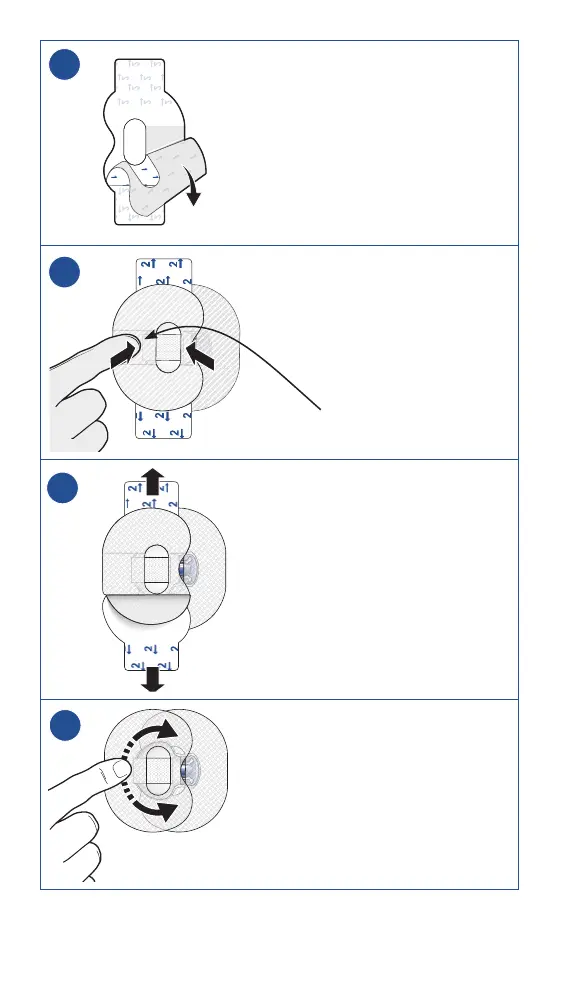
7. To apply a second tape, remove
liner marked 1.
8
8. Apply the second tape in
the opposite direction to the
first tape and place it on the
transmitter. Press down firmly.
9
9. Remove liners marked 2 from
each side.
10
10. Smooth the tape.
Note: For details on how to enter sensor settings into a
compatible display device, refer to the system user guide.
wide part of tape covers end
of transmitter and skin



 To Next Page